


Privacy regulations rarely care whether a record sits in production or on a developer's test server. Under GDPR, a staging database full of real customers carries the same obligations as the live system, and HIPAA-style rules on identifiable information apply wherever that data gets copied. The safest test data is data that was never personal to begin with. Navicat 18's standalone Data Masking tool is built for exactly that, and this article puts it to work on MySQL's Sakila sample database.
Start With a Sensitive-Data Inventory
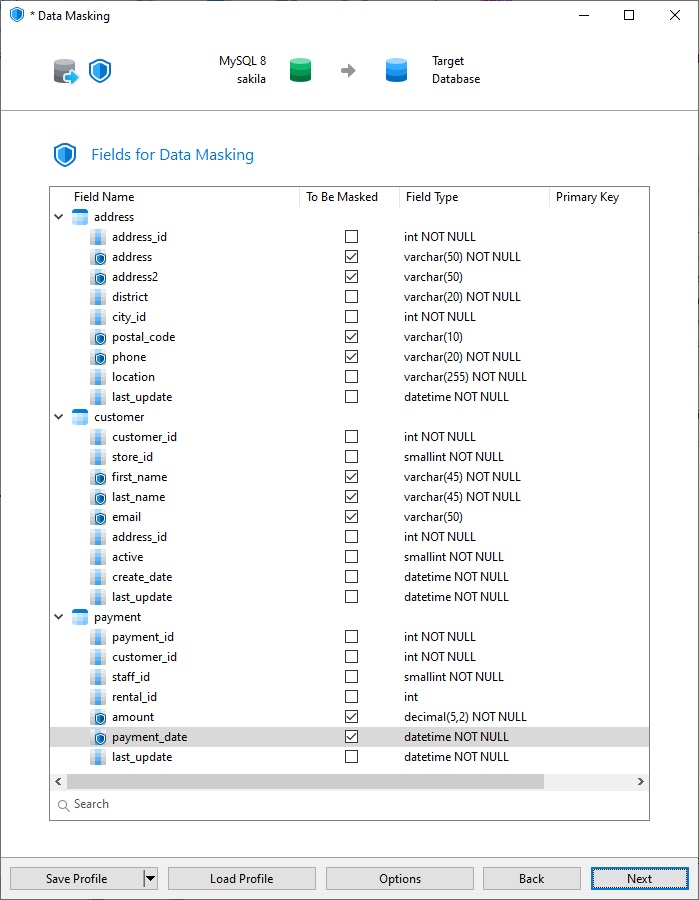
Before masking anything, decide which columns identify a person. GDPR and HIPAA differ in the details, but both focus on names, contact information, addresses, and dates tied to an individual. In Sakila, that points to a short list:
- address:
address,address2,postal_code, andphone. - customer:
first_name,last_name, andemail - payment:
amountandpayment_date, which expose an individual's purchasing history
Keys such as customer_id are different. They carry no personal meaning, and leaving them alone keeps joins and foreign keys working.
Walkthrough: From Sakila to sakila_test
Navicat's Data Masking wizard can mask the columns of an existing table in place, or transfer masked data into a different database. For compliance work, the transfer option is usually the better fit, because the destination only ever receives protected values. Real records never reach the test environment, so there is nothing to scrub afterward.
- Open Tools > Data Masking... from the main menu to open the Data Masking wizard.
- On the first screen, choose the option to Transfer masked data to another database, and click Next to proceed.
- Select your production connection and the
sakiladatabase as the source. Pick a separate target database, such assakila_test. If you haven't already created the target database, you can simply type it in the target database drop-down, and Navicat will create it for you. - Select the
address,customer, andpaymenttables. Leave Transfer Mode on Auto, which masks every row and keeps field names intact. Advanced mode lets you rename target tables and fields and choose which rows to process - useful for masking just a sample.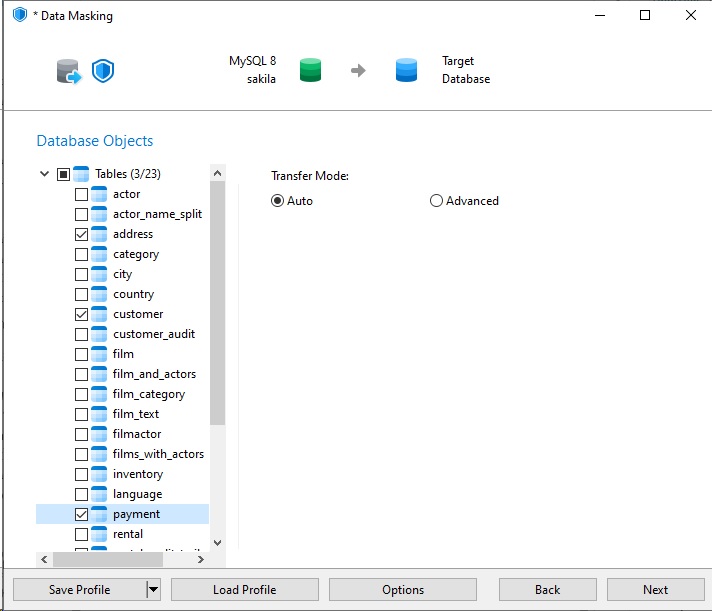
- On the next screen we'll choose which fields to mask. Tick the sensitive columns listed earlier in the Start With a Sensitive-Data Inventory section.
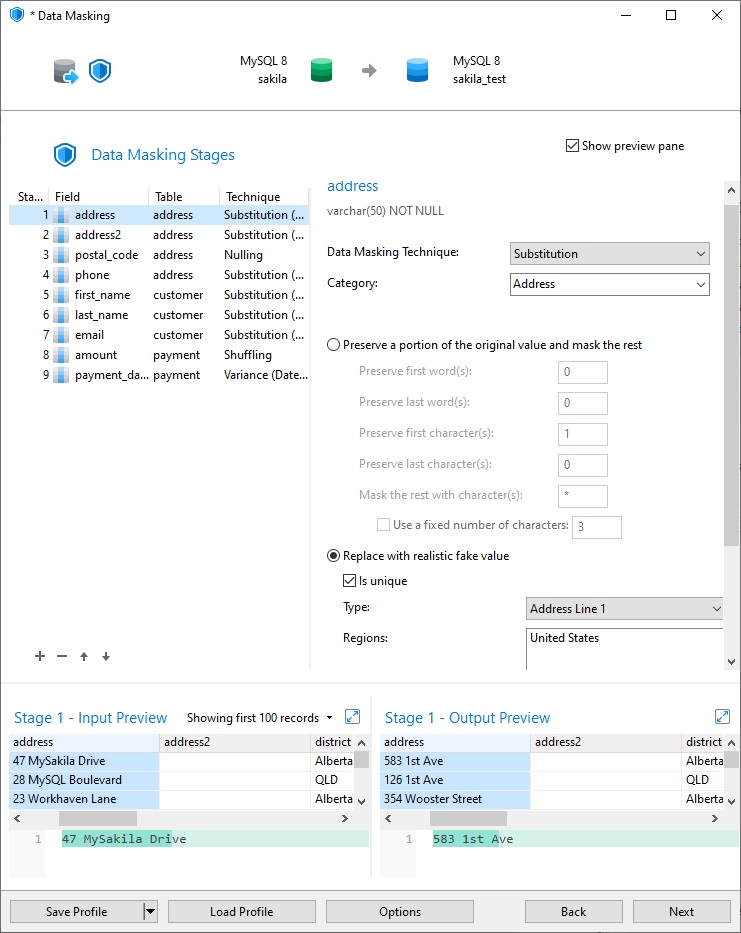
- On the Data Masking Stages screen, Navicat proposes a technique for each one based on its name, data type, and length. Override the suggestions where the test data needs something different.
- Substitution suits names, email addresses, street addresses, and phone numbers. Be sure to replace values wit realistic fake ones so that QA staff can still read the results.
- Shuffling is a good choice for
amountso that the figures are in line with the actual video prices. - Variance works well for
payment_dateso that trends believable without exposing real figures. - Nulling fits
postal_code, which Sakila allows to be empty and testing rarely needs.
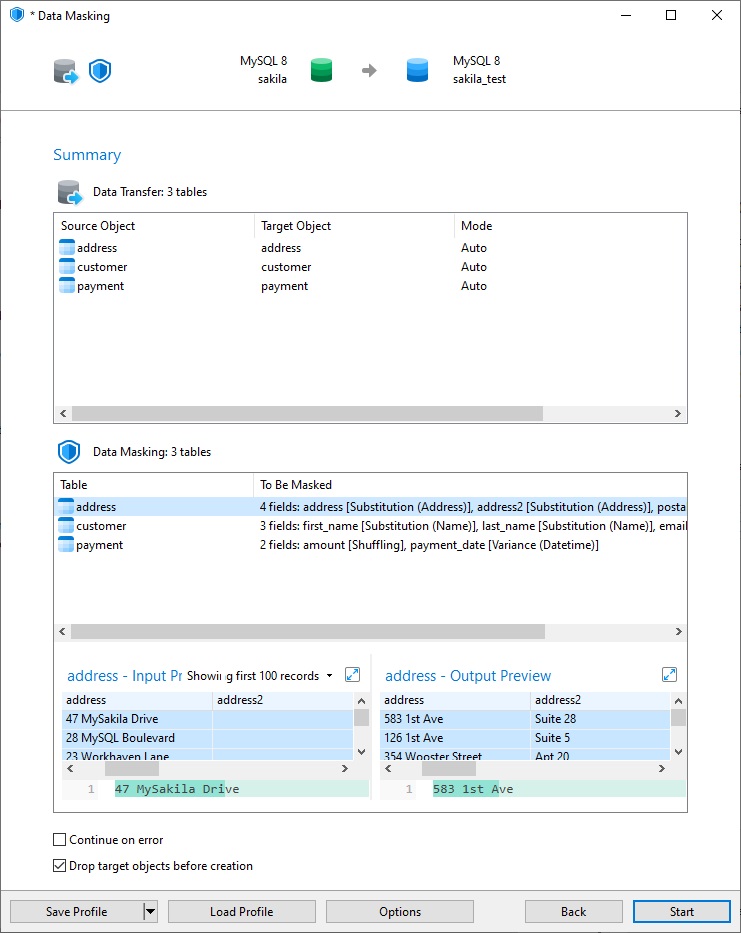
- On the Summary screen, we can review all of the masking operation that Navicat will perform before clicking Start to run the transfer.
Verify and Document
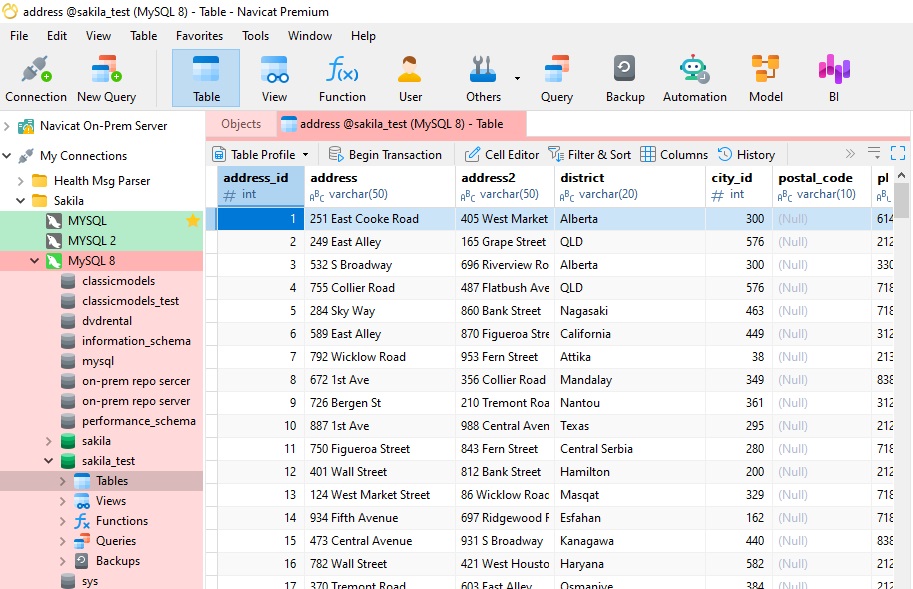
Once the transfer finishes, open the sakila_test database and compare it with the source. No real names or emails should survive, row counts should match, and joins across customer, rental, and payment should still return sensible results. Watch column constraints as well: Sakila's phone column is NOT NULL, so nulling it would fail, and a hashed value must fit the column width. Keep a note of which technique you applied to each column, since auditors often ask.
Strength also varies by technique. Substitution and nulling remove the original value, while hashing and shuffling can sometimes be linked back to a person, so many compliance teams treat them as pseudonymization rather than true anonymization.
Wrapping Up
Masking is a technical safeguard, not a legal guarantee, so confirm your approach with your compliance team. Even so, masking data as it moves into test environments is one of the most practical ways to keep realistic data without carrying real risk. Try the workflow on Sakila first; once it feels familiar, go through the same wizard with your own schemas.