


Zero trust security operates on a simple premise: never assume trust based on network location, and verify every request as if it originated from an open network. For decades, database security relied heavily on perimeter defenses, i.e., firewalls, VPNs, and the assumption that anything inside the corporate network was safe. Zero trust discards that assumption entirely. Every connection, every query, and every user session must be authenticated, authorized, and encrypted, regardless of whether the request comes from a laptop in the office or a contractor working remotely. This article breaks down what that shift looks like in practice for DBAs, and how everyday tools like SSH tunneling, SSL/TLS connections, and role-based access management fit into a zero trust approach.
Why Perimeter-Only Security Falls Short
DBAs have long understood that the database is often the last line of defense, not the first. A compromised application server, a leaked credential, or a misconfigured cloud instance can all bypass network-level protections and land an attacker directly at the database door. Zero trust reframes the DBA's job; instead of relying on the network team to keep intruders out, database access itself becomes a control point. That means encrypting connections regardless of network path, granting the narrowest possible privileges to each account, and treating every session - internal or external - as unverified until proven otherwise.
Applying Zero Trust Principles to Database Access
Three practices form the backbone of a zero trust approach at the database layer:
- Encrypt every connection. Whether traffic crosses the internet or stays within an internal segment, it should be encrypted end to end so credentials and query results can't be intercepted in transit.
- Enforce least privilege. Every account, human or service, should have only the permissions required for its function - nothing more.
- Verify continuously. Authentication shouldn't be a one-time checkpoint. Strong credential handling, session controls, and audit trails matter as much as the initial login.
More than mere abstract ideals, these practices map directly onto tools DBAs already use daily to connect to and manage their databases.
Where Navicat Fits Into a Zero Trust Workflow
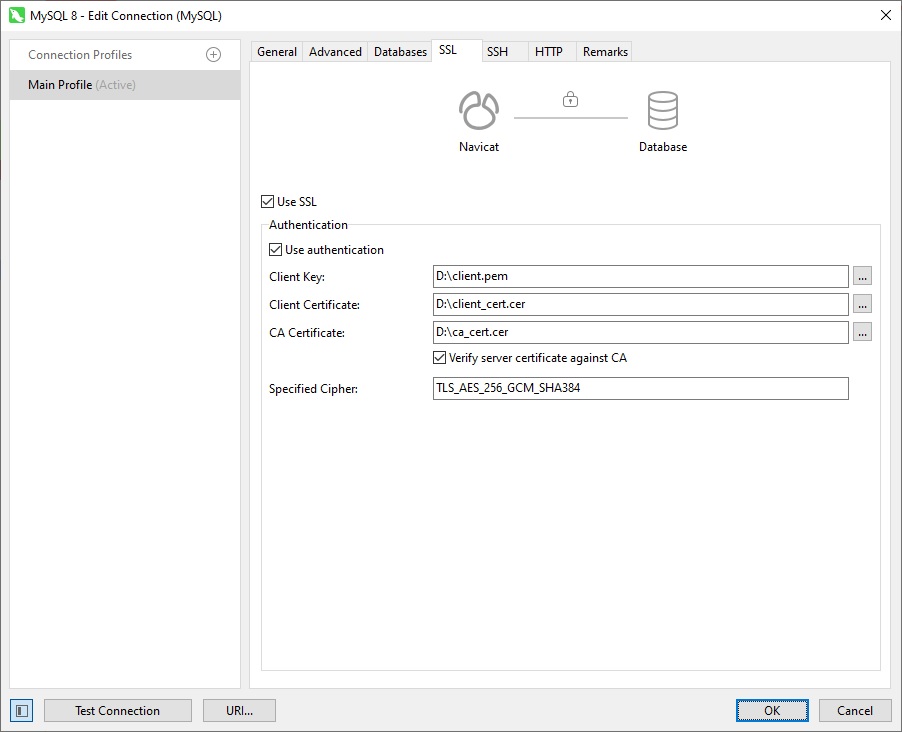
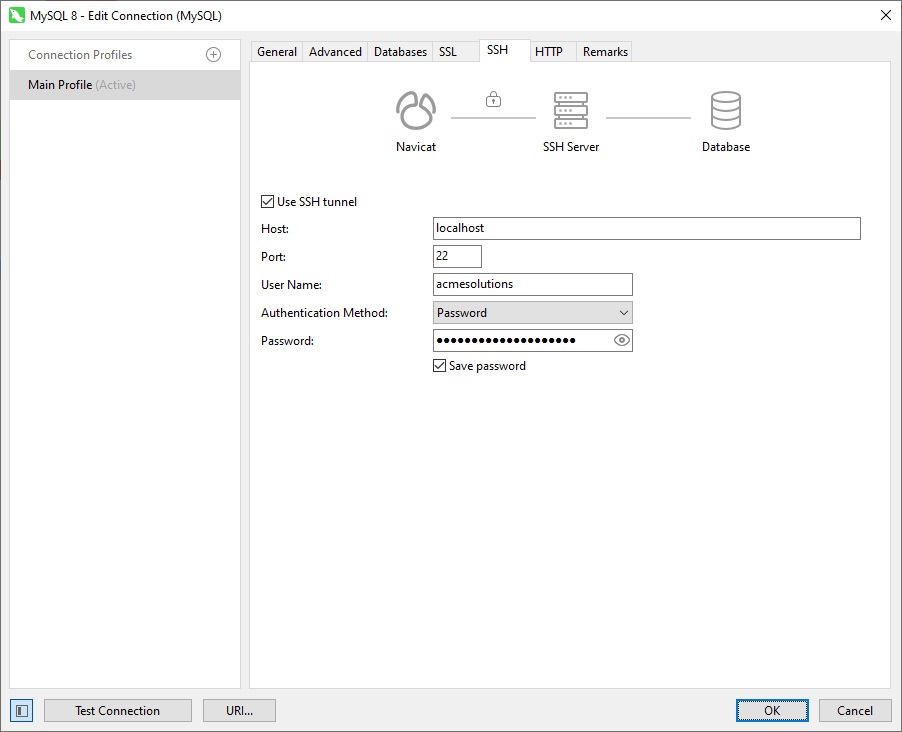
Navicat's connection layer supports several of these principles directly. For encrypting data in transit, it offers both SSL/TLS configuration built into the connection dialog and SSH tunneling, which wraps the entire database session inside an encrypted SSH connection rather than relying on the database engine's own TLS setup - a useful option when a server doesn't have TLS configured or when direct database ports aren't exposed externally for firewall reasons. Tunneling supports both password and public/private key authentication, giving DBAs a stronger option than static passwords alone.
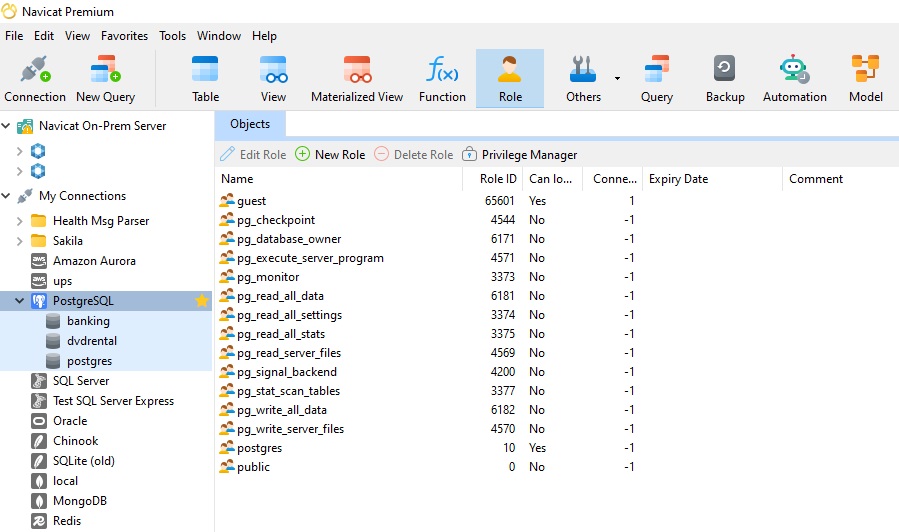
On the access-management side, Navicat On-Prem Server governs collaboration at the project level through a three-tier role system, where administrators assign access rights determining what each member can do within a project, complementing the granular, engine-level privilege controls DBAs already configure through Navicat's User and Privilege Manager tools for platforms like MySQL, PostgreSQL, and MariaDB.
Conclusion
Zero trust isn't a single product feature - it's a mindset shift toward verifying every connection and minimizing every privilege. For DBAs, that shift is achievable with tools already in the daily workflow: encrypted tunnels instead of implicit network trust, and role-scoped access instead of broad, standing permissions. Building these habits into routine database administration is a practical, incremental way to bring zero trust principles down from architecture diagrams to daily practice.