


Navicat 17 raised the bar with its redesigned Model Workspace, Data Profiling, and Data Dictionary. Meanwhile, Navicat 18, which is slated for release in mid-August, is shaping up to be an even bigger leap forward. From AI-assisted data editing to a completely unified modeling experience, this release touches nearly every corner of the app. There's far too much to unpack in a single post, but this article will provide a preview of what's coming.
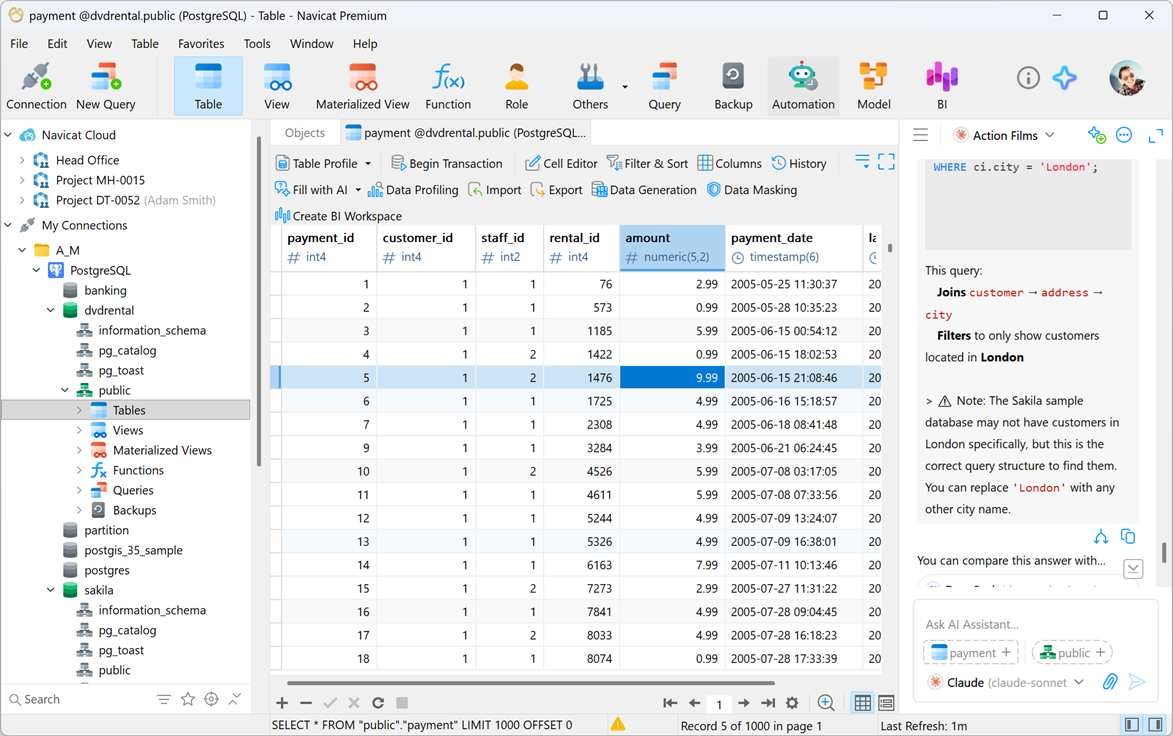
AI in the Data Editor and Table Designer
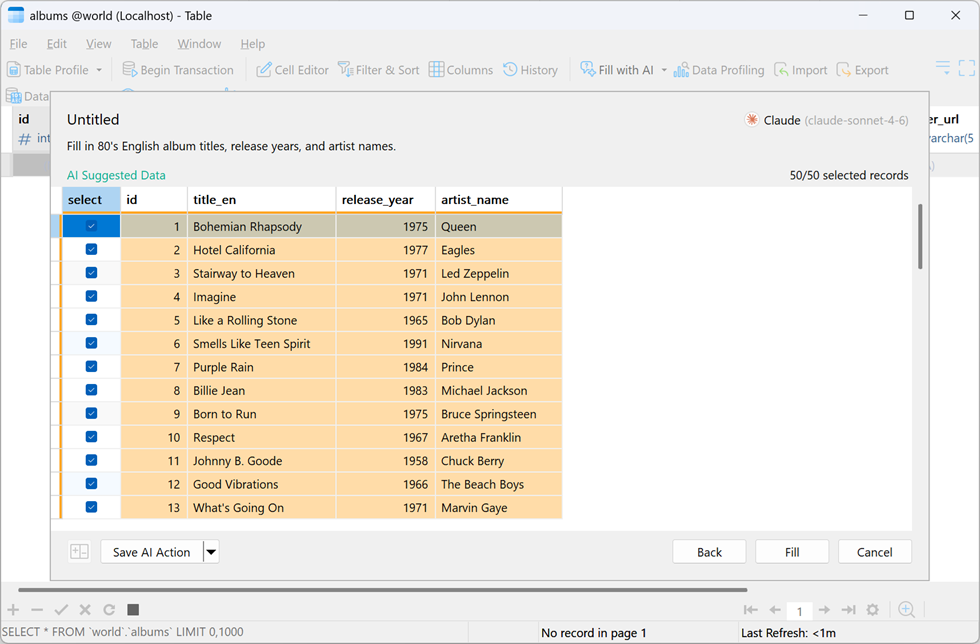
Artificial intelligence now lives directly inside your daily workflow. Fill with AI looks at your existing columns to generate, convert, or summarize information right inside your table - instantly filling missing gaps with realistic data, translating text columns into other languages without ever leaving the grid, or cleaning up records by categorizing text, catching mistakes, and summarizing long text blocks.
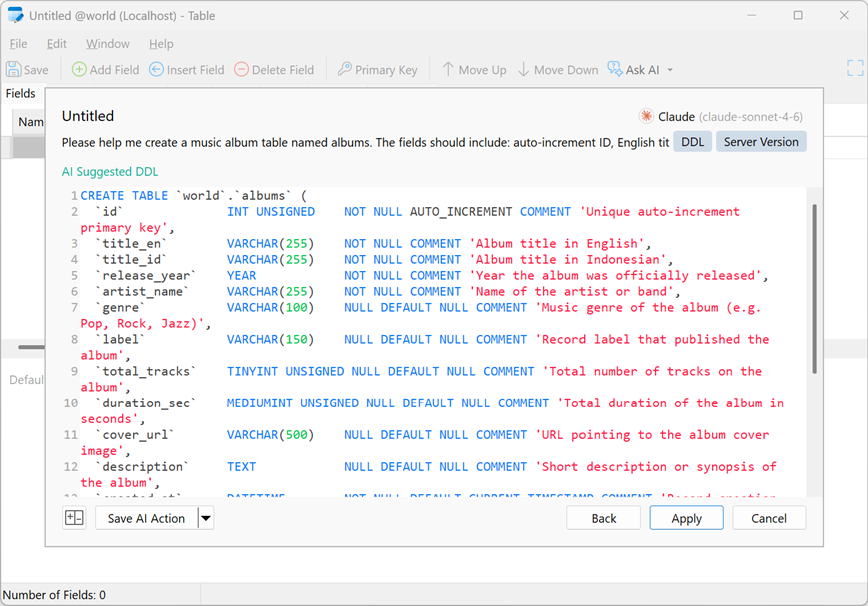
Over in Table Designer, Ask AI lets you design a table in seconds by describing what you need, while Fill with Comment analyzes your field definitions to generate a clear table comment automatically.
Smarter Query Editing
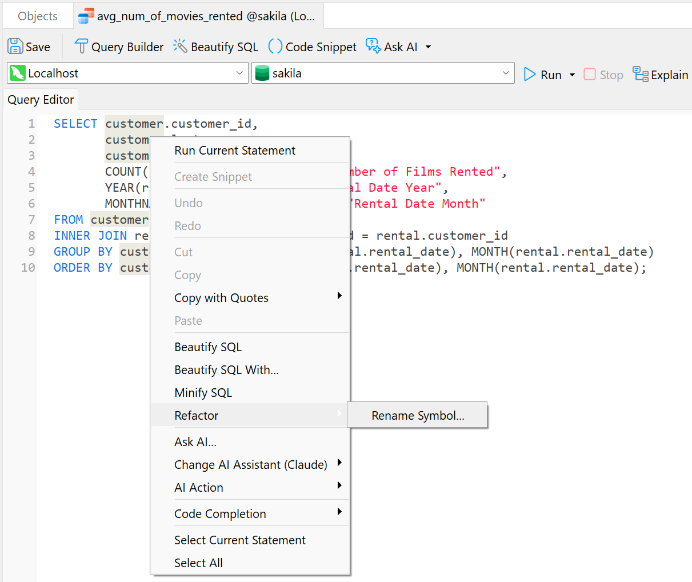
The SQL Editor gets a serious upgrade in precision and speed. New Refactoring tools let you rename a symbol and have every alias or identifier update uniformly across your script, or instantly convert a lengthy table reference into a clean alias with all its joins, columns, and filters updated automatically.
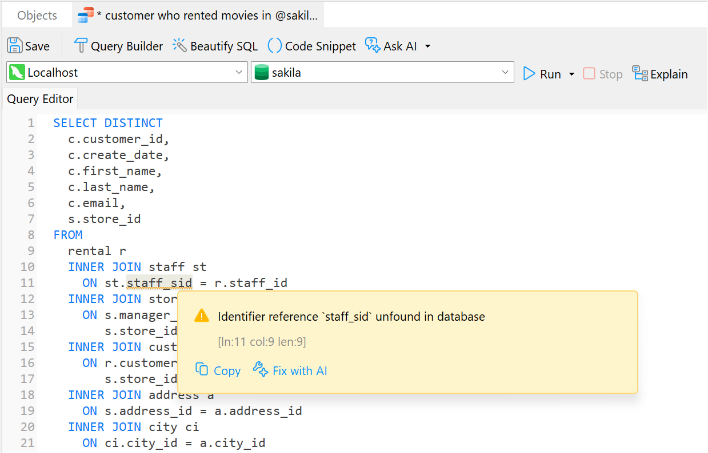
Real-Time Error Detection continuously analyzes your script as you type, flagging syntax flaws, invalid schema objects, and ambiguous column references before you ever hit run. Code Insight adds hover-based metadata, one-click usage highlighting, and Ctrl+Click navigation straight to an object's designer or data editor.
Data Masking
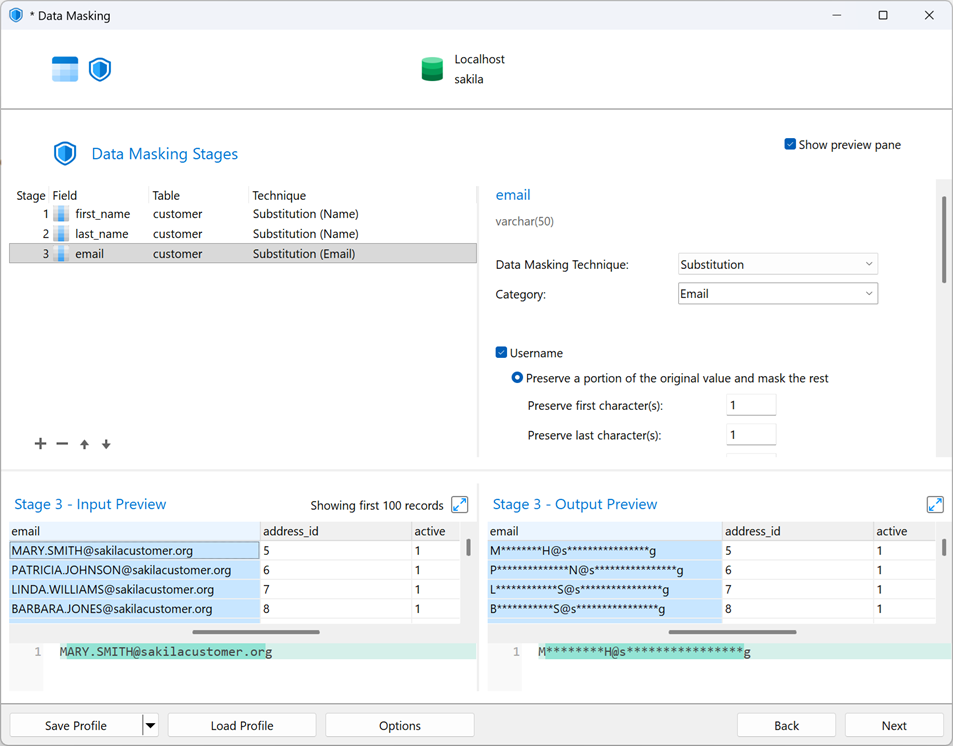
Navicat 18 introduces Data Masking, transforming sensitive production records into safe, realistic mock data so testing, development, and QA teams can work freely without risking a data leak. It fully supports industry-standard techniques including Substitution, Variance, Shuffling, Hashing, and Nulling.
A Unified Model
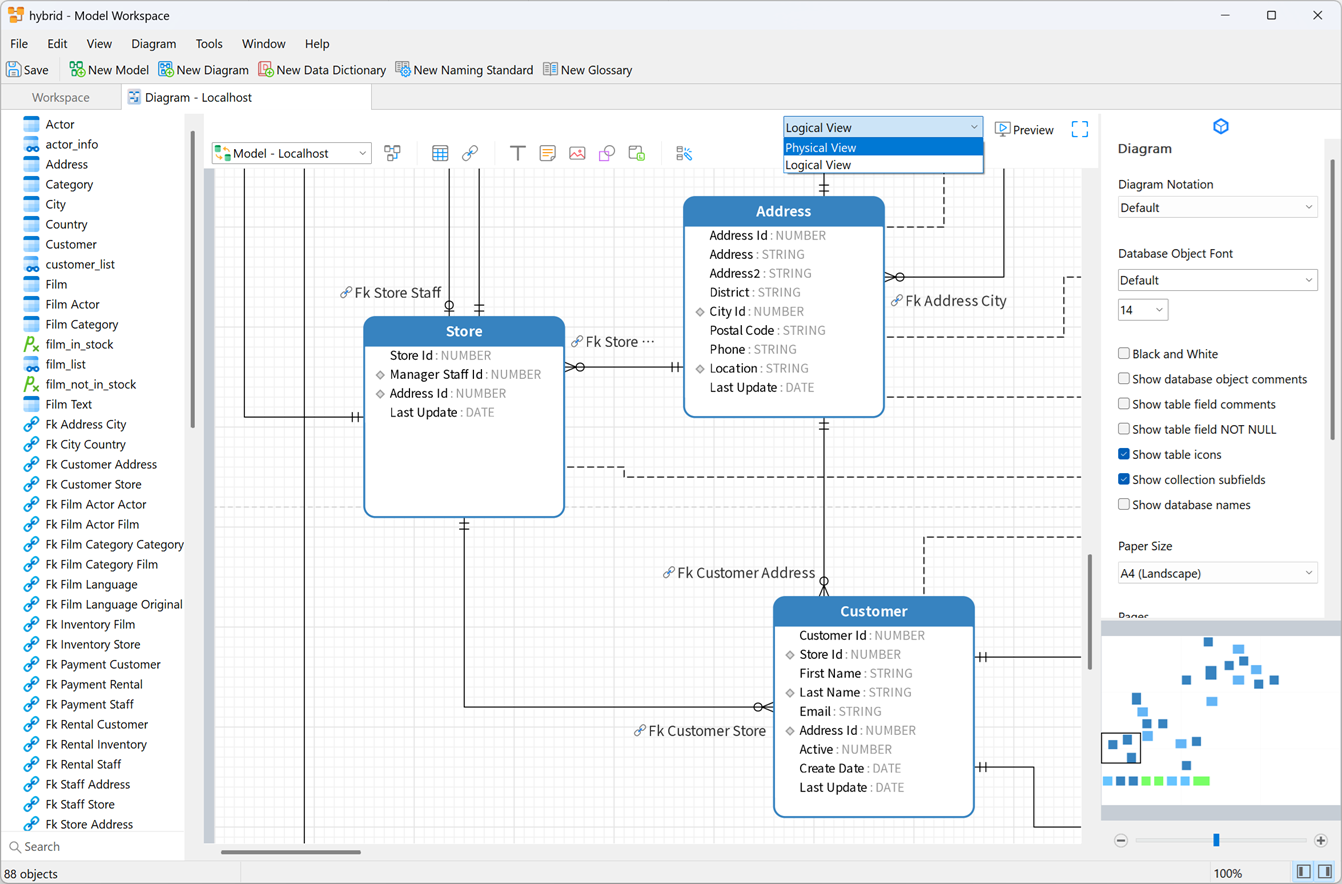
The Model Workspace evolves again with a Hybrid Model that maintains logical entities and physical constraints side by side, bridging conceptual design and physical structure in one workspace. Naming Standards & Glossary enforce consistent casing, separators, and prefixes across your organization, backed by a centralized glossary. And the new Bulk Editor lets you view and edit fields across multiple tables at once from a single hierarchical view.
Business Insight, Reimagined
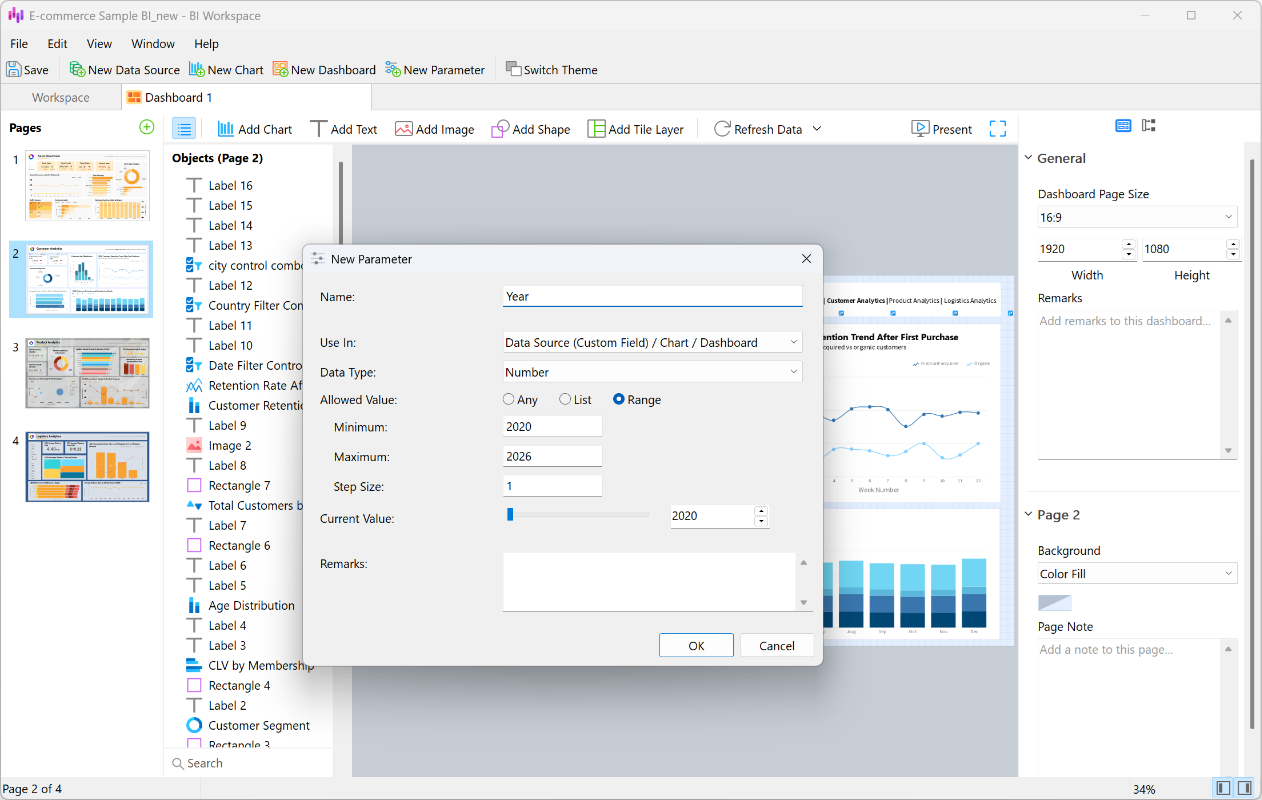
Dashboards get more polish and power. Auto Tile automatically aligns and resizes your charts with a simple drag-and-drop, delivering a professional layout without manual pixel-pushing. Parameters let you define global variables to filter and interact with key values across your entire workspace. The new Add-ons bring Page Navigation for one-click jumps between dashboard pages and Auto Refresh for live data updates on a schedule.
Other Notable Improvements
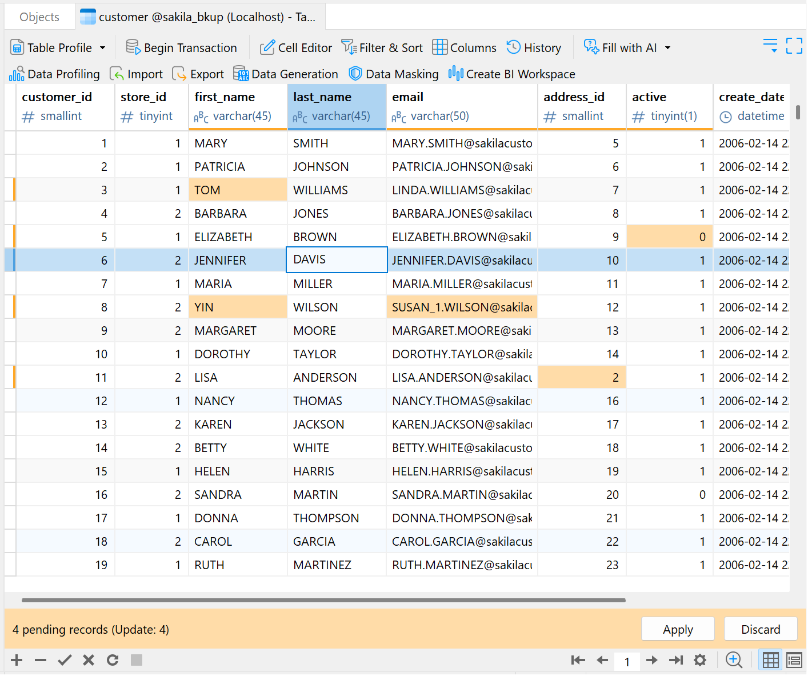
Batch Editing now lets you modify multiple records without triggering automatic saves, with a new Apply/Discard bar to review and commit changes only when you're ready. Record Navigation adds a side panel in Form View so you can jump straight to any record instead of clicking "Next" repeatedly.
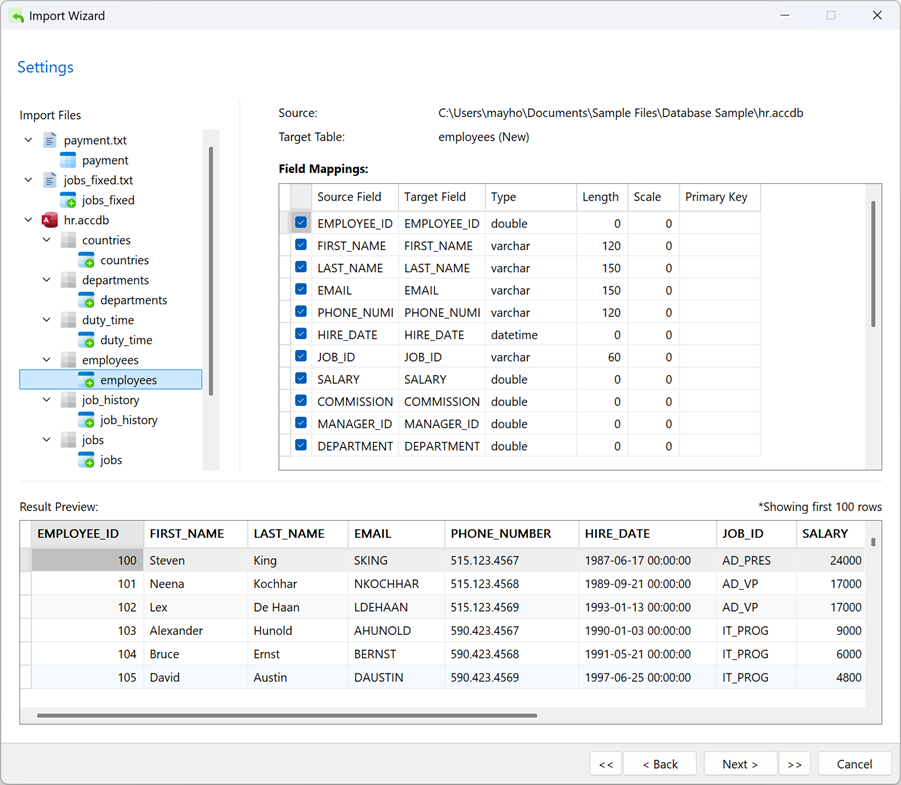
The Import Wizard has been rebuilt into a single-step flow that can combine multiple file types into one table or map a source to multiple tables, complete with live preview panels - and Parquet files are now supported. Personal Profile Sync keeps your table profiles, connection profiles, starred favorites, and UI colors synced to your own account wherever you log in.
Conclusion
This is only a glimpse of what's on the way in Navicat 18. Stay tuned as we dive deeper into each of these features - AI, modeling, masking, and more - in upcoming blog posts!