

Code Insight & Refactoring
Code Insight
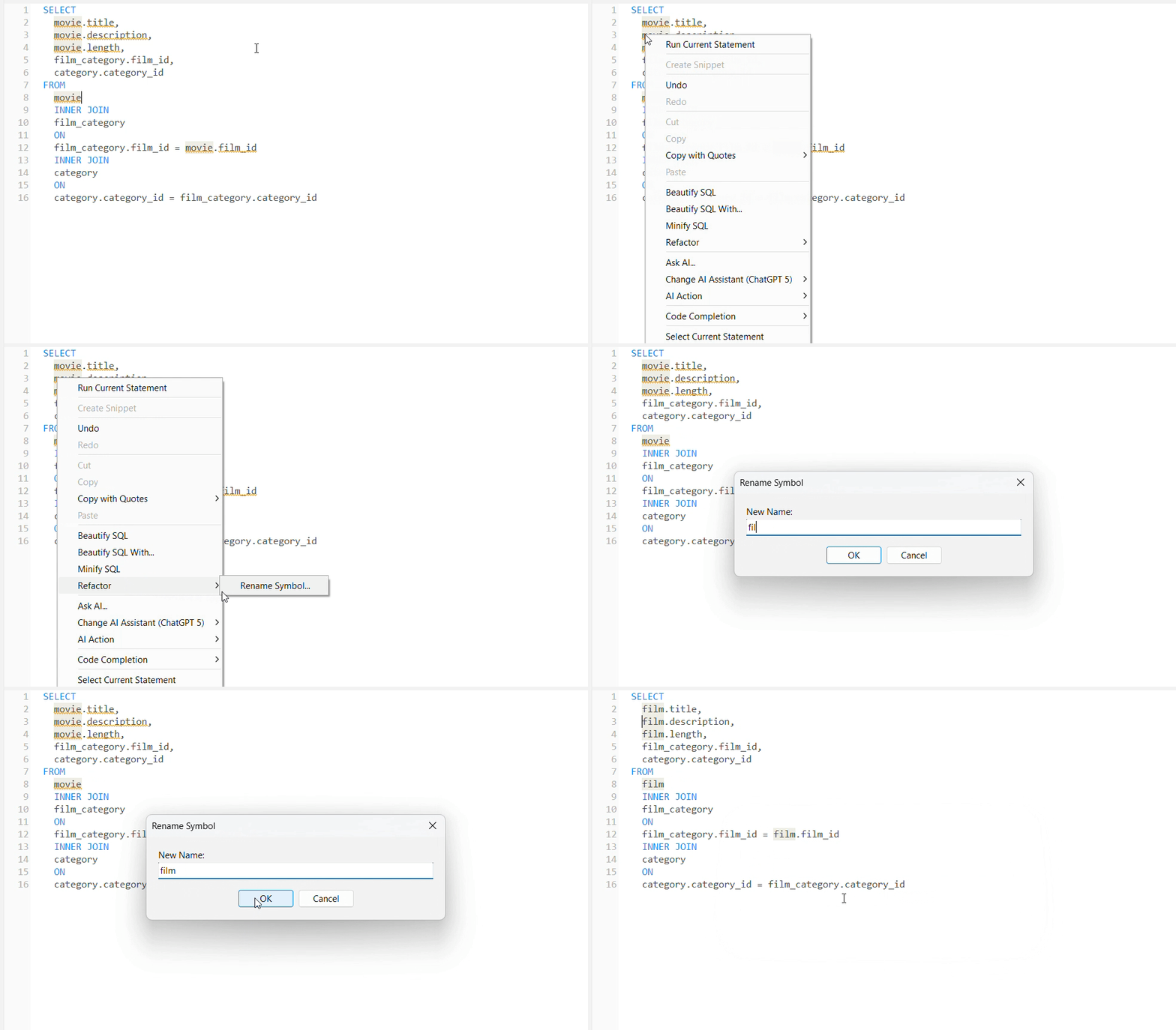
Handy Refactoring Everywhere
Rename aliases, symbols, and table references throughout your SQL script in a single click. Navicat automatically updates every corresponding column, join, and filter, keeping your code clean and preventing broken references.

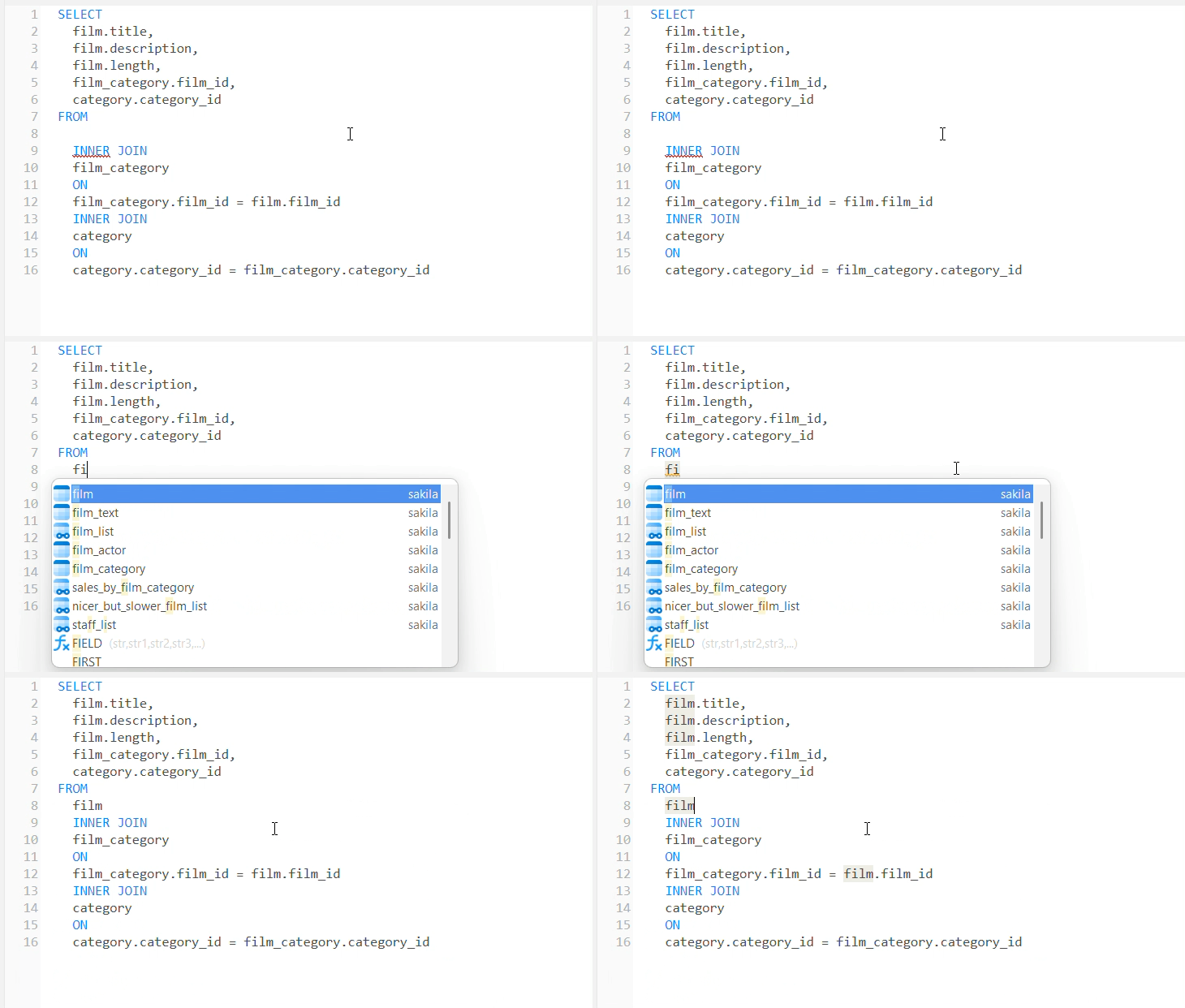
Context-Aware Code Completion
Get intelligent suggestions for tables, fields, and keywords as you type, with automatic JOIN condition completion based on foreign keys and matching schema names.
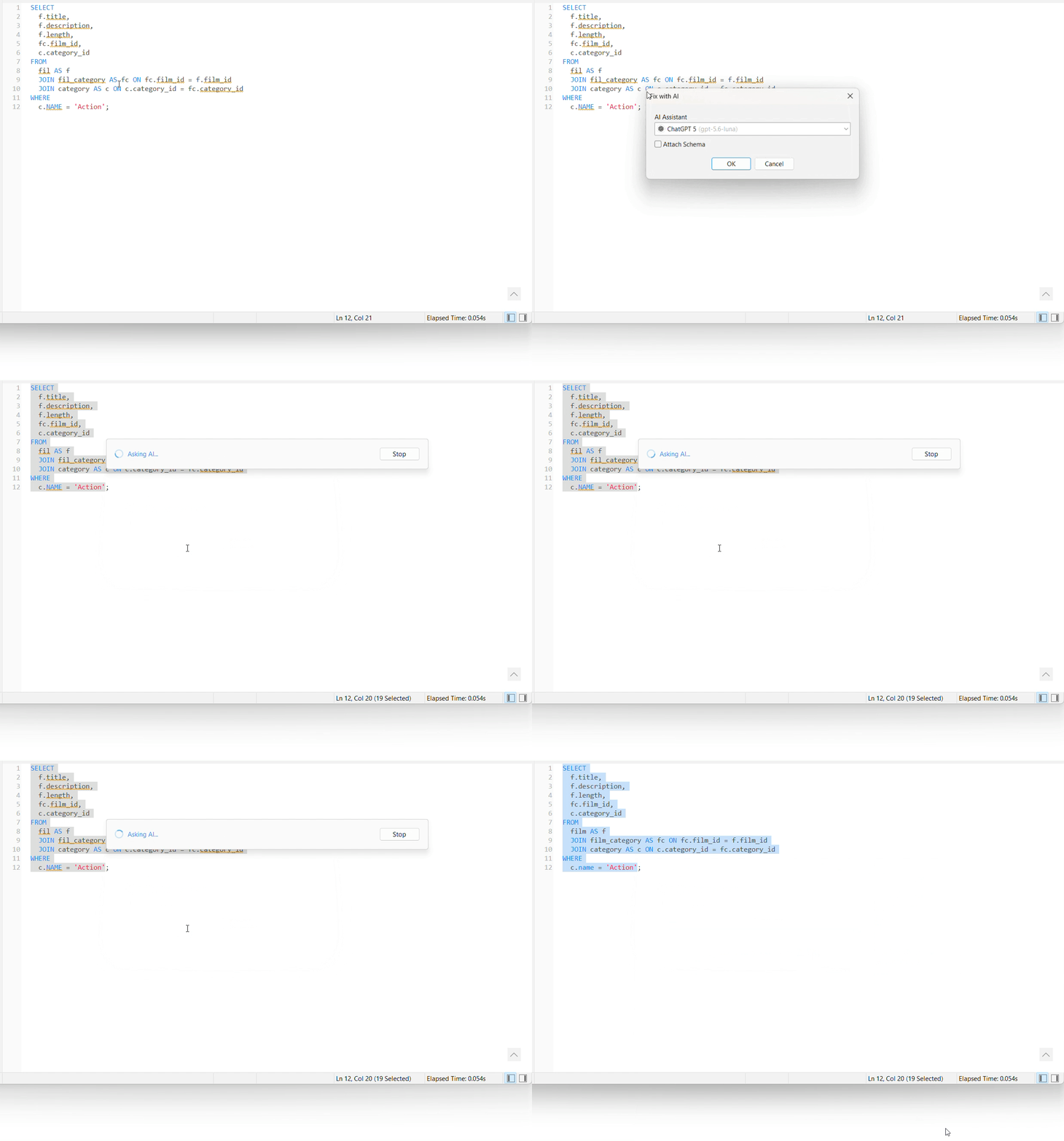
Catch Mistakes Live, Fix Them with AI
Catch Mistakes Live
Catch syntax errors and invalid references as you type, hover for diagnostic details, and click "Fix with AI" to generate and apply corrected code instantly.
Catch syntax errors and invalid references as you type, hover for diagnostic details.
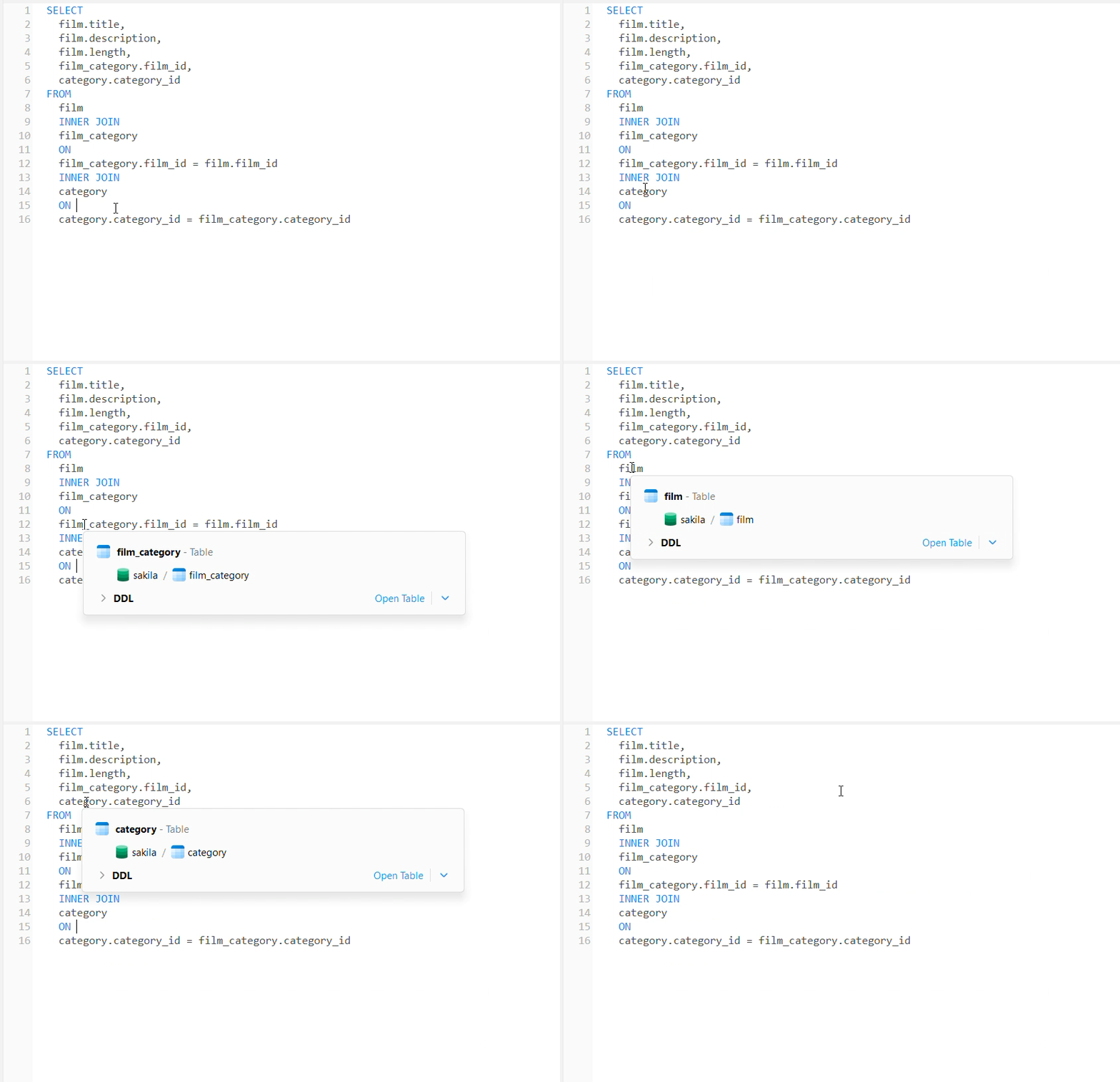
Instant Schema Insights on Hover
Inspect schema metadata and view DDL effortlessly just by hovering over any table or field. Use interactive breadcrumbs to trace database paths, locate objects in the navigation tree, or launch object designers and viewers in a single click.
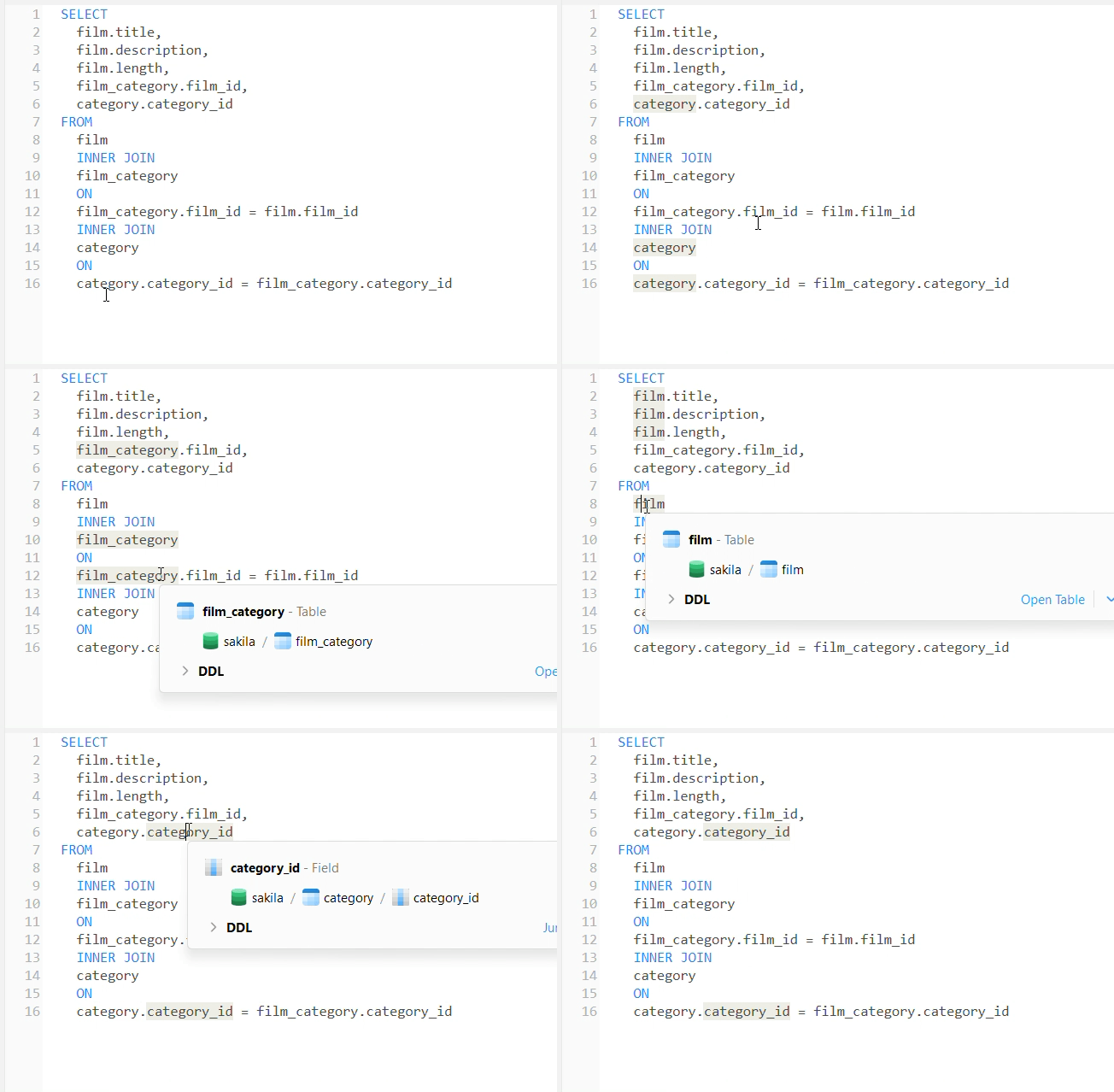
Trace Symbols Across Your Script
Click any identifier or alias to spotlight every place it appears in your query, making complex logic and multi-table joins easy to track.
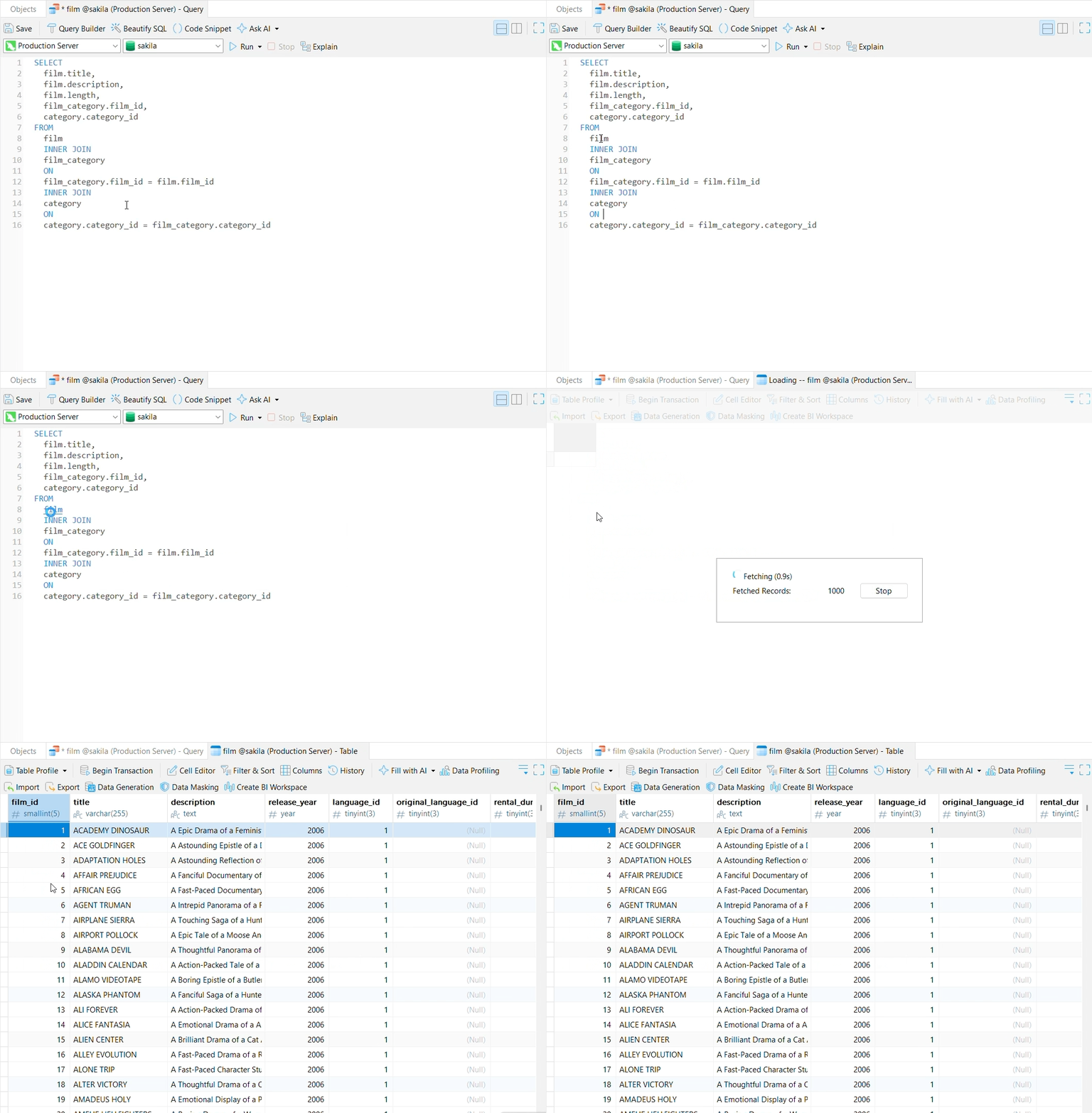
Jump Straight to Declarations
Press Ctrl and click any table or field name to jump directly to its designer or data editor, or instantly locate and highlight the object in your navigation pane.
Context-Aware Code Completion
Get intelligent suggestions for collections, fields, and operators as you type, with automatic $lookup condition completion based on references and matching schema names.
Catch Mistakes Live, Fix Them with AI
Click "Fix with AI" to generate and apply corrected code instantly.
Context-Aware Code Completion
Get intelligent suggestions for keys, fields, and commands as you type, with automatic key pattern completion based on key prefixes and matching data structures.
Catch Mistakes Live, Fix Them with AI
Click "Fix with AI" to generate and apply corrected code instantly.