

Navicat Data Modeler is a visual database design tool built to support data governance. Enforce schema consistency, build entity-relationship diagrams, reverse-engineer live databases, and generate target SQL across your data stack.
Supports MySQL, PostgreSQL, MongoDB, MariaDB, SQL Server, Oracle, SQLite, and Snowflake.
Windows
macOS
Linux
Unified Model Types & Hybrid Workspace
Model Methods
Naming Standards & Glossary (New)
Model Design
Design & Canvas Tools
Data Dictionary
Reverse Engineering
Export Model to SQL File
Compare Model Workspace
Navicat Collaboration
Native Design
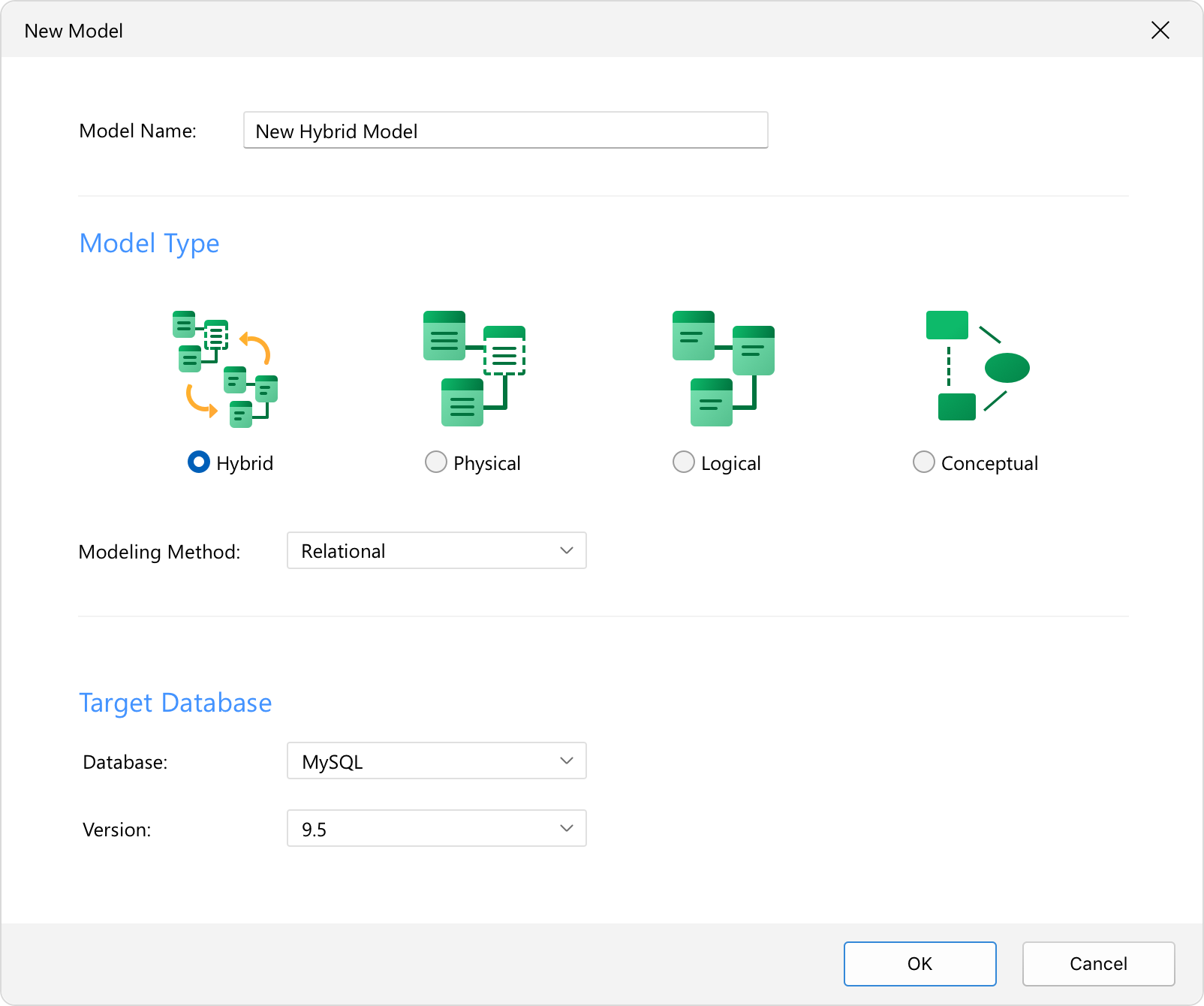
Unified Model Types & Hybrid Workspace
Work across conceptual, logical, and physical models in one workspace, and keep them aligned.
Hybrid Model Canvas:
Design logical entities and physical objects like tables, views, and functions side-by-side on the same canvas.
Model Mapping:
Align a logical design with the physical schema so both stay in sync.
Model Conversion:
Convert a conceptual model to logical, then to physical.
Hybrid Model Canvas:
Design logical entities and physical objects like tables, views, and functions side-by-side on the same canvas.
Model Mapping:
Align a logical design with the physical schema so both stay in sync.
Model Conversion:
Convert a conceptual model to logical, then to physical.
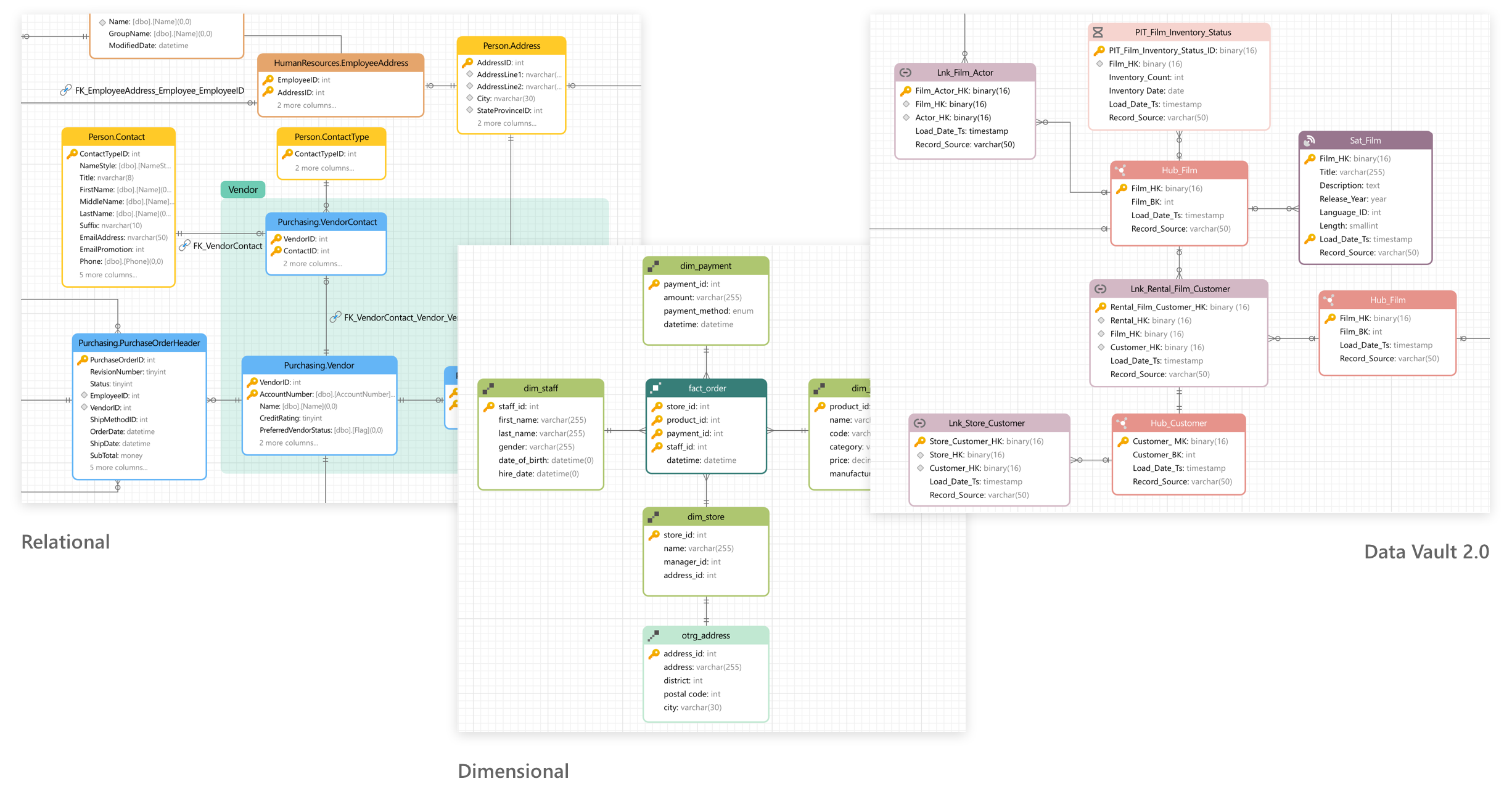
Modeling Methods
Design for transactional systems and data warehouses.
Three Methodologies:
Relational, Dimensional, and Data Vault 2.0.
Visual Modeling:
Map the structure on the canvas so the method stays readable.
Three Methodologies:
Relational, Dimensional, and Data Vault 2.0.
Visual Modeling:
Map the structure on the canvas so the method stays readable.
Naming Standards & Glossary (New)
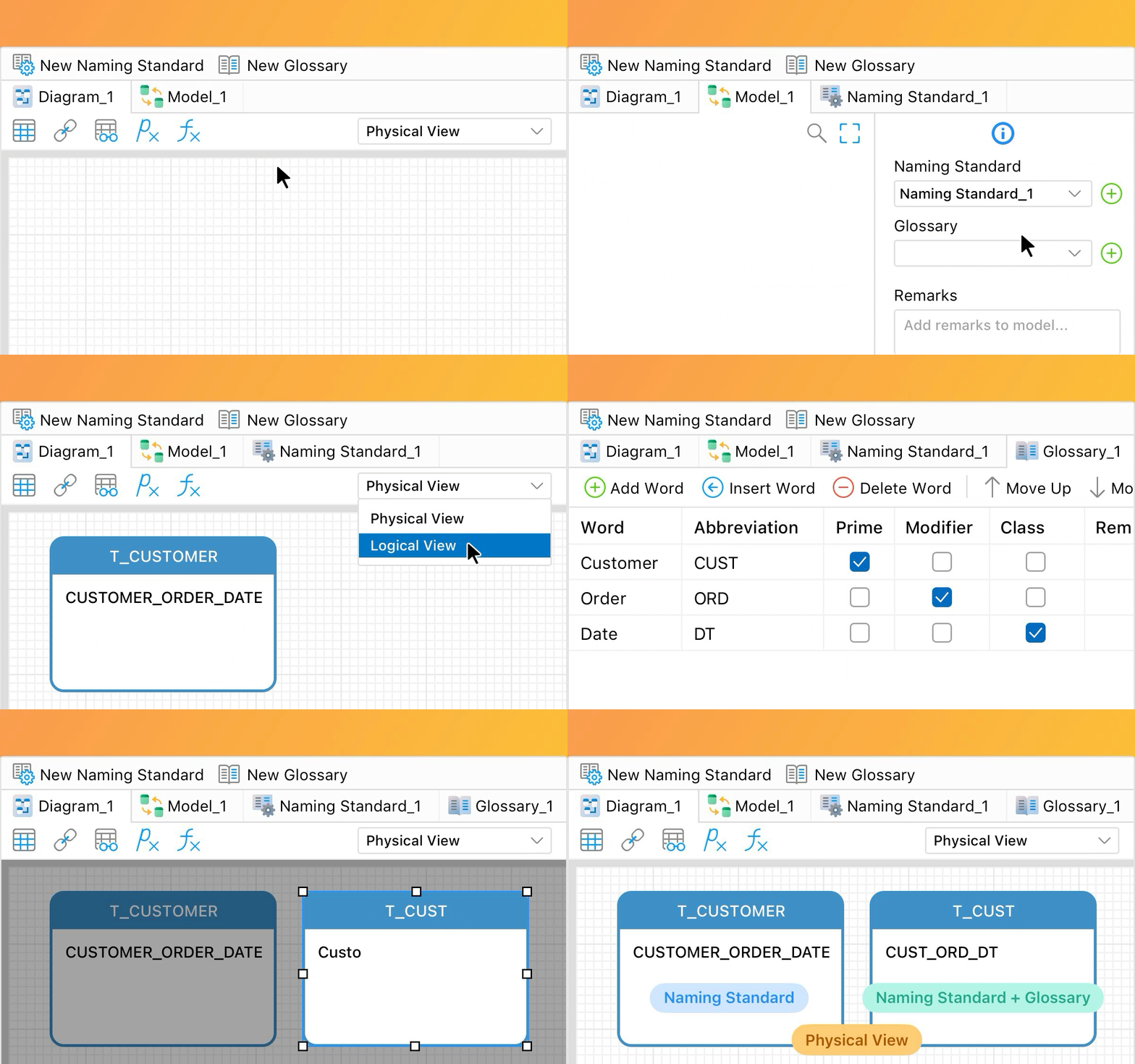
Strengthen data governance while keeping names consistent across models and teams.
Auto Formatting:
Draft with business terms. Navicat applies your casing, separators, and prefixes.
Shared Glossary:
Keep standard definitions on the canvas for business and engineering.
Import & Export:
Share glossaries across projects as CSV.
Auto Formatting:
Draft with business terms. Navicat applies your casing, separators, and prefixes.
Shared Glossary:
Keep standard definitions on the canvas for business and engineering.
Import & Export:
Share glossaries across projects as CSV.
Model Design
AI-Powered Design
Database Objects
Interactive Table Design
Bulk Editor
AI-Powered Design
Build, optimize, and debug database structures with AI.
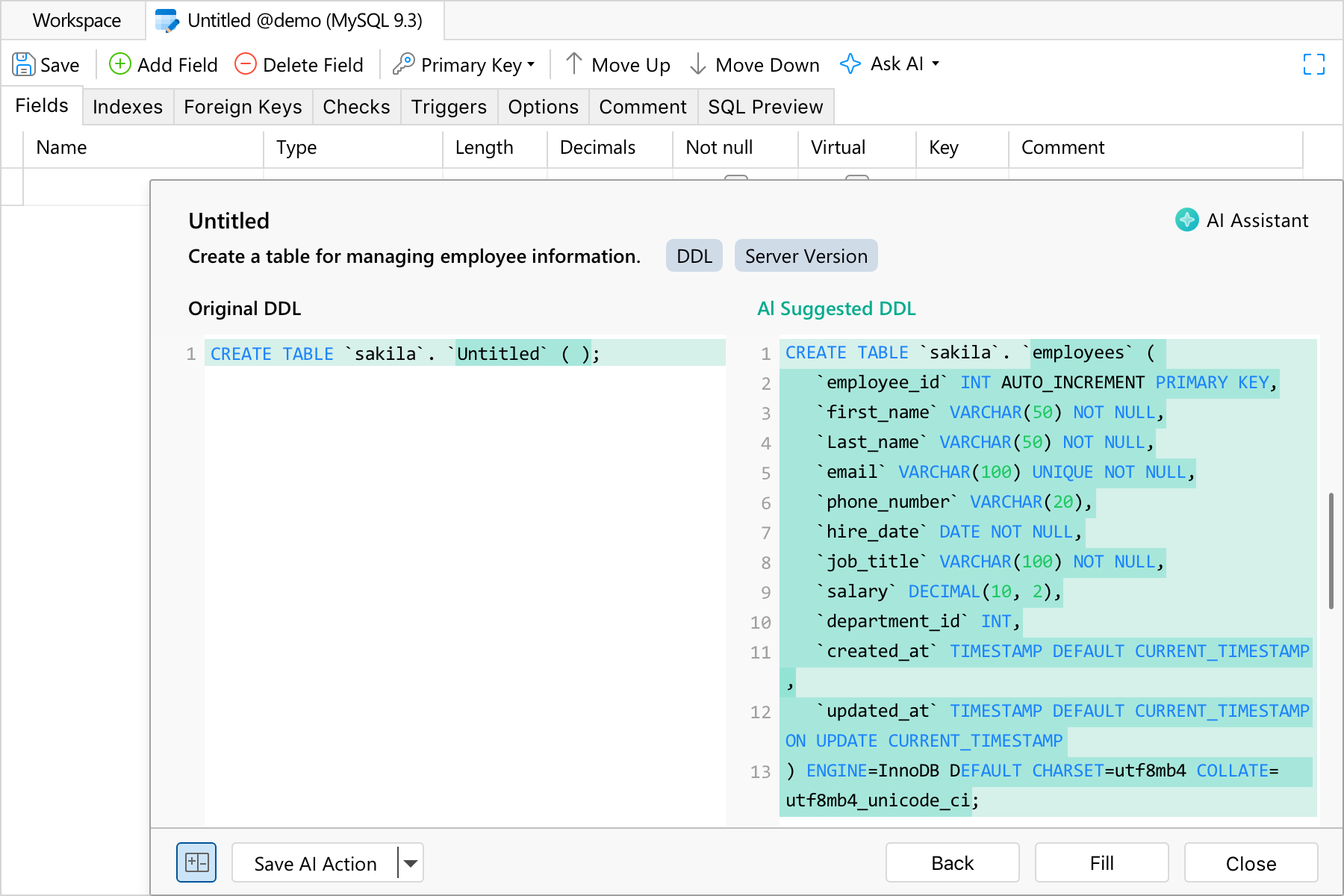
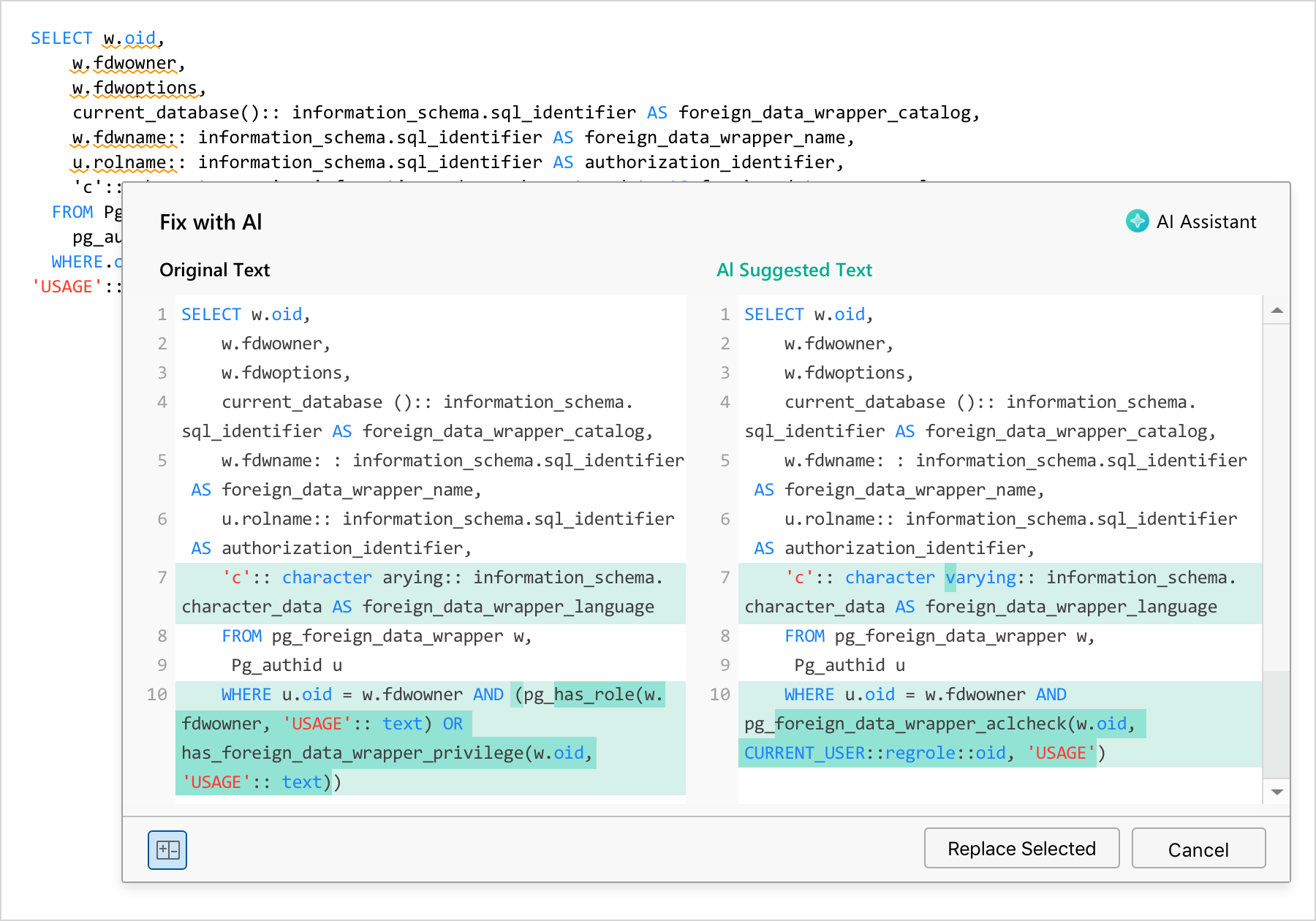
Build, optimize, and debug database structures with AI.
Create Tables:
Type simple instructions to build complete tables with auto-configured column names and data types.
Optimize Tables:
Analyze existing structures to suggest missing fields, recommend indexes, audit data types, and auto-fill comments.
Type simple instructions to build complete tables with auto-configured column names and data types.
Optimize Tables:
Analyze existing structures to suggest missing fields, recommend indexes, audit data types, and auto-fill comments.
Debug Views:
Find and fix errors automatically. scan your code to detect and fix typos, syntax errors, and complex logic bugs.
Find and fix errors automatically. scan your code to detect and fix typos, syntax errors, and complex logic bugs.
Database Objects
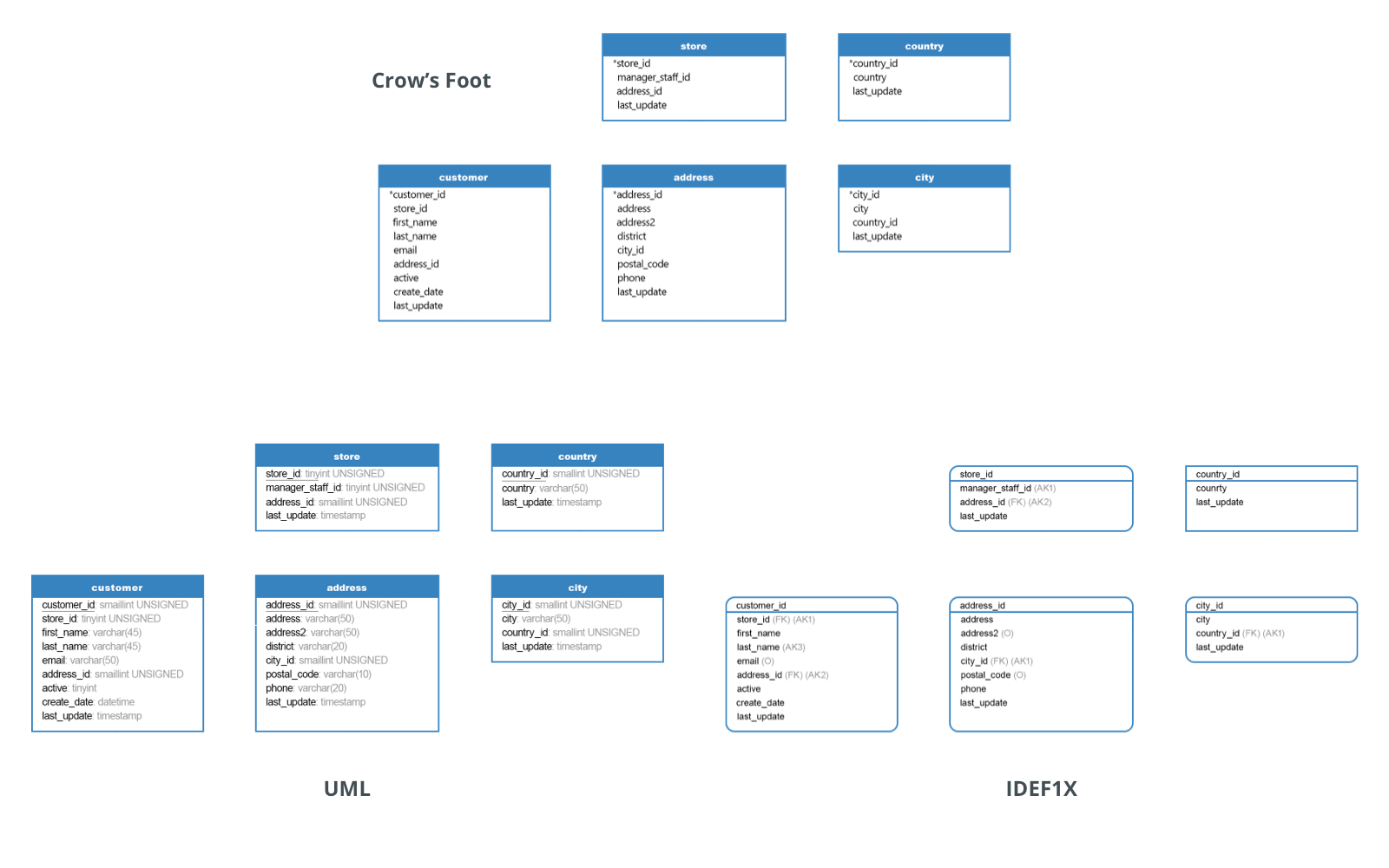
Design database structures on a visual canvas.
Object Design: Built-in visual designers for Tables, Collections, Views, Functions, Procedures, and more.
Notations: Crow’s Foot, IDEF1X, and UML.
Design database structures on a visual canvas.
Object Design: Built-in visual designers for Tables, Collections, Views, Functions, Procedures, and more.
Notations: Crow’s Foot, IDEF1X, and UML.
Interactive Table Design
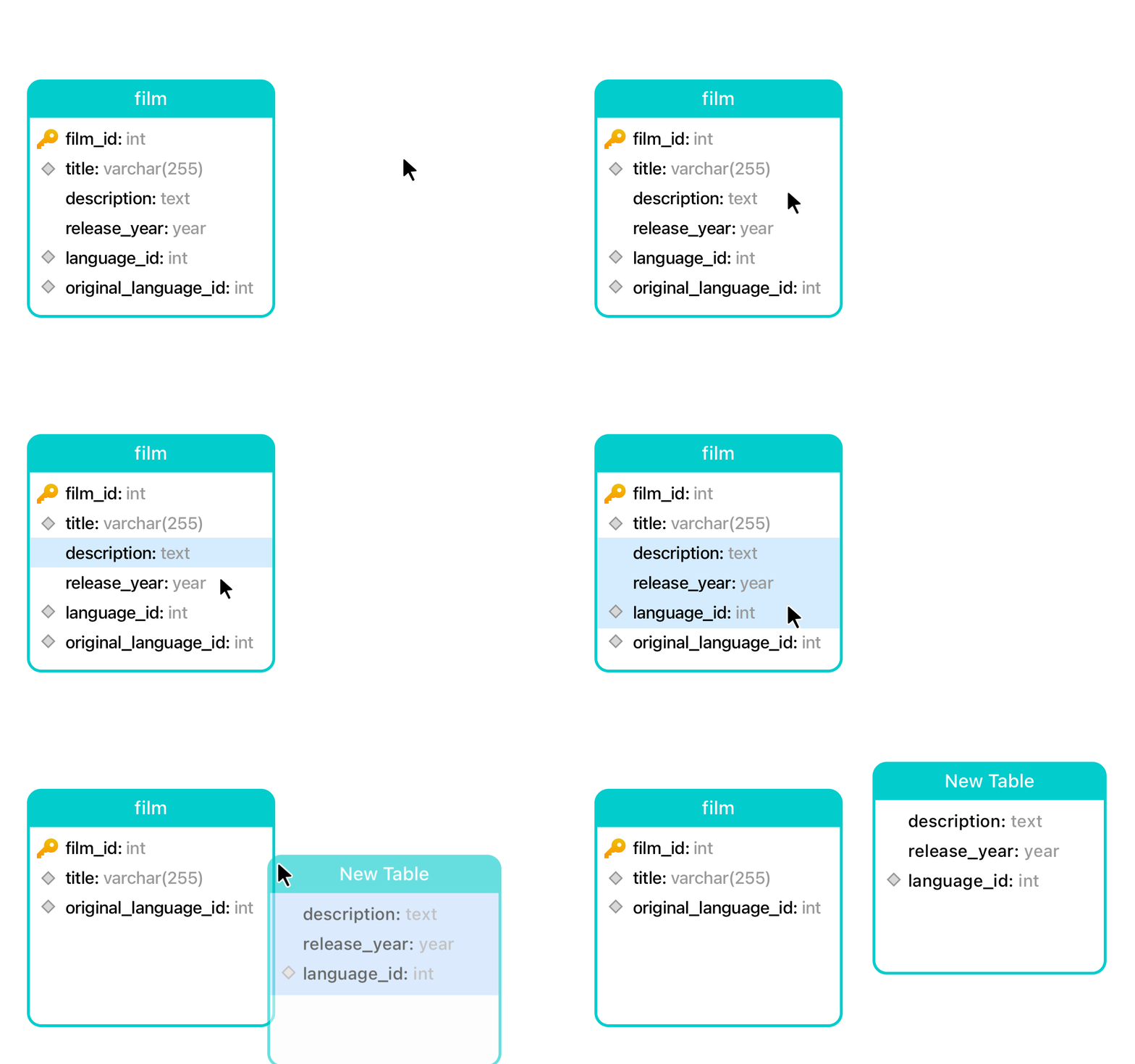
Rearrange table structures on the canvas.
Create Tables: Drag fields onto the canvas to create a new table.
Move Fields: Drag fields between tables.
Duplicate Fields: Hold Ctrl or Cmd while dragging to copy a field.
Rearrange table structures on the canvas.
Create Tables: Drag fields onto the canvas to create a new table.
Move Fields: Drag fields between tables.
Duplicate Fields: Hold Ctrl or Cmd while dragging to copy a field.
Bulk Editor
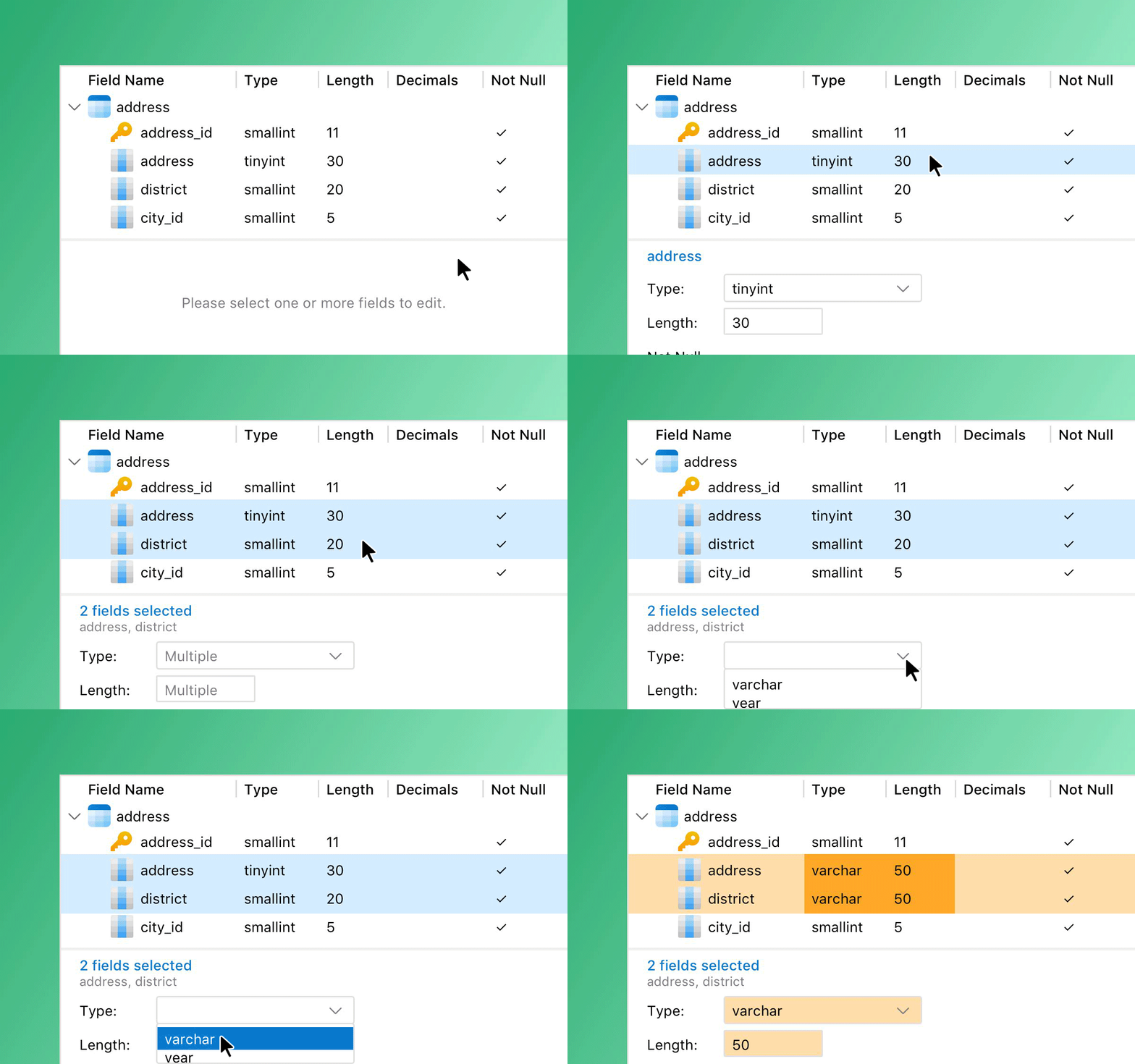
View fields in a hierarchical list. Filter them, and batch-edit properties across multiple tables.
View fields in a hierarchical list. Filter them, and batch-edit properties across multiple tables.
Design & Canvas Tools
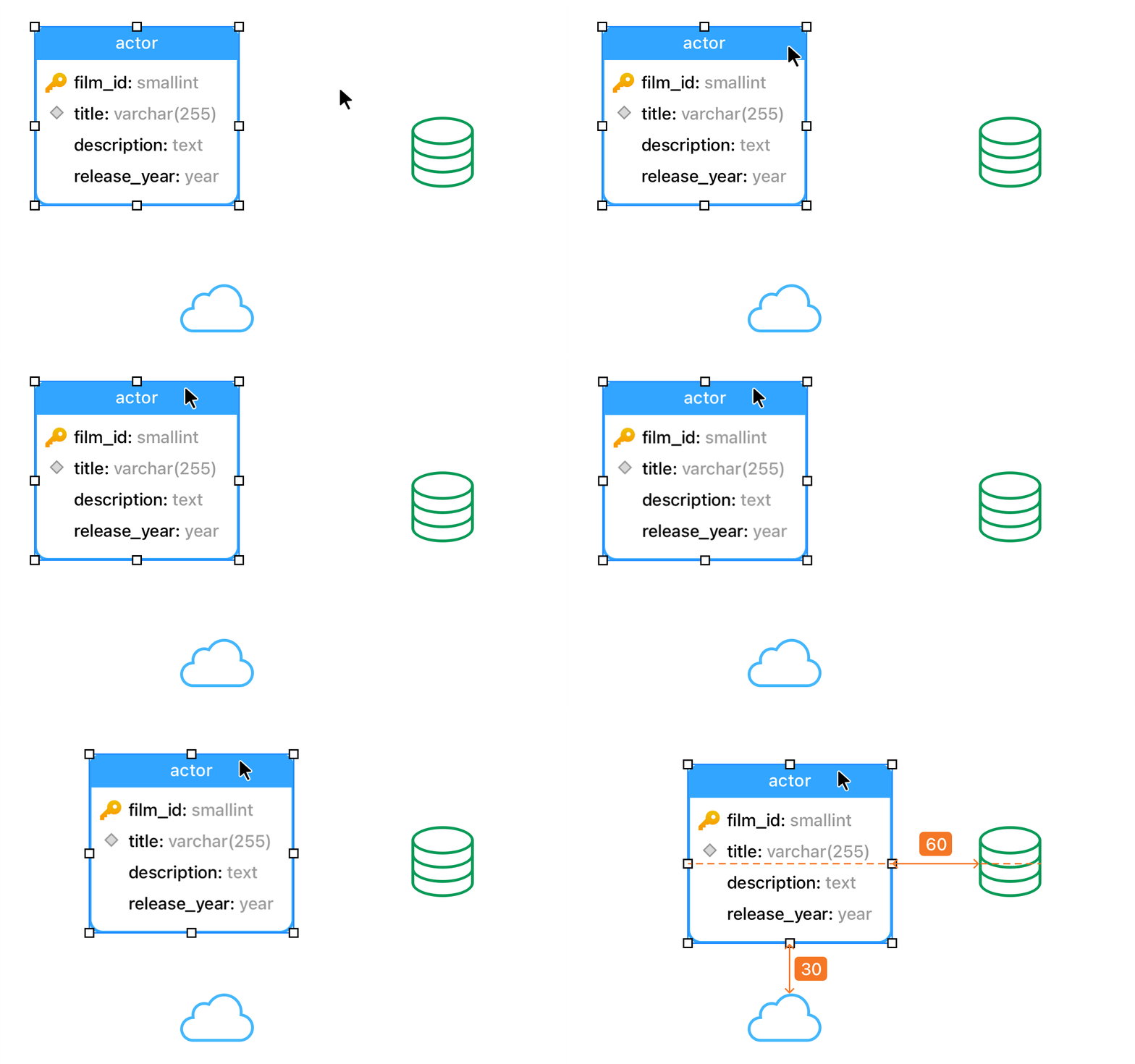
Add vertices, layers, images, shapes, notes, and auto-layouts. Use alignment guides to snap and space tables evenly.

Select

Move

Table

View

Foreign Key
View
Foreign Key

Label

Note
Label
Note

Image

Shape

Layer

Auto Layout
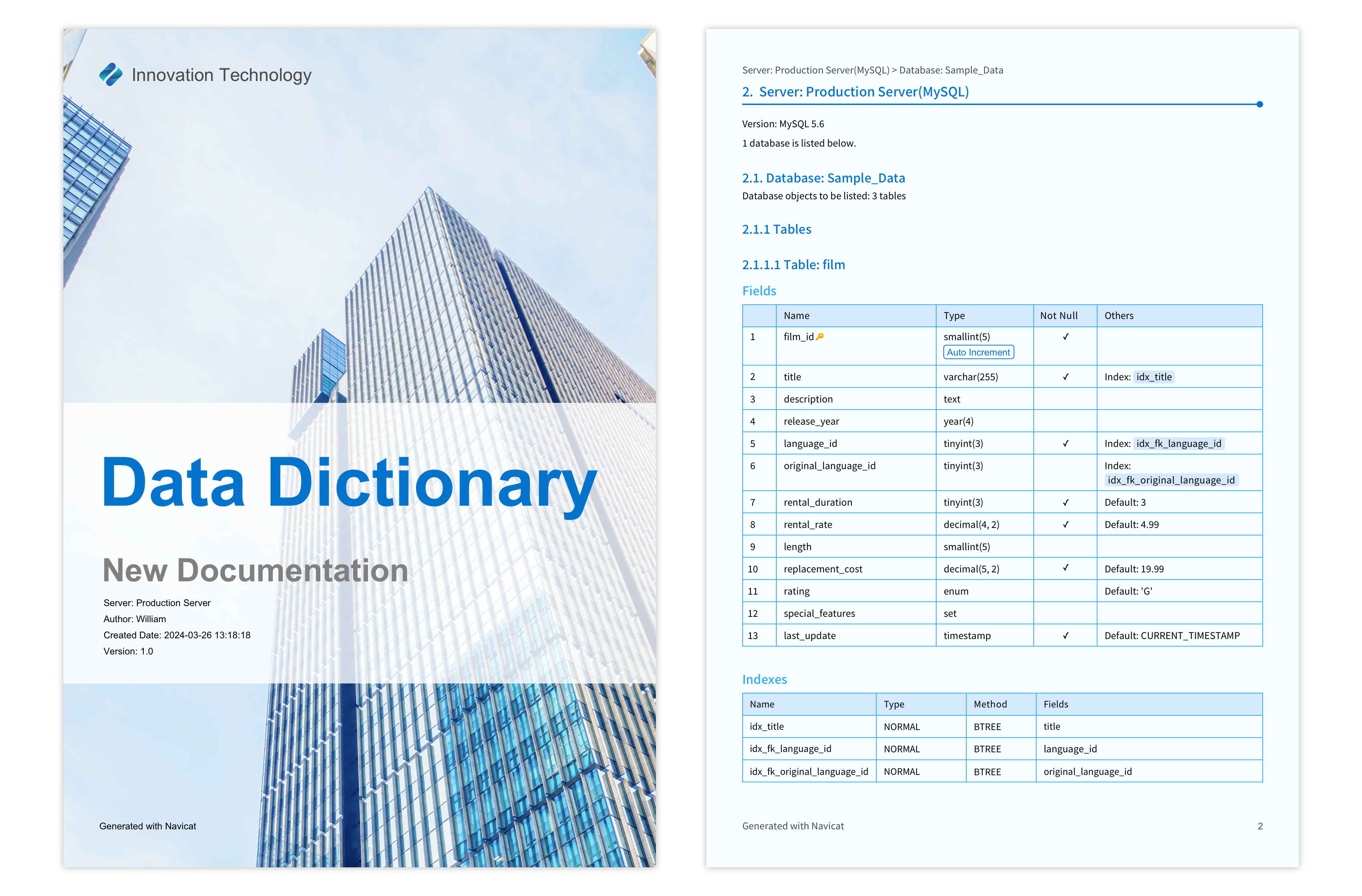
Data Dictionary
Strengthen data governance with audit-ready documentation. Easily generate customizable templates, automate PDF exports, and share metadata reports with stakeholders to maintain compliance.
Reverse Engineering
Rebuild a model from a live database or from SQL.
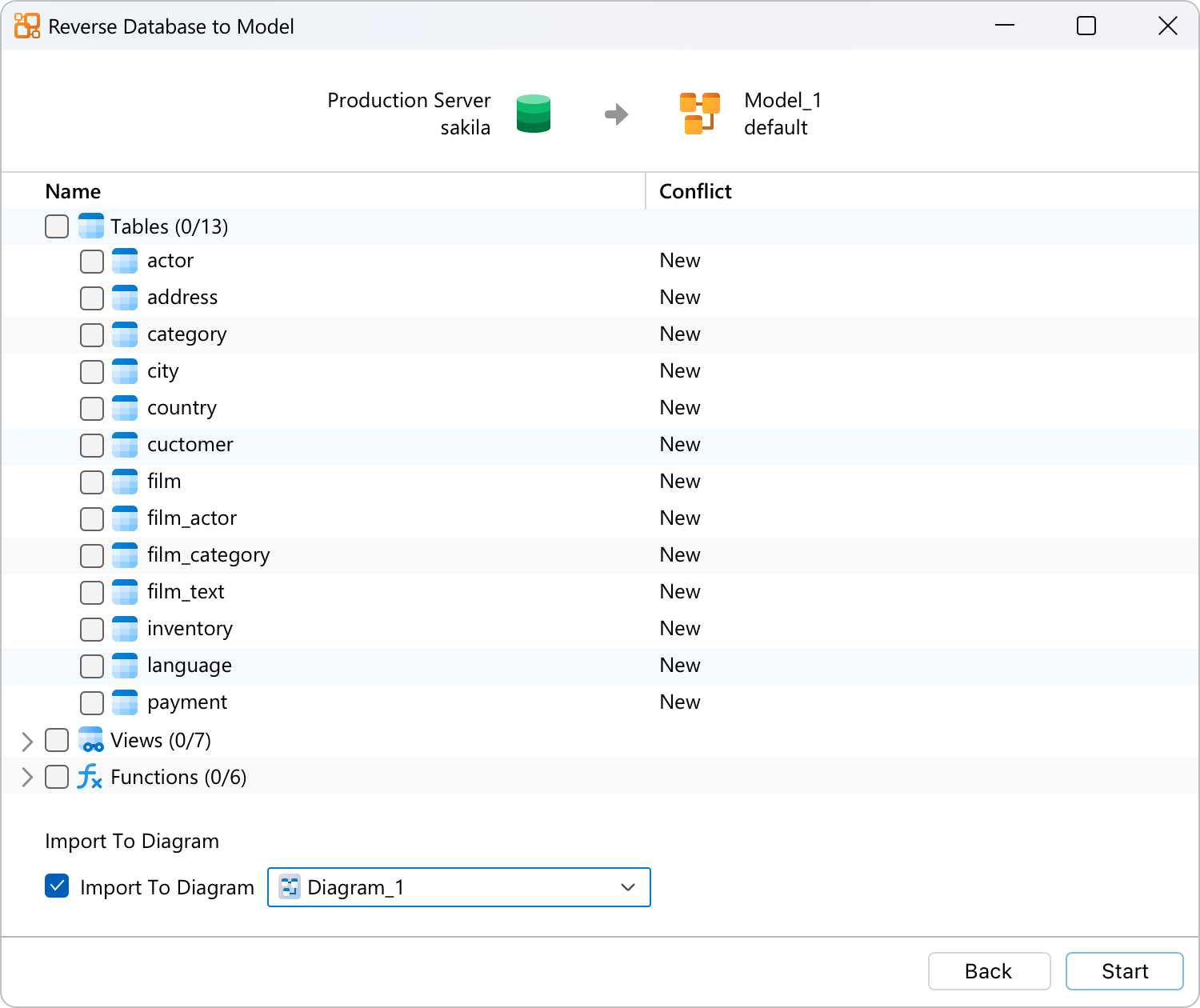
Reverse Database to Model
Connect with a native driver or ODBC. Generate an ER diagram from the live schema and relationships. Structure only. No data is pulled.
Connect with a native driver or ODBC. Generate an ER diagram from the live schema and relationships. Structure only. No data is pulled.
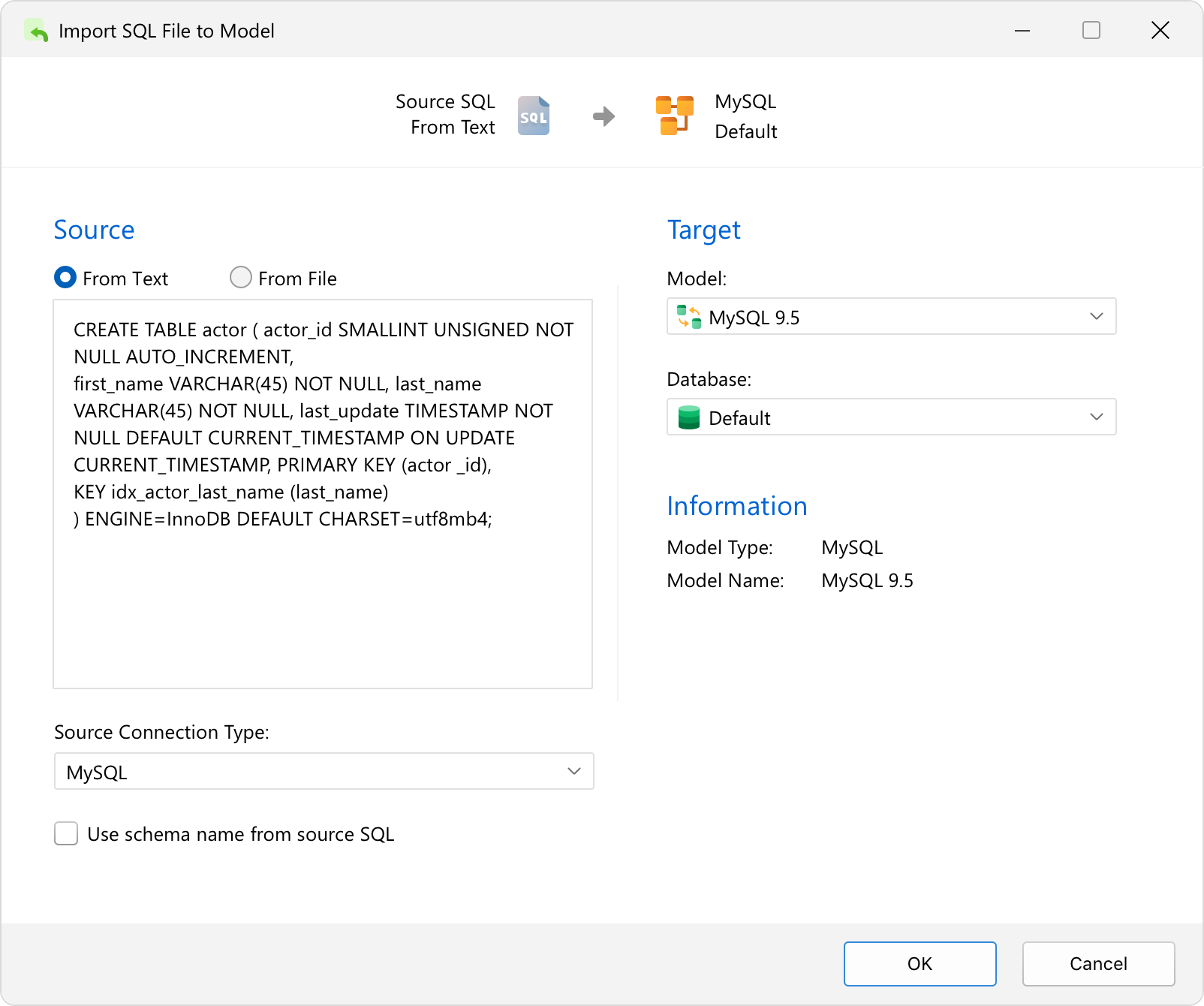
Import SQL to Model
Paste DDL or import a .sql file. Build a new diagram, or add to one you already have.
Paste DDL or import a .sql file. Build a new diagram, or add to one you already have.
Export Model to SQL File
Compare Model Workspace
Generate DDL for the whole model, or a selected subset. Set referential integrity rules, comments, and character sets.

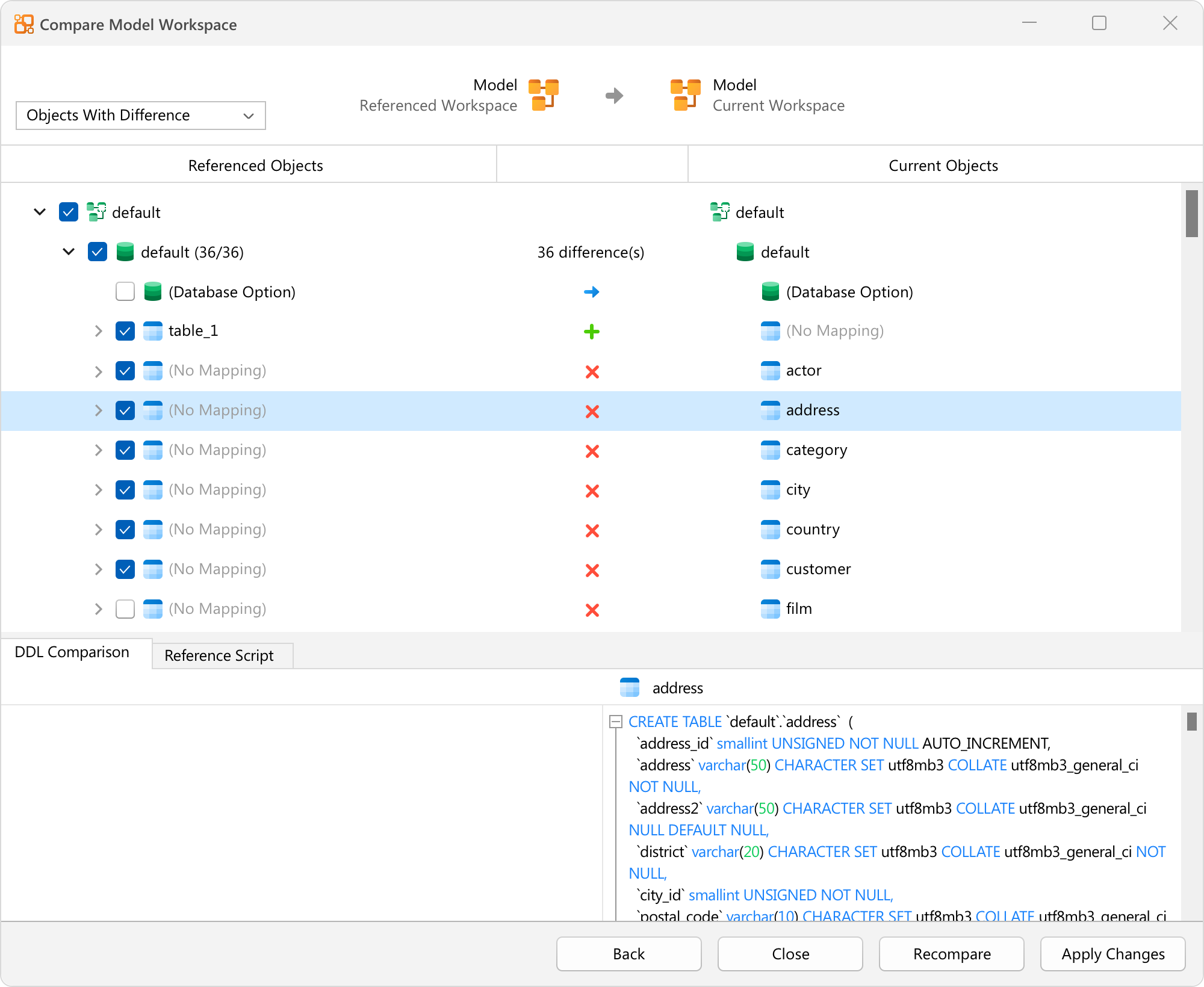
Compare Model Workspace
Compare two model workspaces side by side. Highlight structural differences across team copies or design branches.
Navicat Collaboration
Sync model workspaces to Navicat Cloud or Navicat On-Prem Server so the team works from one copy.
Native Design
Built natively for Windows, macOS, and Linux, so the app follows each platform’s UI.

Supported Databases







Supported Cloud Providers and Vendors


Amazon RDS for MySQL
Amazon RDS for PostgreSQL
Amazon RDS for SQL Server
Amazon RDS for Oracle
Amazon RDS for MariaDB
Amazon Aurora for MySQL
Amazon Aurora for PostgreSQL
Amazon Redshift
Amazon DocumentDB
Microsoft Azure SQL Database
Microsoft Azure Database for MySQL
Microsoft Azure Database for PostgreSQL
Microsoft Azure Database for MariaDB
Google Cloud SQL for MySQL
Google Cloud SQL for PostgreSQL
Google Cloud SQL for SQL Server
Oracle Database Cloud Service
Oracle MySQL Cloud Service
Fujitsu Enterprise Postgres
System Requirements


Windows 8
Windows 8.1
Windows 10
Windows 11
Windows Server 2012
Windows Server 2012 R2
Windows Server 2016
Windows Server 2019
Windows Server 2022
Windows Server 2025
macOS 14 Sonoma
macOS 15 Sequoia
macOS 26 Tahoe
macOS 27 Golden Gate
Flatpak
Flatpak supported distributions.
Flatpak supported distributions.
AppImage (x86_64)
Debian 10, Debian 11, Debian 12, Debian 13, Ubuntu 20.04, Ubuntu 22.04, Ubuntu 24.04, Ubuntu 26.04, Fedora 44, Linux Mint 20, Linux Mint 21, Linux Mint 22, Deepin 20, Deepin 23, Deepin 25, KylinOS Desktop 10, Pop!_OS 20.04, Pop!_OS 22.04
Debian 10, Debian 11, Debian 12, Debian 13, Ubuntu 20.04, Ubuntu 22.04, Ubuntu 24.04, Ubuntu 26.04, Fedora 44, Linux Mint 20, Linux Mint 21, Linux Mint 22, Deepin 20, Deepin 23, Deepin 25, KylinOS Desktop 10, Pop!_OS 20.04, Pop!_OS 22.04
AppImage (aarch64)
Debian 11, Debian 12, Debian 13, Ubuntu 22.04, Ubuntu 24.04, Ubuntu 26.04, Fedora 44, Linux Mint 20, Linux Mint 21, Linux Mint 22, Deepin 23, Deepin 25, KylinOS Desktop 10, Pop!_OS 20.04, Pop!_OS 22.04
Debian 11, Debian 12, Debian 13, Ubuntu 22.04, Ubuntu 24.04, Ubuntu 26.04, Fedora 44, Linux Mint 20, Linux Mint 21, Linux Mint 22, Deepin 23, Deepin 25, KylinOS Desktop 10, Pop!_OS 20.04, Pop!_OS 22.04