


Model
Multi-Layer & Methodological Modeling
Build database architectures tailored to your project requirements using flexible model types and industry-standard modeling methodologies. Benefit from native support across leading relational databases, cloud data warehouses, and enterprise engine versions.
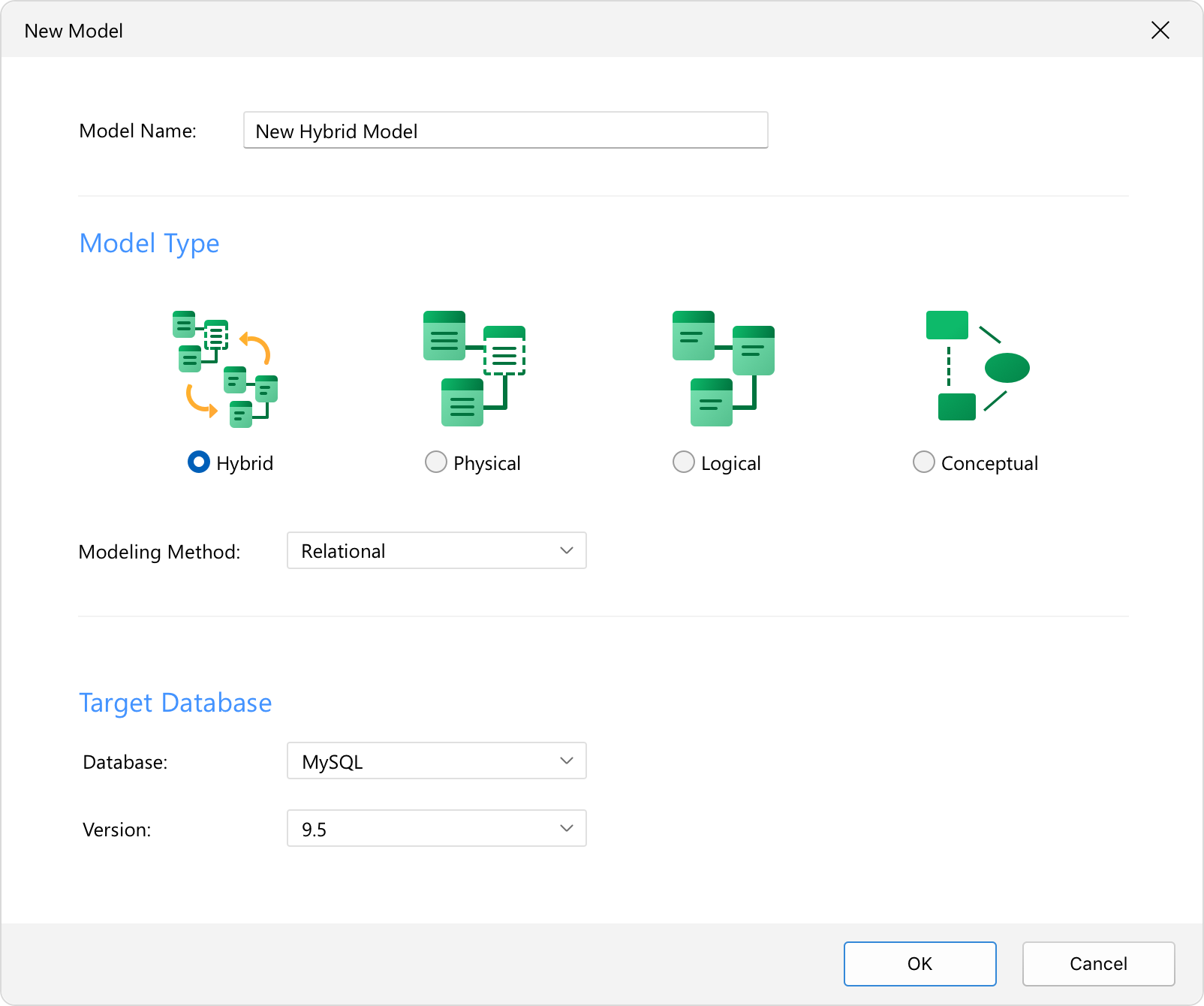
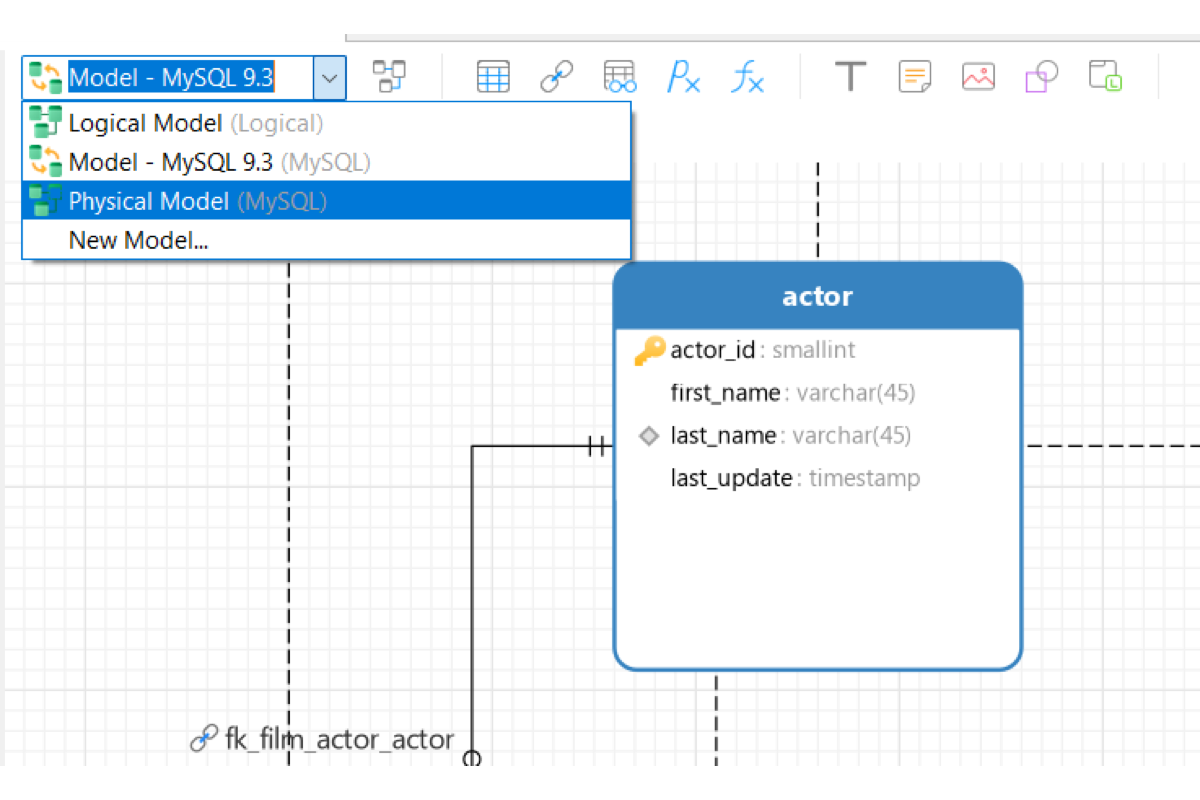
Hybrid Modeling
Maintain logical entities and physical constraints simultaneously in a single workspace. Toggle seamlessly between Logical and Physical view modes to bridge abstract design and engine-specific deployment without maintaining separate model files.
Conceptual, Logical & Physical Models
Design at any level of abstraction, from high-level business concepts to vendor-specific physical schemas.

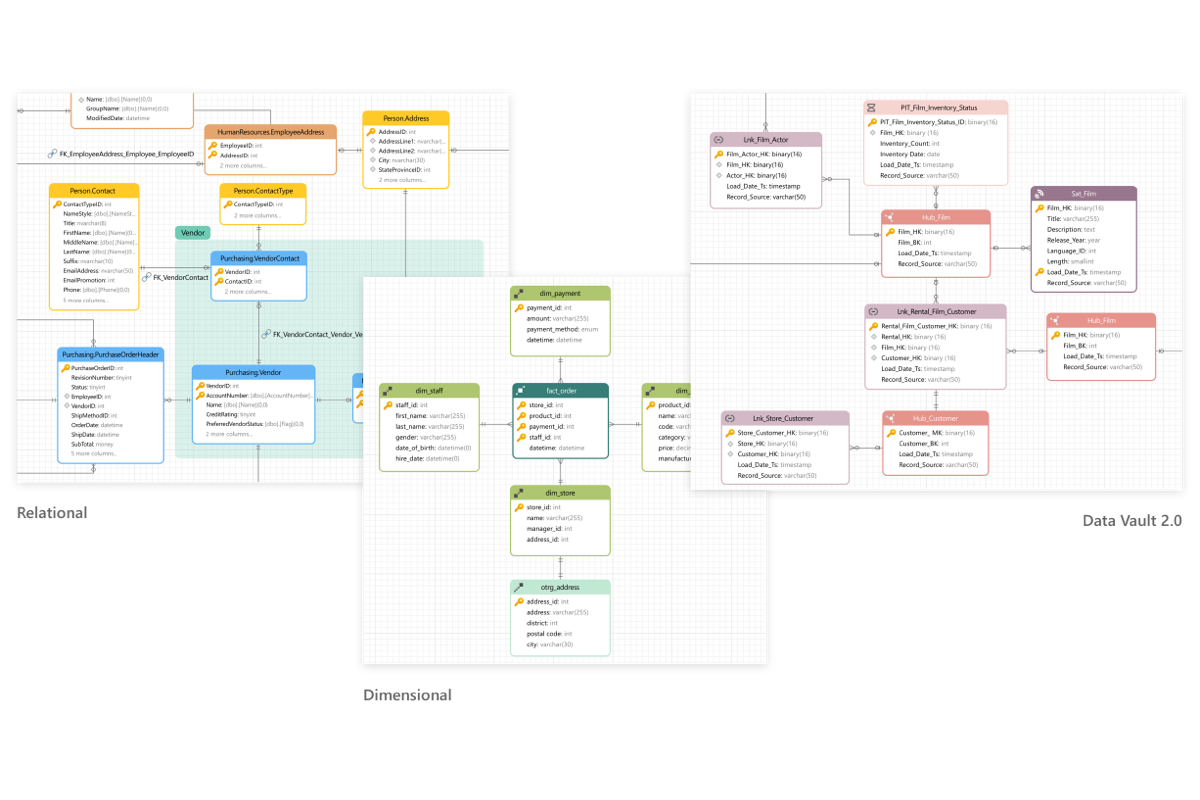
Modern Methodologies
Design complex database architectures using Relational, Dimensional, and Data Vault 2.0 frameworks to support transactional systems, analytical warehouses, and enterprise data integration.
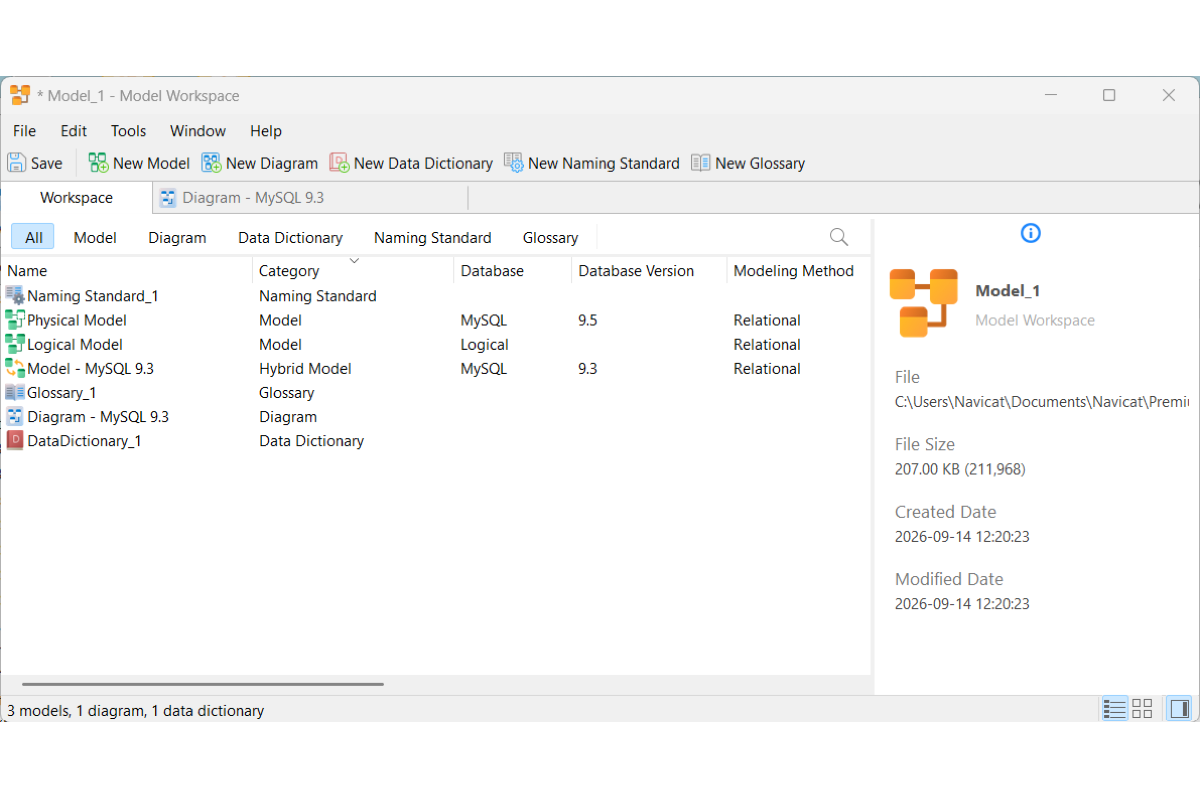
Unified Model Workspace
Centralized Asset Hub: Organize and manage multiple models, diagrams, data dictionaries, naming standards, and glossaries within a single project environment.
Impact & Dependency Tracking: Trace cross-item relationships and inspect core structural metadata for any selected workspace asset.
Data Governance: Naming Standards & Data Glossary
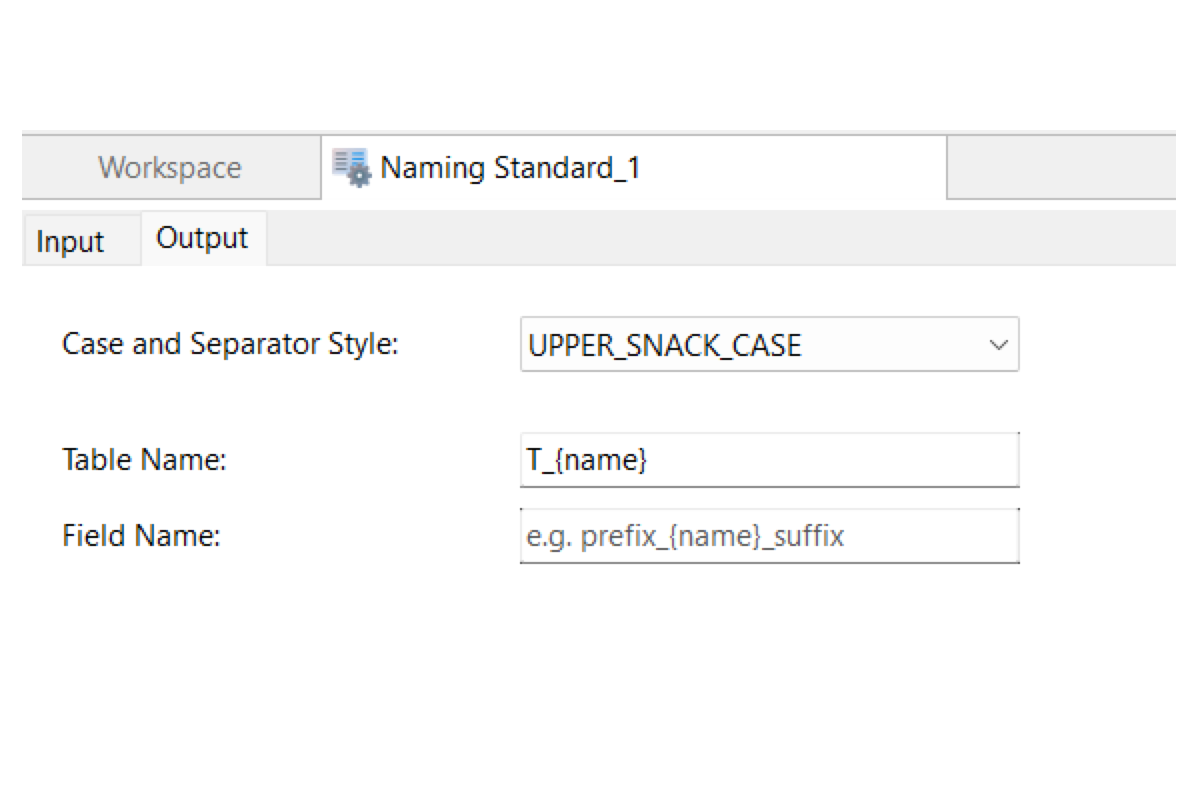
Automated Naming Rules
Enforce consistent formatting for tables, fields, constraints, and indexes using customizable casing styles (such as snake_case, UPPER_SNAKE_CASE, or camelCase), custom separators, prefixes, and suffixes.
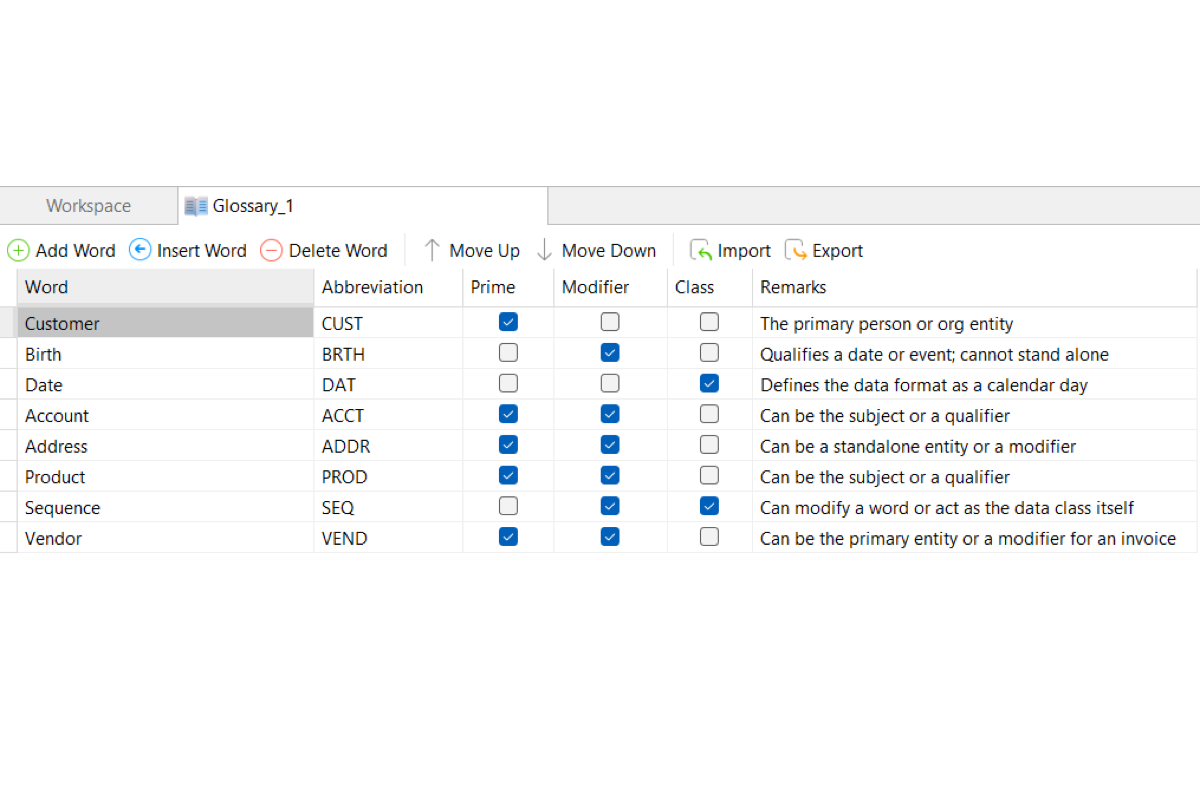
Centralized Data Glossary
Establish a shared dictionary to define business terms, assign standardized physical abbreviations, and enforce a single source of truth across systems. Built-in CSV import/export capabilities allow you to quickly onboard pre-approved business taxonomy, ensuring regulatory compliance and enterprise-wide data consistency.
Model Design
Architect database models from scratch within a unified design workspace. Define core logical entities and physical schema objects once, reuse them across multiple diagrams to guarantee design consistency, and toggle dynamically between logical and physical layers in Hybrid Models.
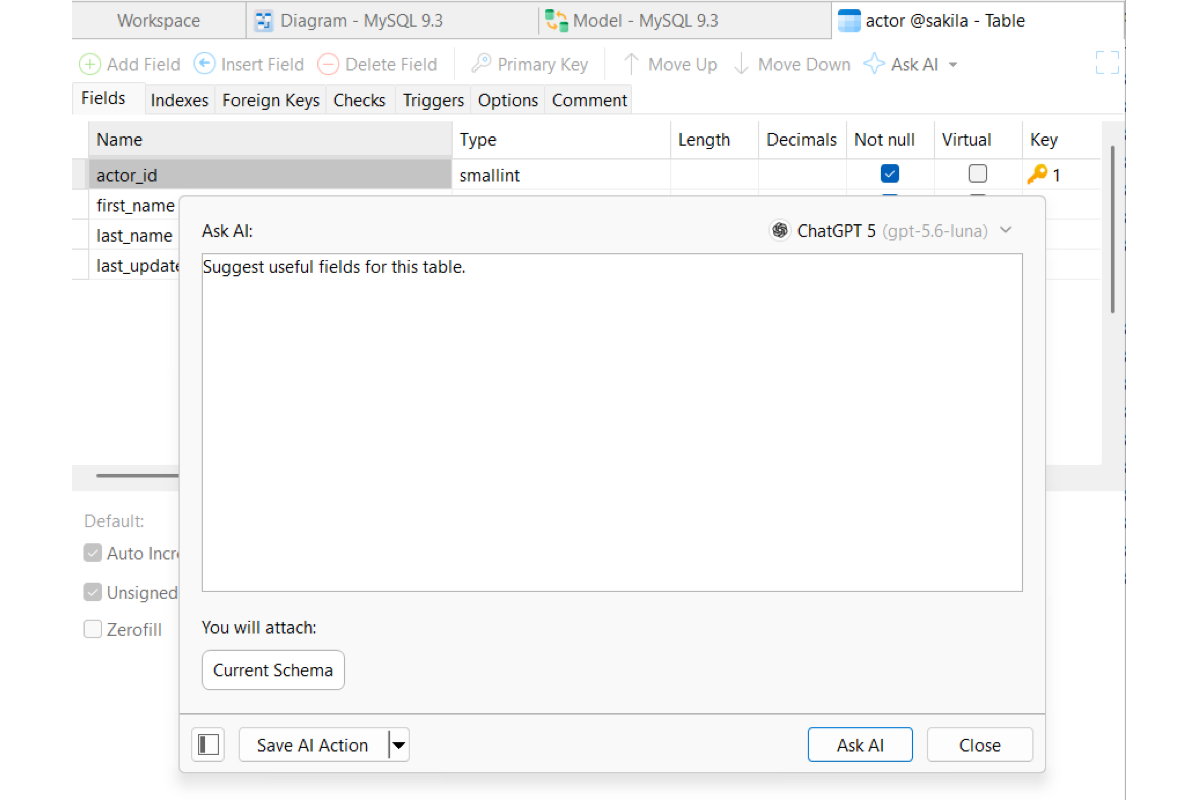
AI-Assisted Modeling
Accelerate schema creation, field design, and structural reviews directly inside the editor using integrated Ask AI assistance. Learn more
Hierarchical Bulk Editor
Streamline schema-wide updates from a single view. Filter, manage, and edit field properties across multiple tables simultaneously without opening tables individually.
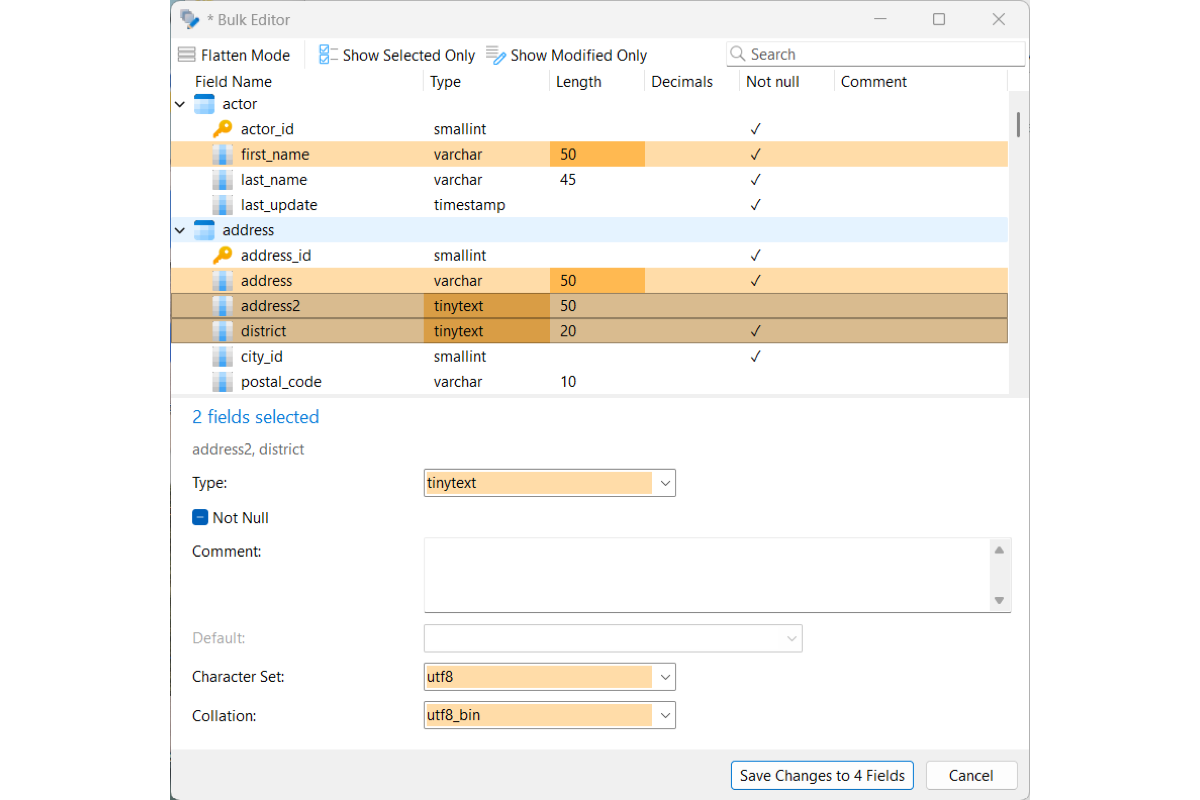
Diagram Design
Design clean, interactive diagrams from physical schemas and logical models to clearly map out entities, tables, fields, and structural relationships.
Unified Multi-Model Canvas
Combine objects from multiple database models onto a single diagram canvas. Effortlessly map cross-schema dependencies and visualize complex, multi-database environments within a single unified workspace.
Interactive Canvas Editing
Reorganize table structures directly on the canvas using drag-and-drop actions. Move fields between tables, hold Ctrl / Cmd to duplicate attributes, or drag fields to empty canvas space to generate new tables on the fly.
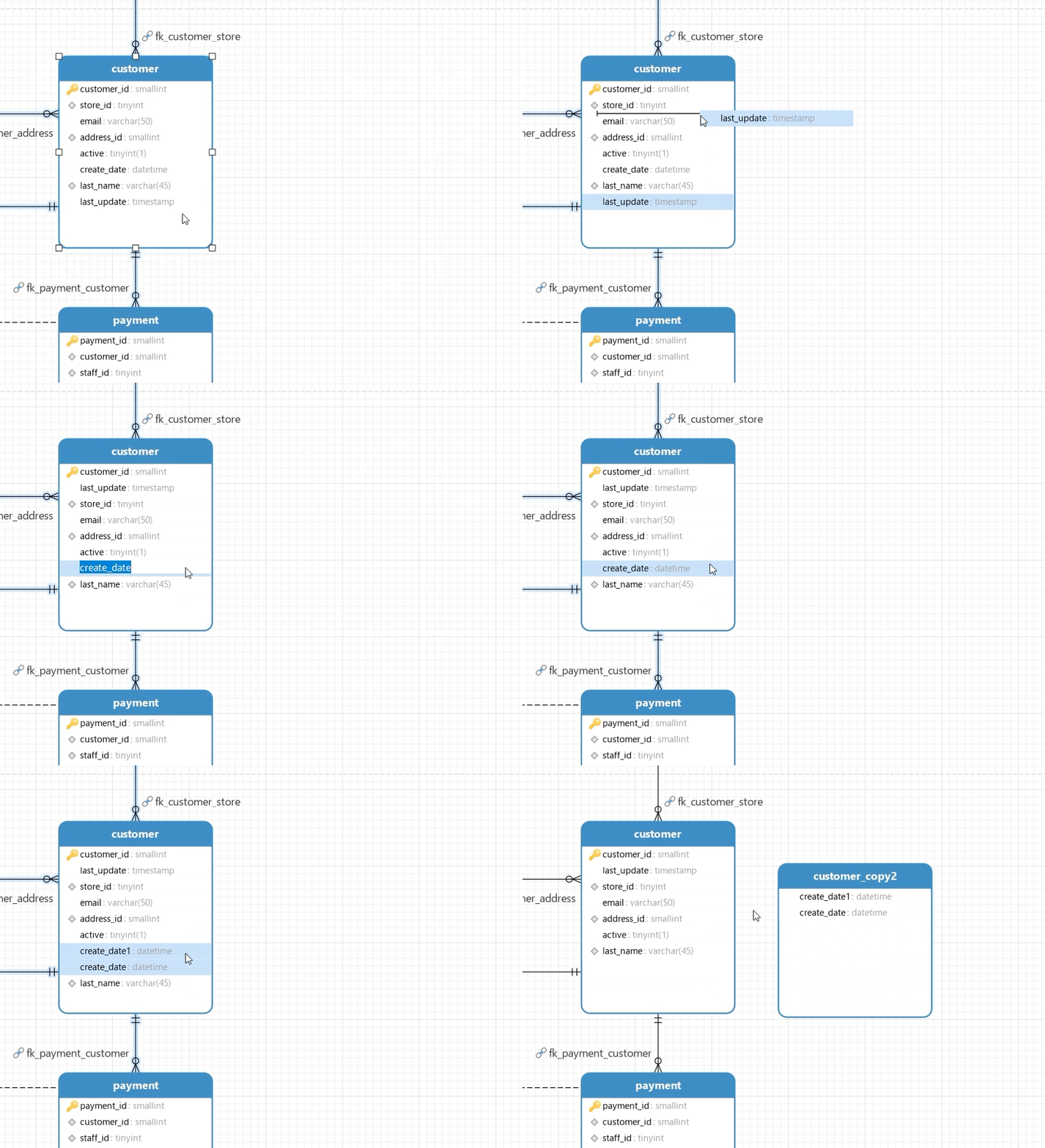
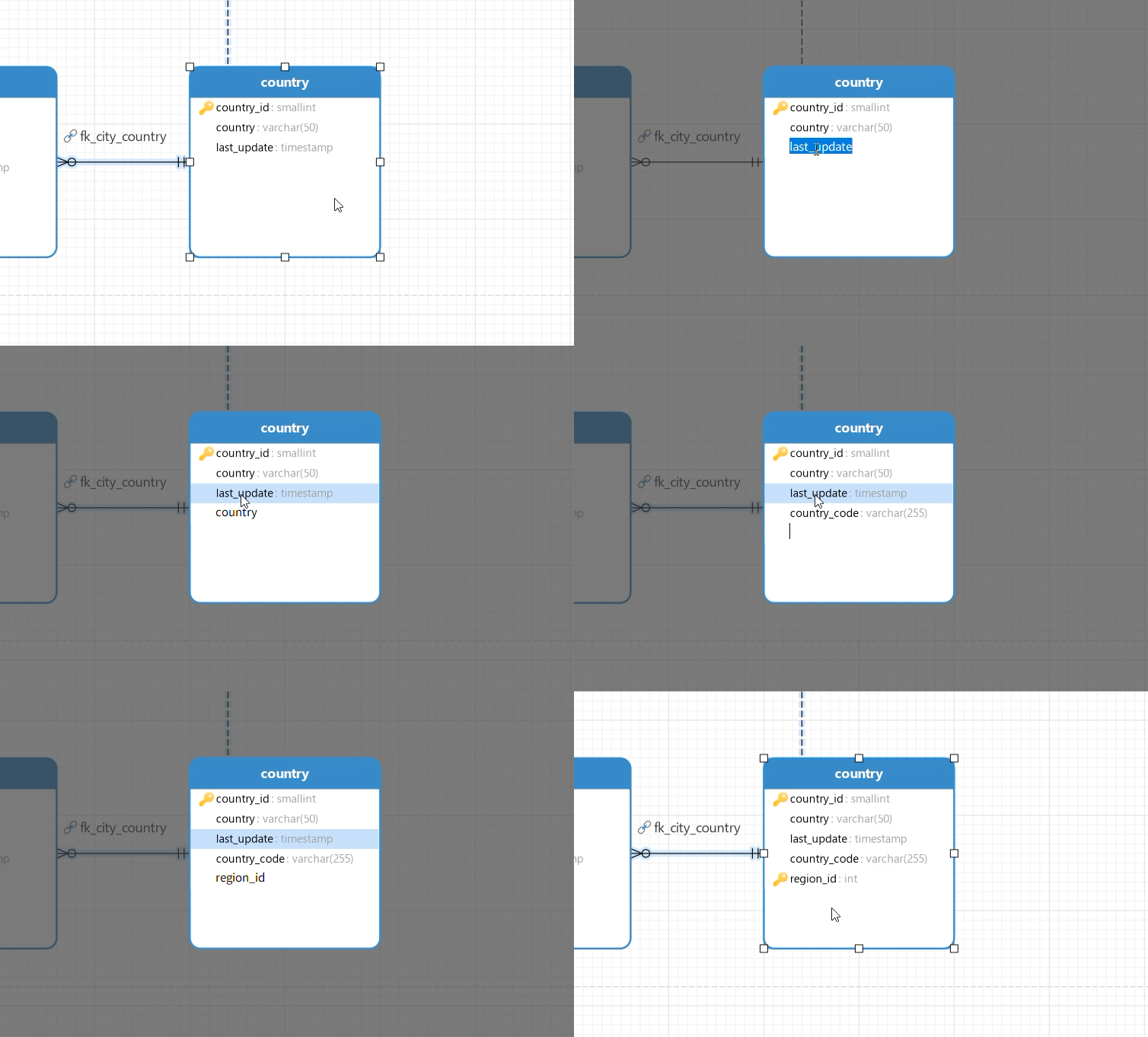
Smart In-Canvas Field Creation
Add and edit fields directly on the design canvas using simple keyboard navigation like TAB and DOWN ARROW without opening the Object Designer. Use intuitive syntax shortcuts like an asterisk (*) for Primary Keys, and let predictive field typing automatically assign data types based on field names like id, price, and date.
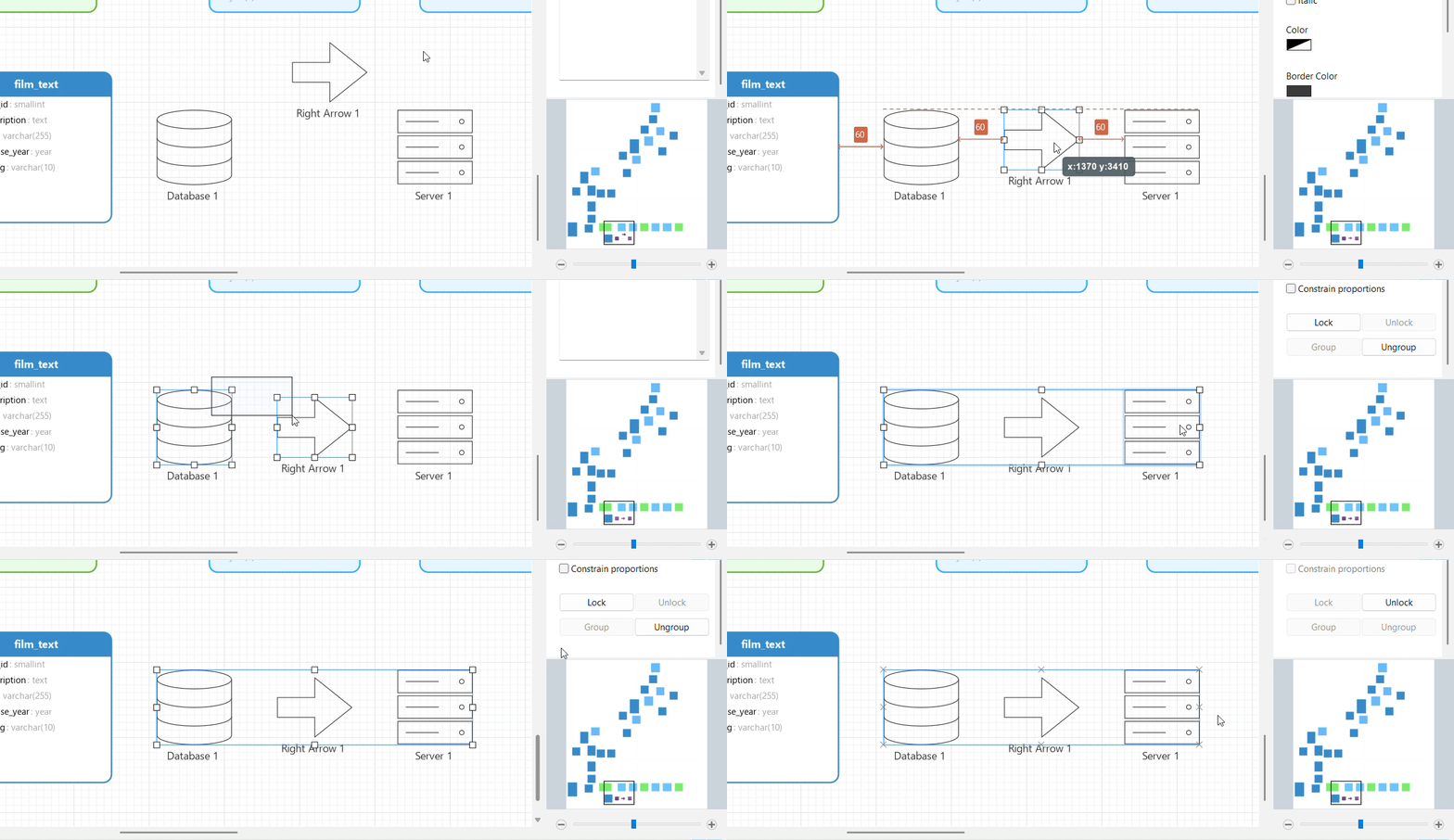
Precision Design & Layout Tools
Keep complex diagrams clean and organized using real-time alignment guides, item snapping, guided parallel lines, and auto-layout algorithms. Custom layers, locking, and element grouping give you full control over canvas structure.
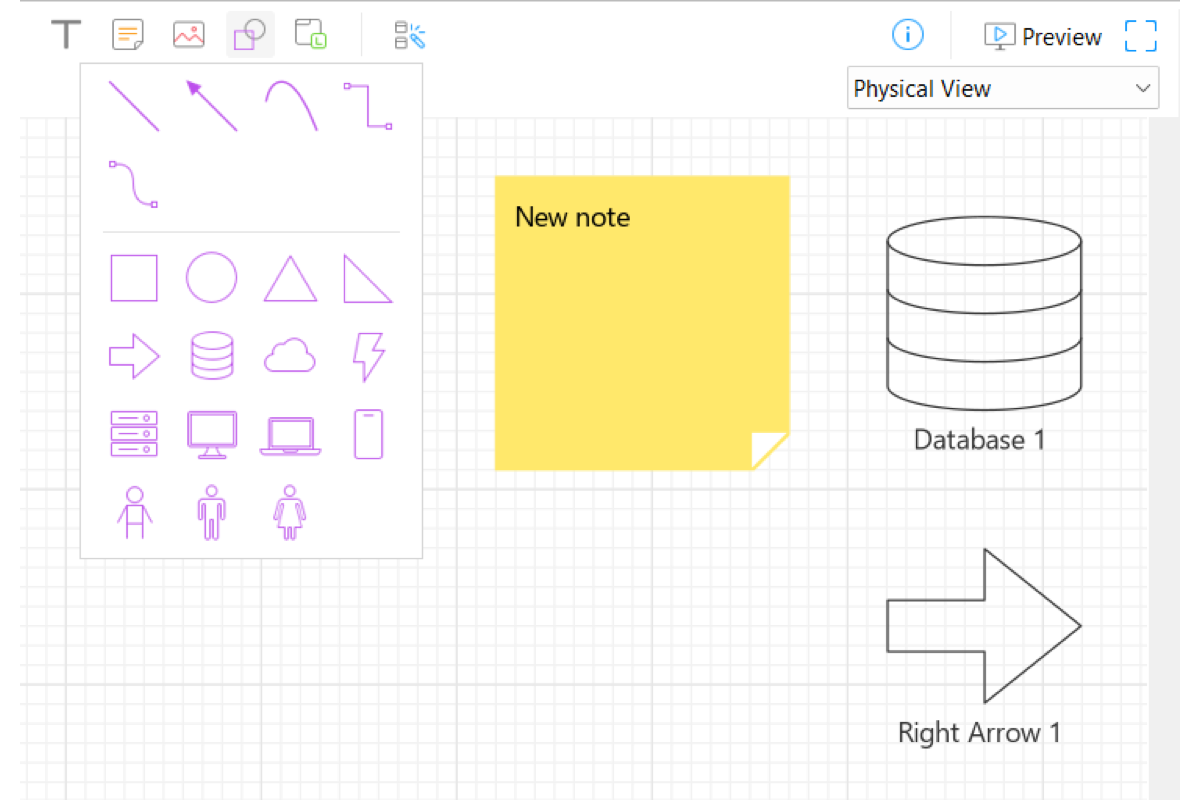
Visual Notes & Callouts
Add shapes, text blocks, and visual markers to provide clear context and organize your layout, completely independent of actual database objects.
Fullscreen Preview & Export
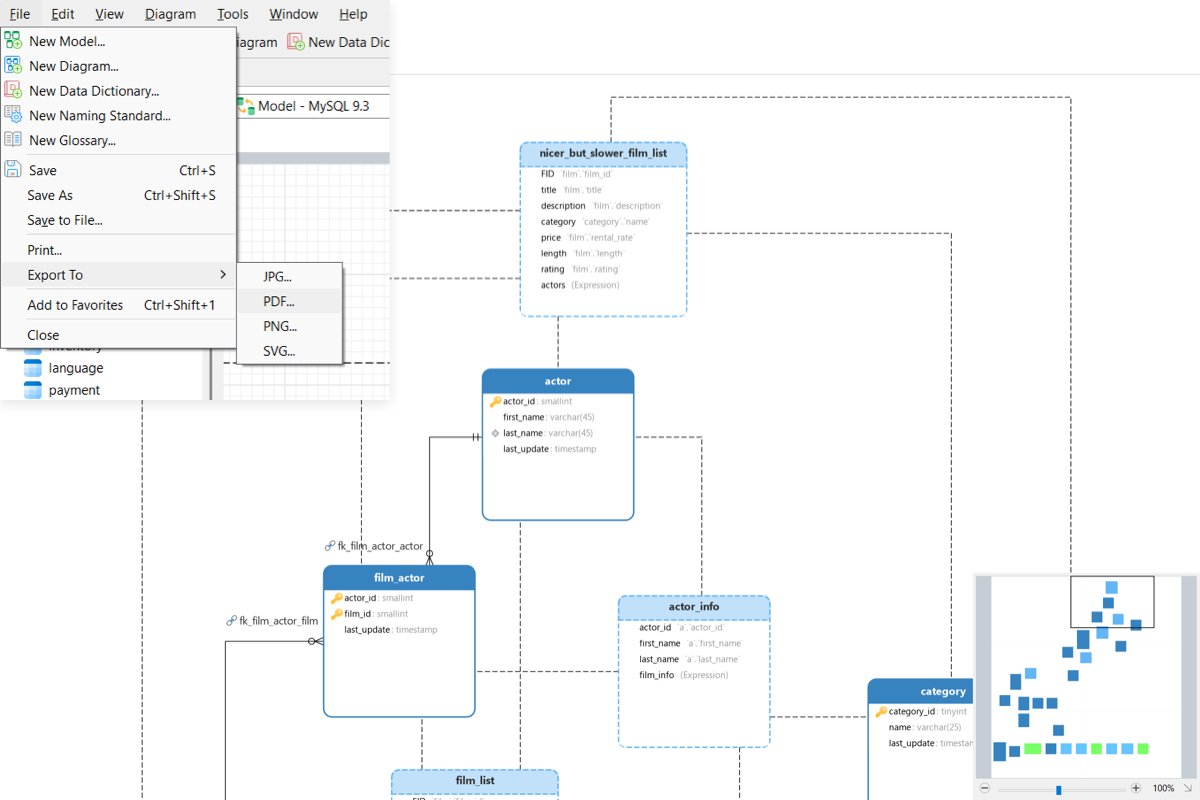
Maximize your canvas area with a full-screen diagram preview that temporarily hides toolbars and side panes for distraction-free reviewing. Export your finished diagram directly to PDF, PNG, SVG, or JPG formats.
Data Dictionary
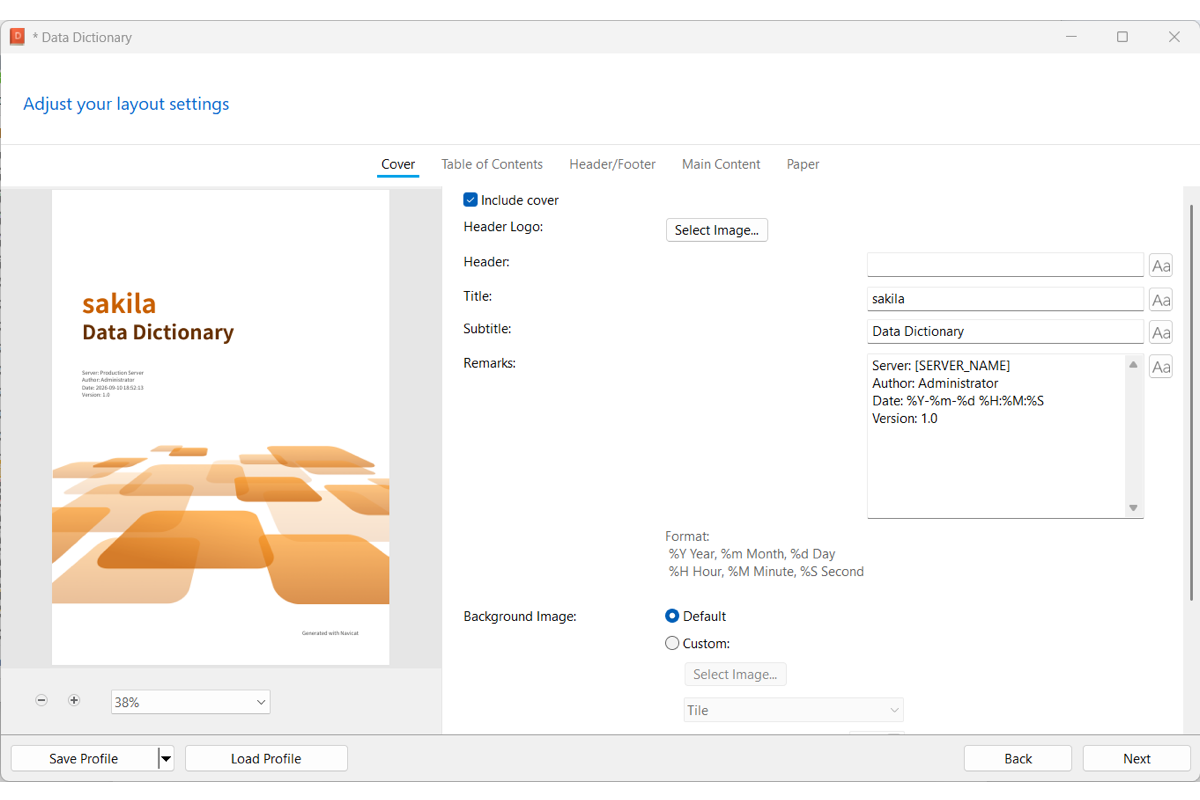
Create audit-ready database documentation with customizable, pre-designed templates. Preview modeled elements prior to deployment, set up automated PDF exports, and share governance reports with stakeholders to accelerate decision-making and maintain compliance. Learn more
Comprehensive Reverse Engineering
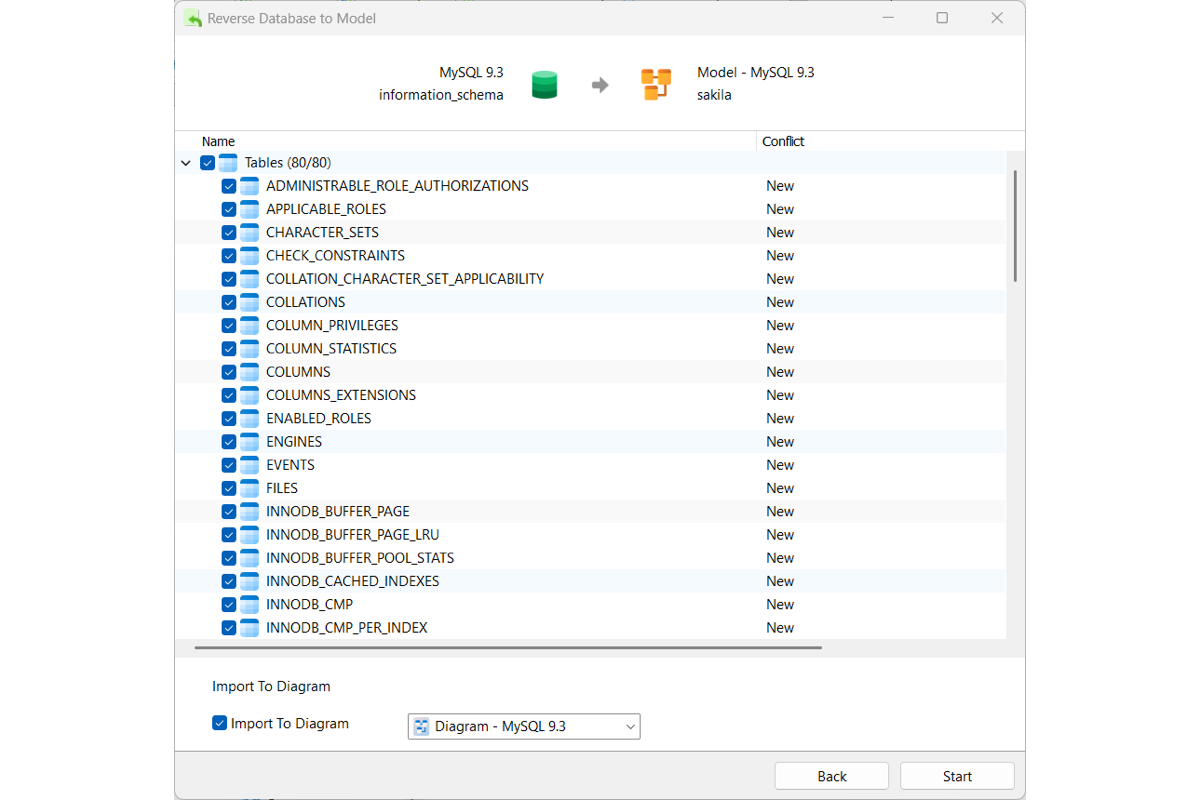
Reverse Database to Model
Target Workspace Mapping: Direct live schemas into a new or existing model file to visualize existing database structures, mapping extracted objects straight onto a new or active diagram canvas.
Selective Object Import: Choose exactly which tables, views, functions, or sequences to reverse-engineer, giving you complete control over what enters your workspace.
Smart Conflict Management: Resolve naming collisions seamlessly when targeting existing models with built-in action rules (Skip, Overwrite, or Duplicate).
Instant New Model Shortcut: Right-click any database directly in the main window to instantly reverse-engineer it into a brand-new visual model in seconds.
Synchronize Database to Model
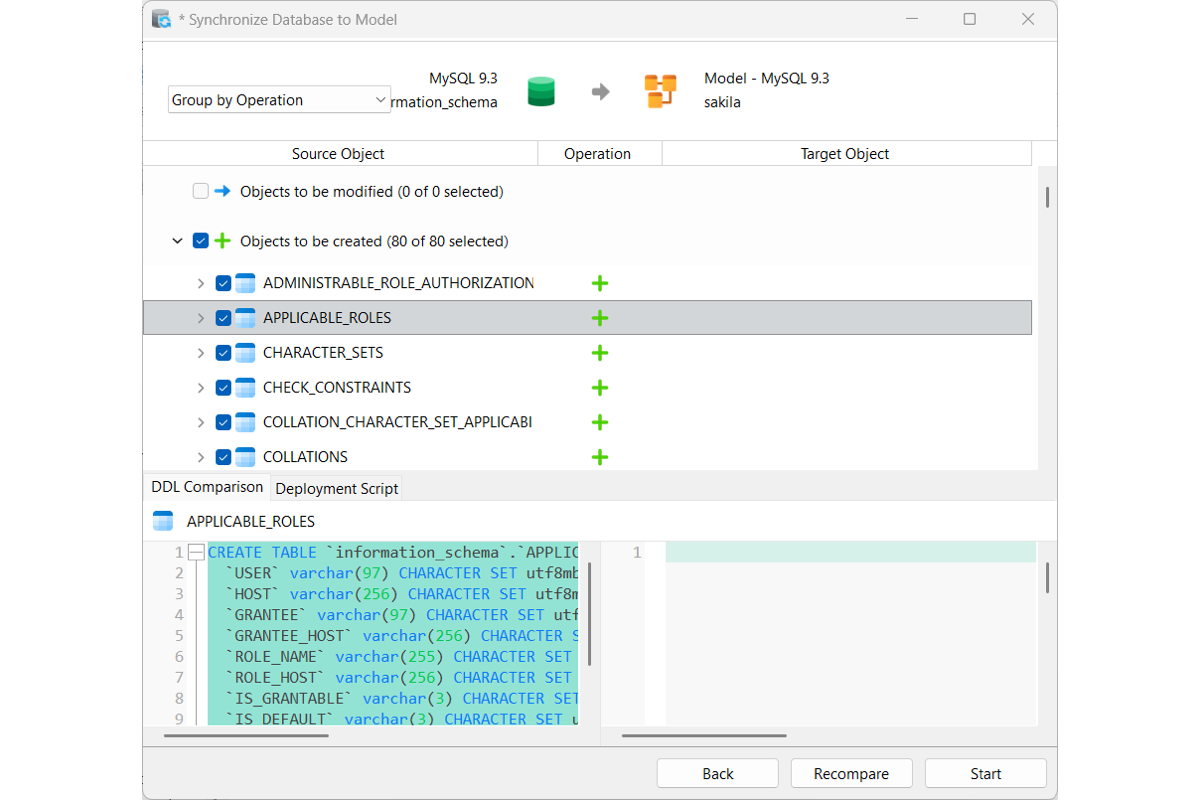
Schema Drift Governance: Compare live database schemas against existing models to detect unauthorized changes, spot structural discrepancies, and enforce strict change management protocols across production environments.
Flexible Comparison Views: Group and review detected schema updates to selectively apply additions, modifications, or deletions as needed.
Side-by-Side DDL Diff: Inspect structural changes line-by-line with side-by-side DDL comparison that highlights added, modified, or deleted fields.
Deployment Script Preview: Review exact update statements before committing changes to maintain complete control over your model.
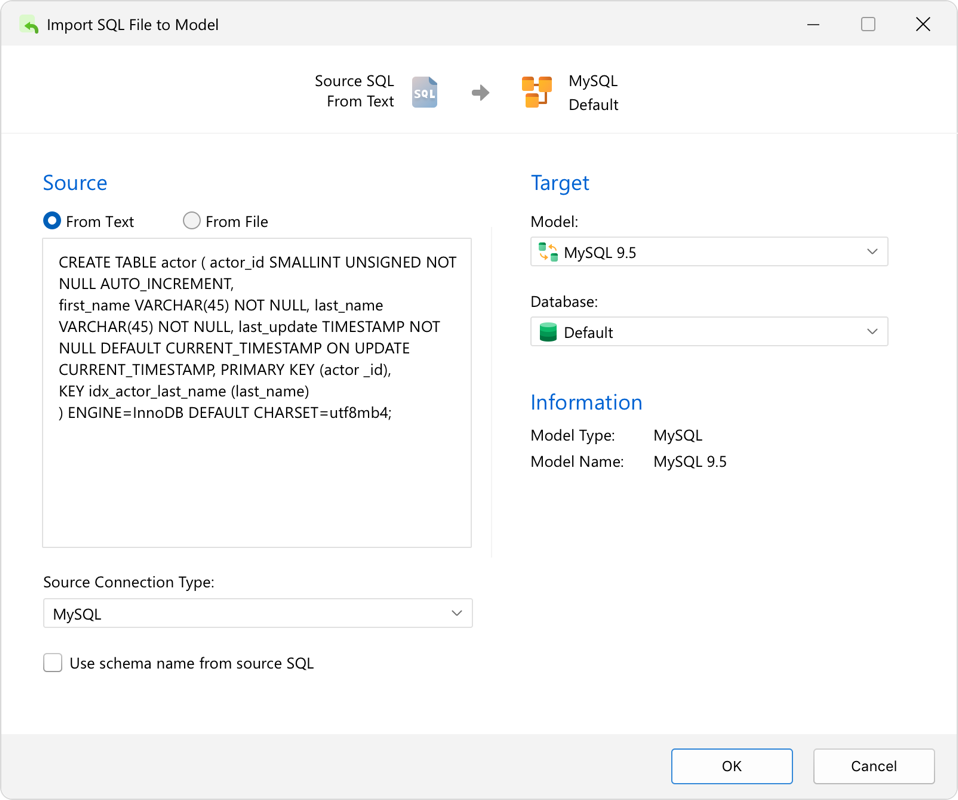
Import SQL File to Model
Import .sql files directly or paste raw DDL text to construct visual database models completely offline. Route parsed structures into a new or existing model file with options to adopt script-defined schema names, while seamlessly resolving naming collisions using built-in action rules (Skip, Overwrite, or Duplicate).
Seamless Forward Engineering
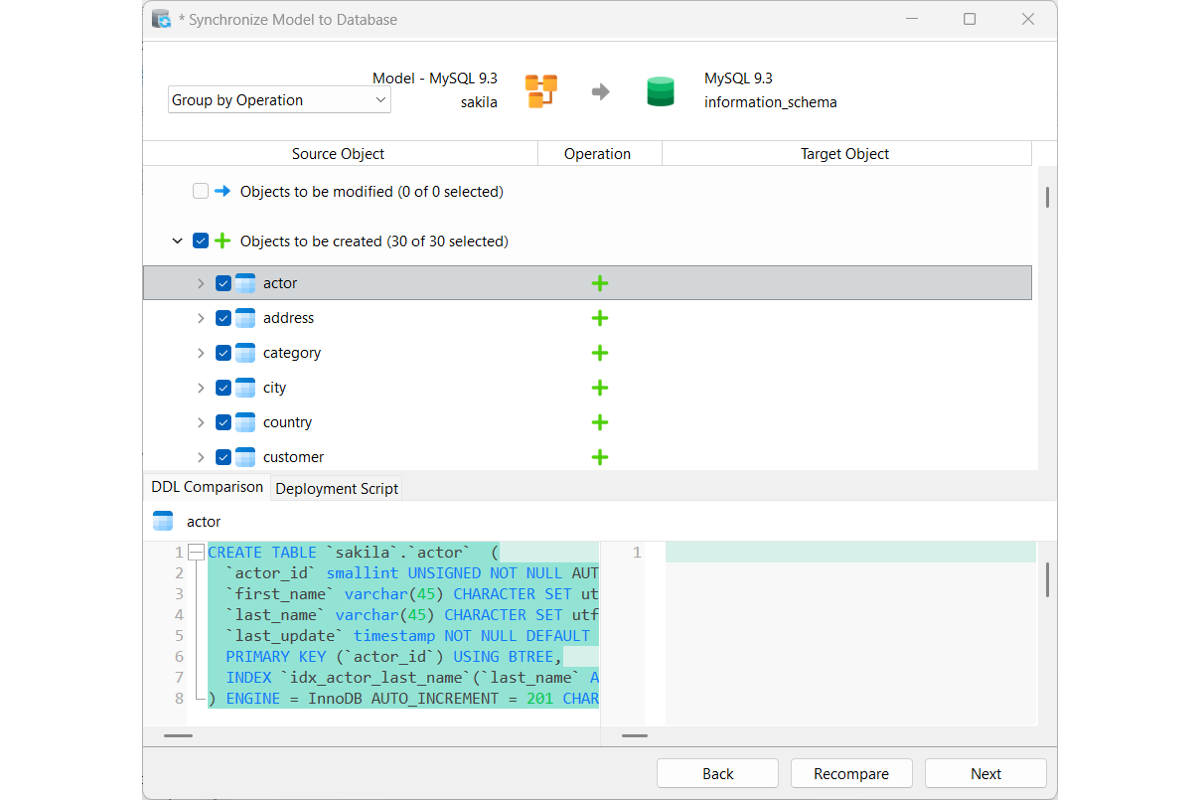
Synchronize Model to Database
Safely push visual model updates straight to live target databases. It leverages the same intuitive comparison tree, side-by-side DDL diff, and deployment script preview as Database-to-Model Sync, operating in reverse to execute changes live.
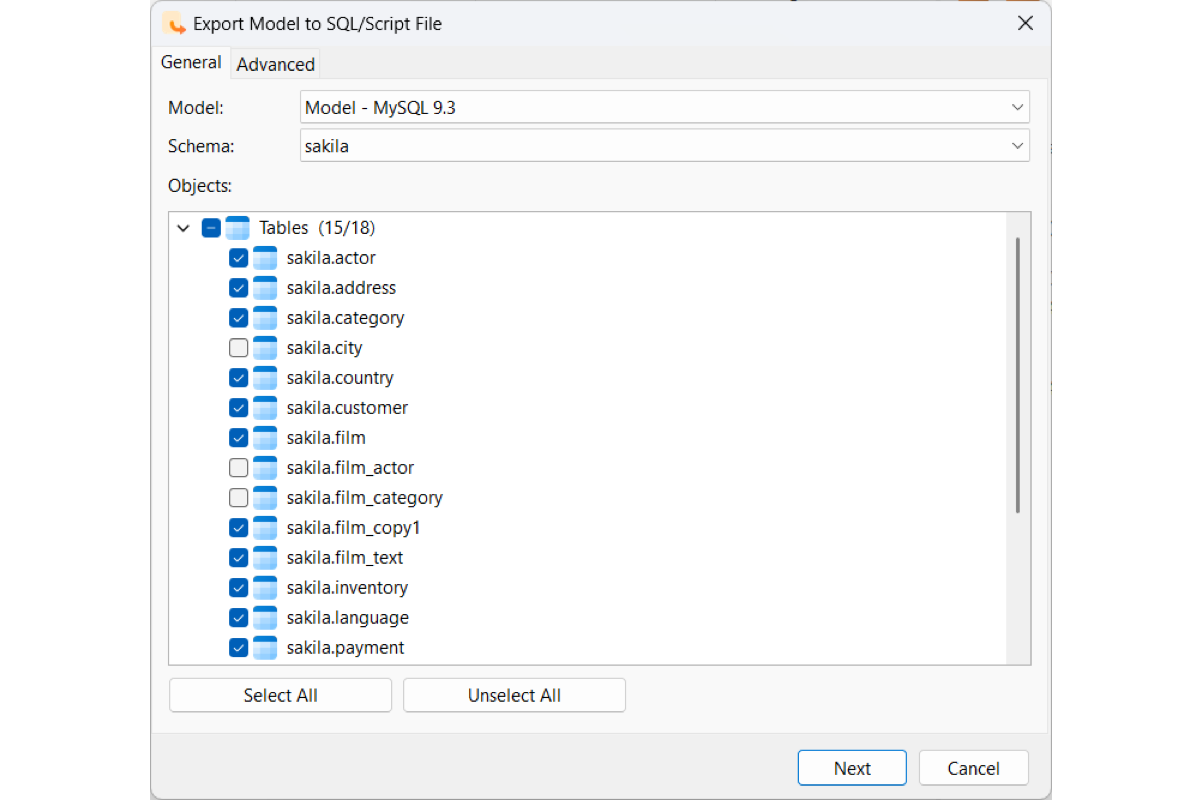
Export Model to SQL File
Hand-pick specific tables, views, functions, and sequences from your visual model and customize output settings like DROP statements, schema prefixes, and constraints to generate clean, executable .sql scripts for version control, team sharing, or offline database deployment.
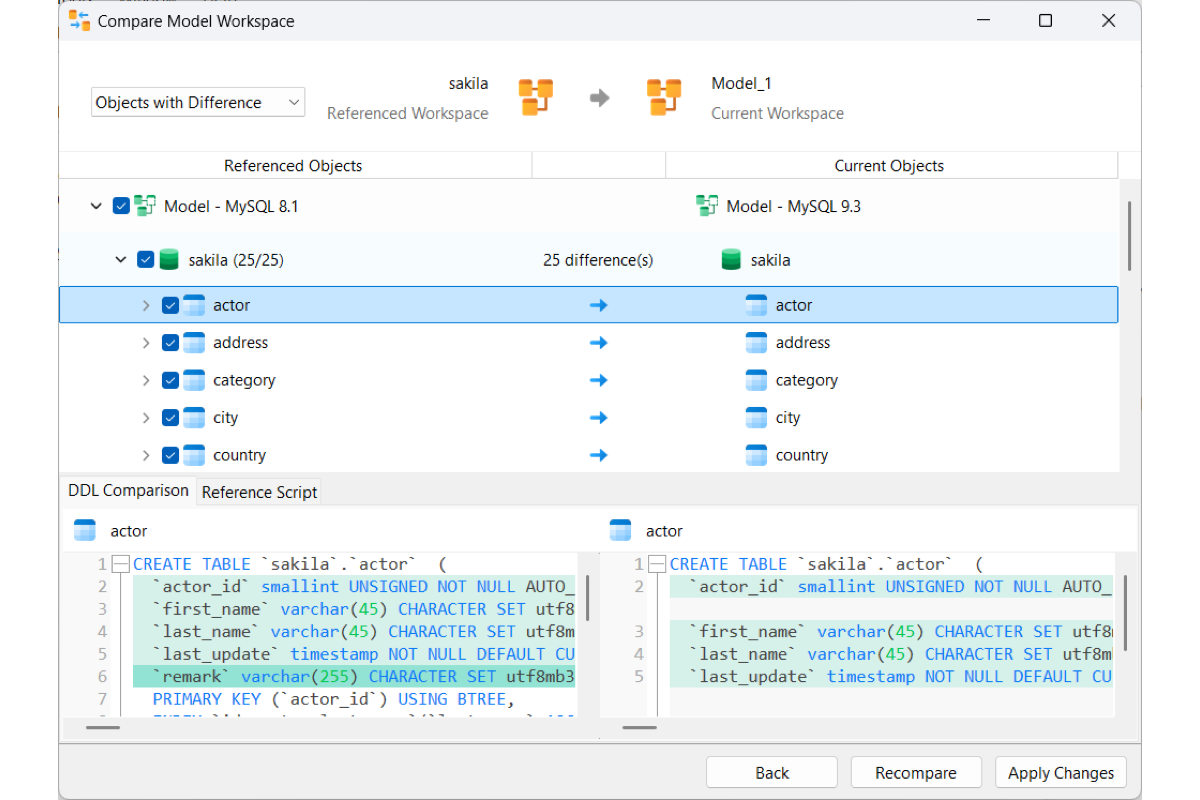
Compare Model Workspace
Compare two model workspaces side by side to find and highlight structural differences across team environments or design branches. Swiftly resolve schema discrepancies to ensure complete design consistency throughout your development lifecycle.
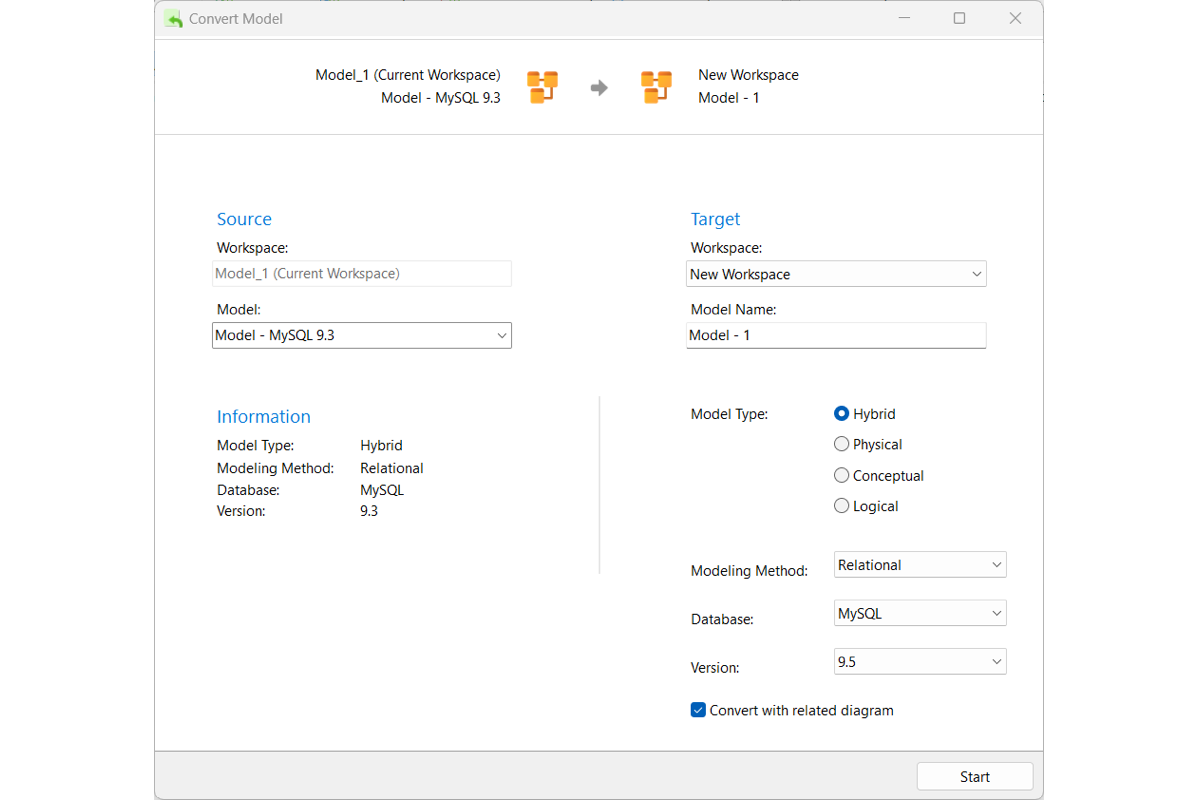
Convert Model
Convert existing database models across different database engines, versions, and modeling types. Seamlessly transition between high-level conceptual frameworks and detailed physical schemas while keeping all associated visual diagrams intact.