


Data Editor for MongoDB
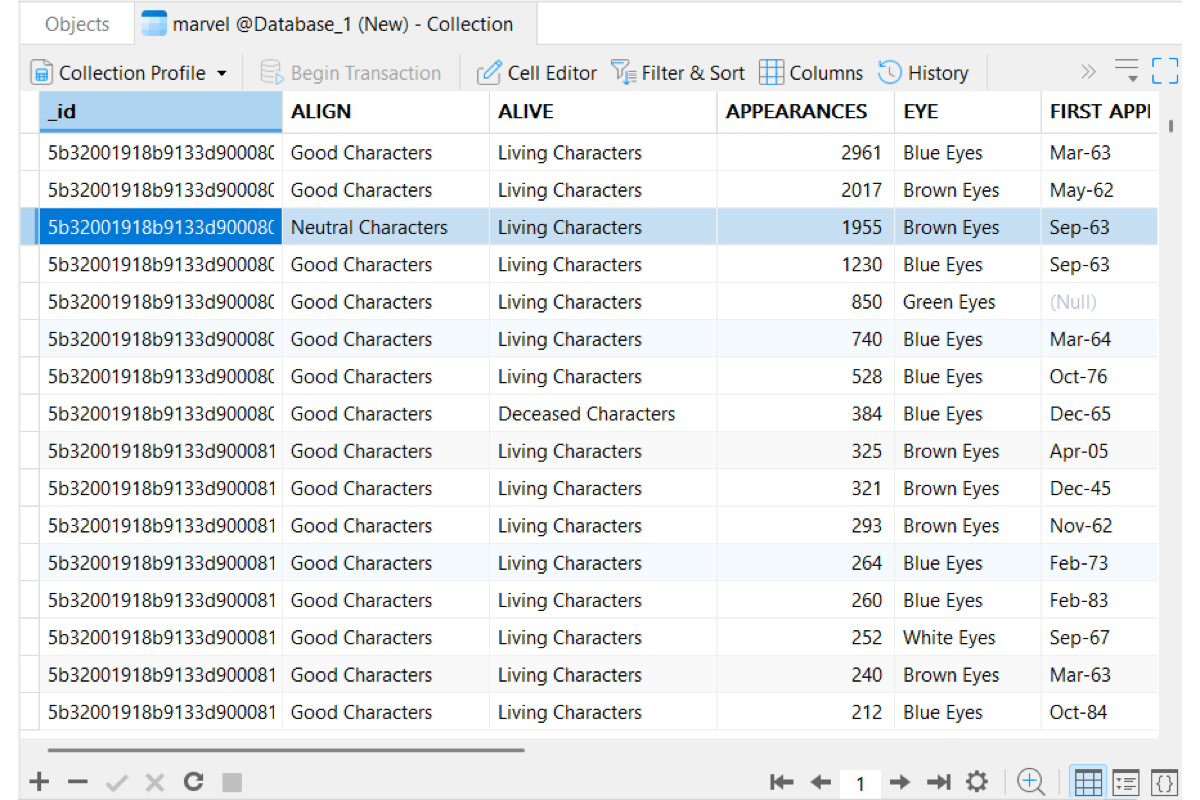
Grid View
Edit multiple documents across your collection without immediate auto-saving. Clear color-coded highlights pinpoint changed fields, while an integrated status bar tracks pending updates so you can review and apply changes in a single batch.

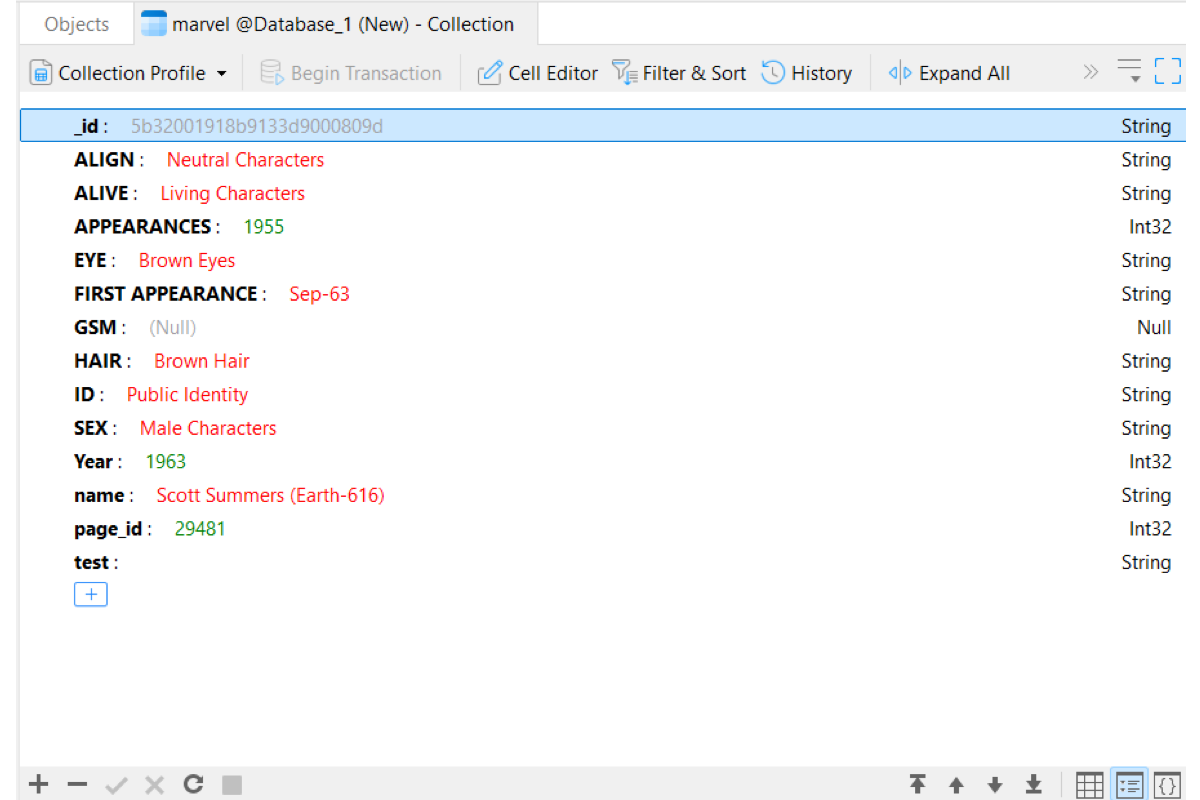
Tree View
Navigate complex nested documents through a visual hierarchy. Expand or collapse sub-documents and arrays effortlessly, update field names and data types directly within tree nodes, and visually modify document structures without risking syntax errors.
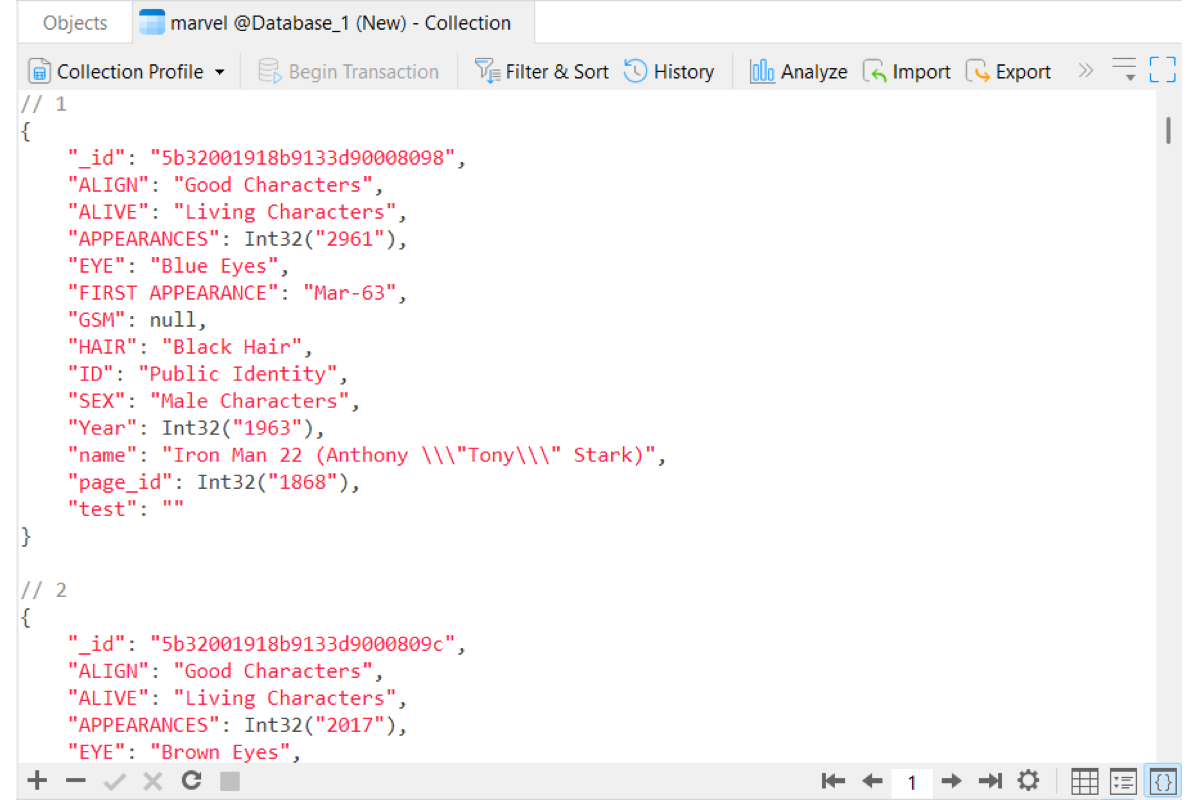
JSON View
Inspect and modify raw document payloads using a full-featured code editor. Readably edit code with real-time syntax highlighting, format messy payloads instantly, and validate document structures before committing changes to your collection.
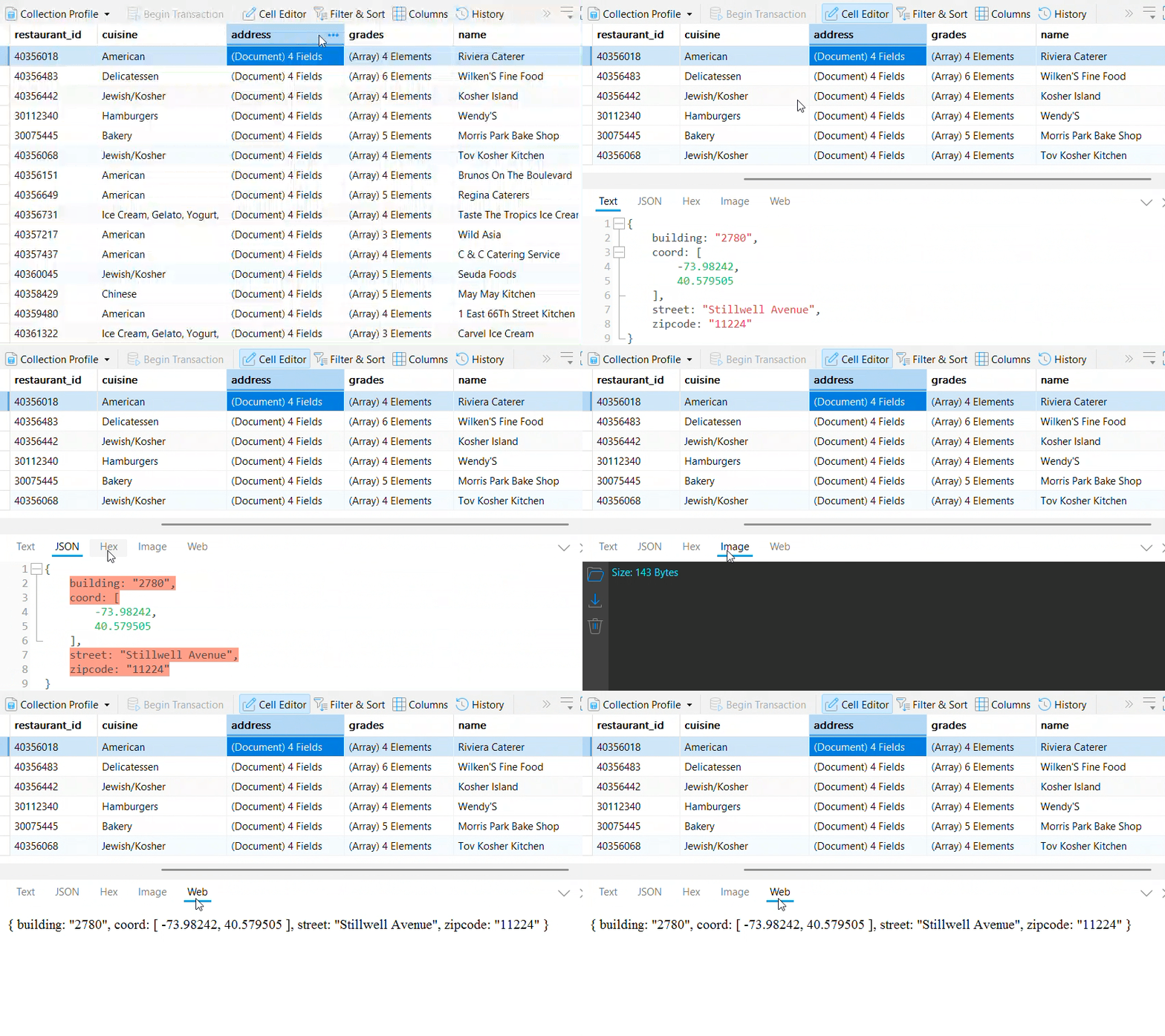
Specialized Cell Editors
Text Editor
View and edit plain text with automatic syntax highlighting for formats like XML, HTML, and CSS.
JSON Editor
Inspect and format nested JSON structures with direct key-value pair editing.
Hex Editor
View and update raw binary data (BinData) directly in hexadecimal format.
Image Viewer
Render image files inside cells, with quick options to upload, export, or clear image data.
Web View
Render HTML content as live, fully styled web pages right inside your editor.
Finding, Filtering & Sorting
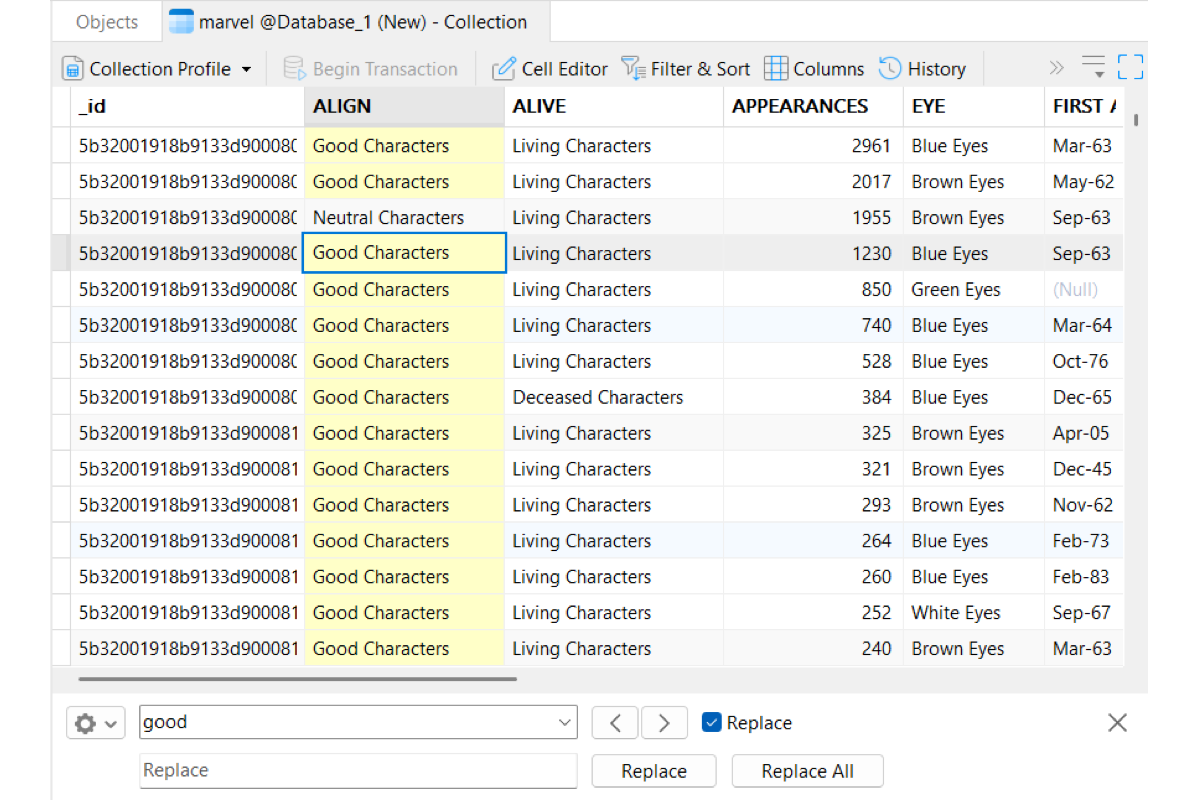
Find & Replace
Search cell values dynamically as you type, step through matching entries, and execute bulk replacements with pre-commit change reviews.
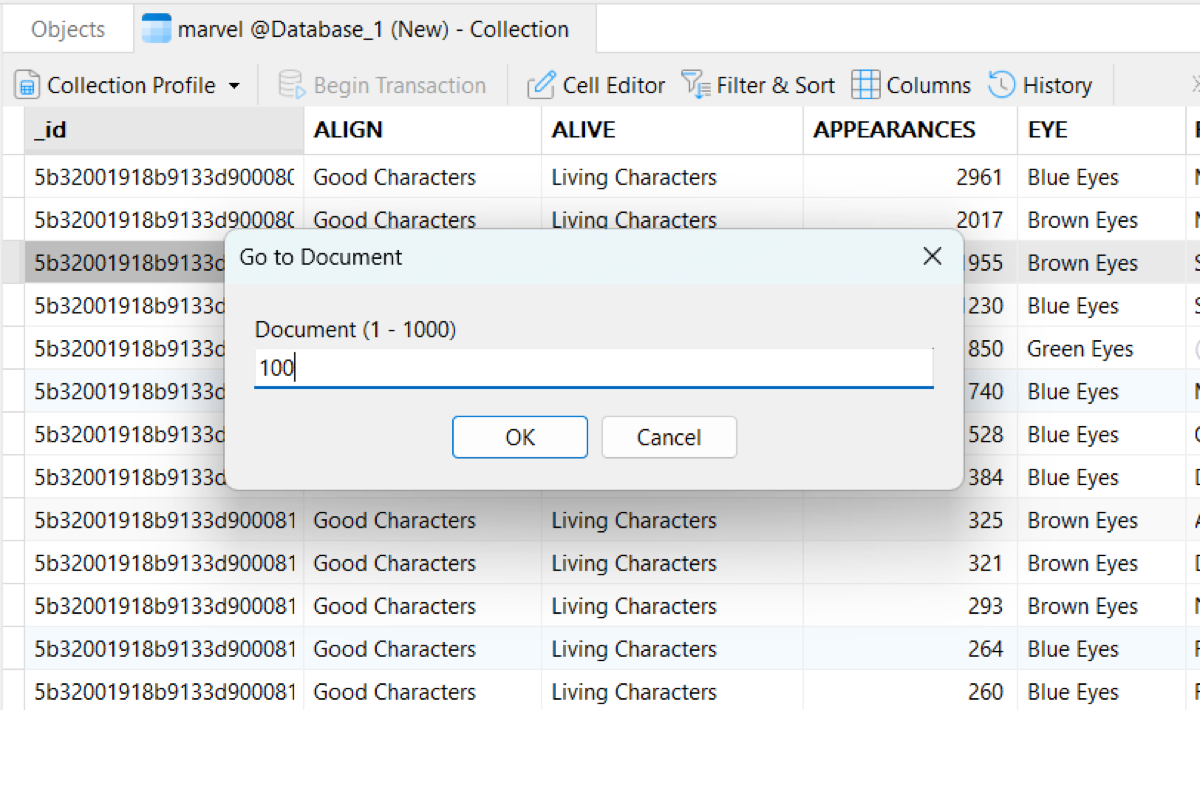
Go to Document
Jump straight to any document position on the active page.
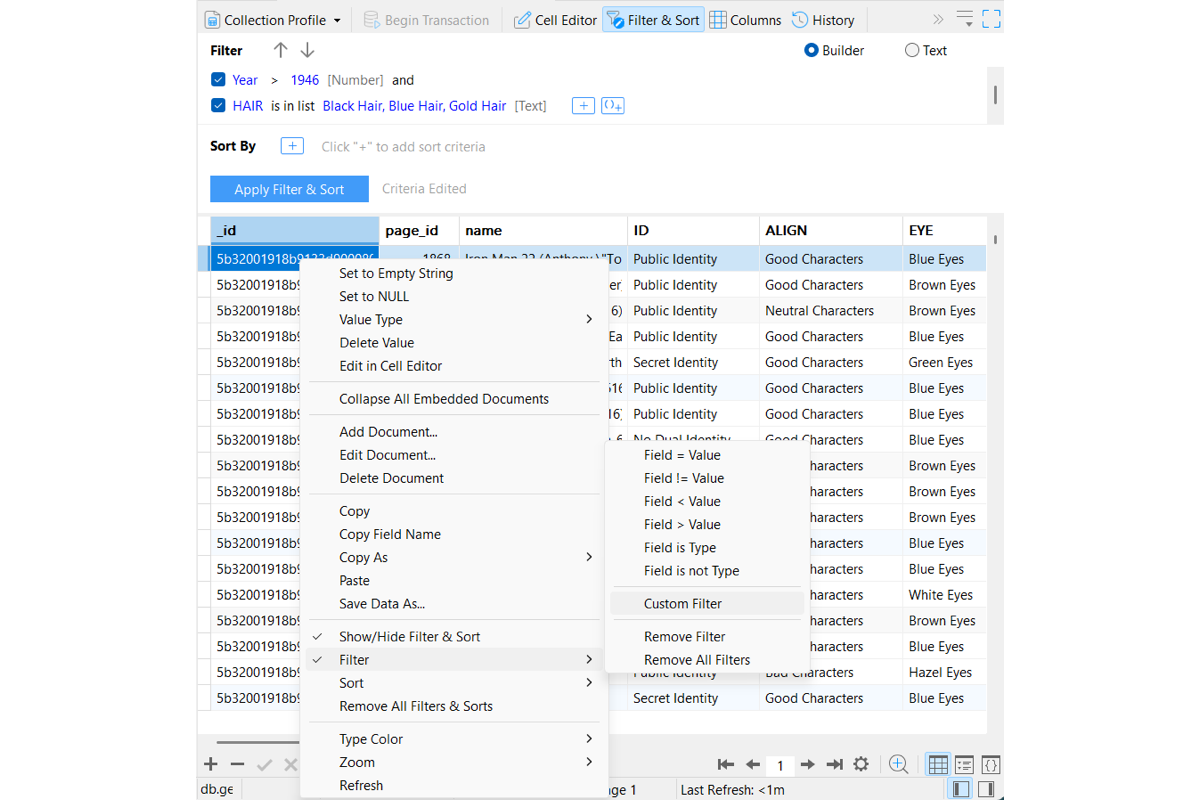
Flexible Filtering
Right-click cell values to filter instantly, or build multi-condition rules in the Filter & Sort pane. Switch seamlessly between visual controls with togglable criteria and a dedicated text mode featuring smart auto-complete.
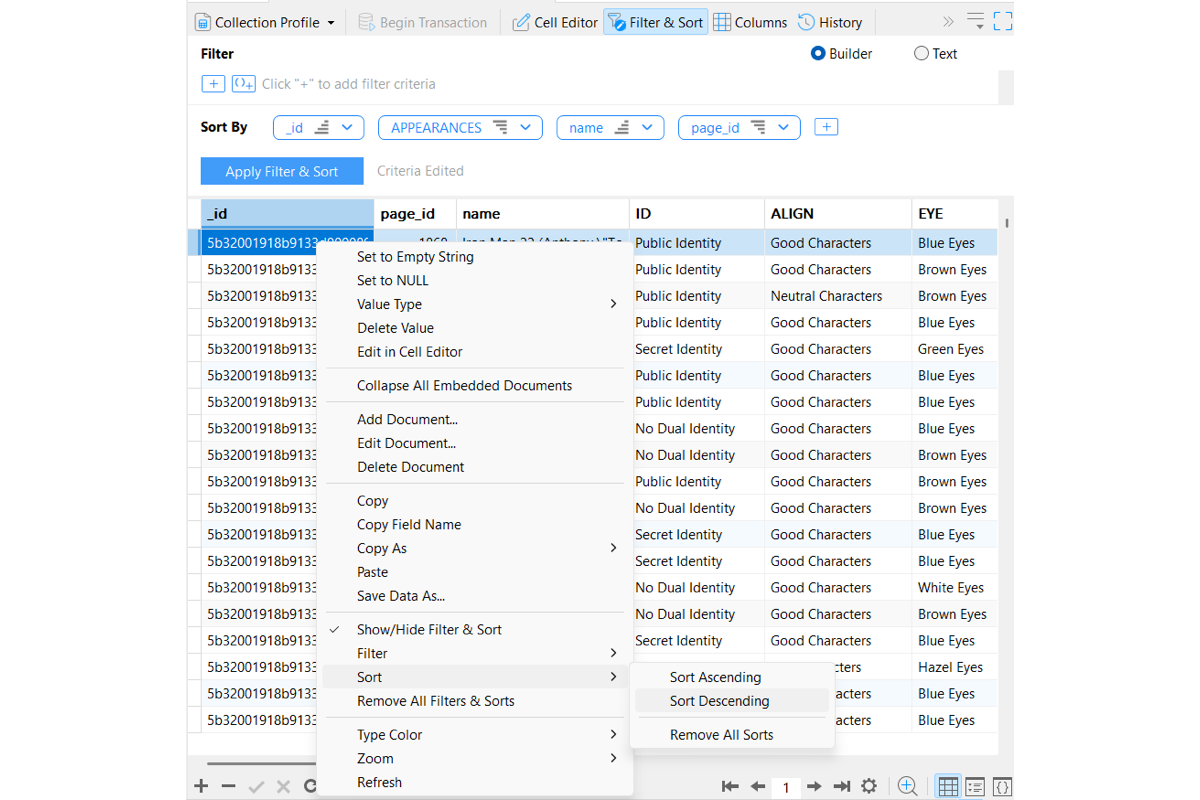
Multi-Level Sorting
Sort single fields directly from field headers or combine multiple fields in the Filter & Sort pane to establish custom sorting hierarchies.
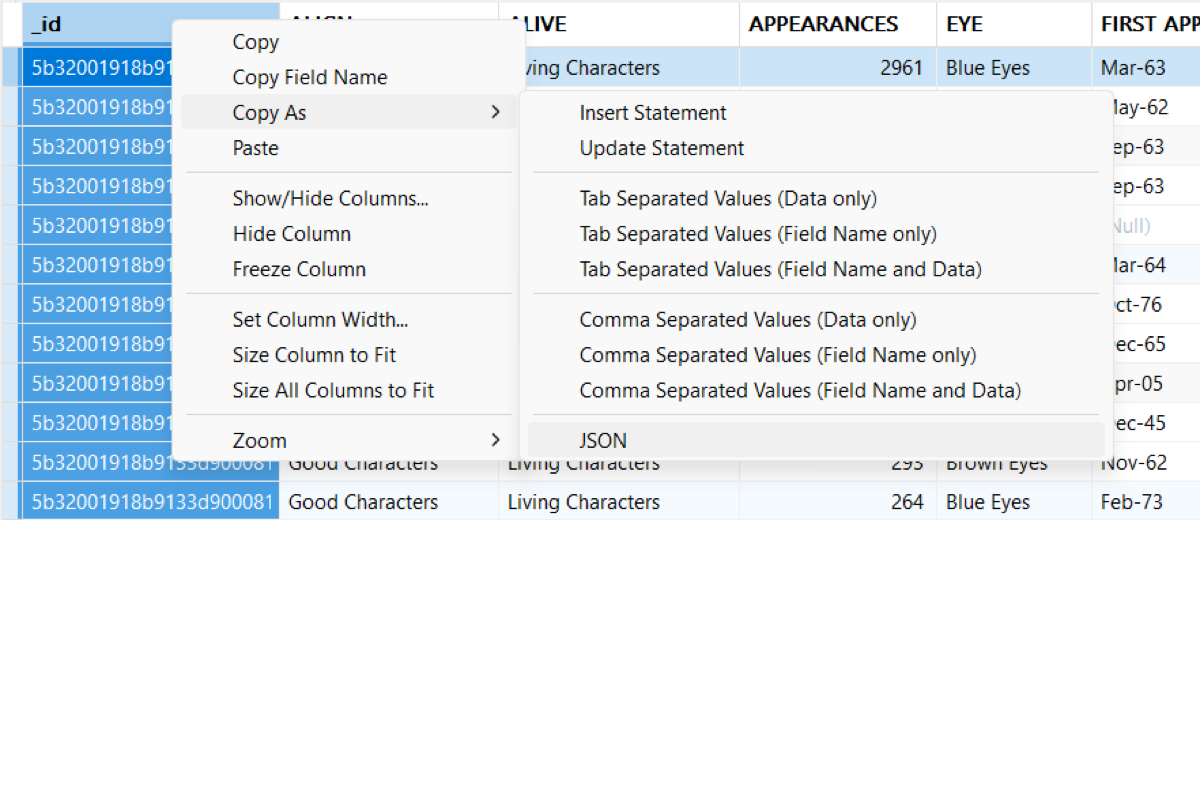
Clipboard & Quick Export
Smart Clipboard Exchange: Copy document data seamlessly into spreadsheets or text editors with automatic tab and row delimiting, or paste clipboard contents directly to update or append documents.
Copy as JSON & MongoDB Commands: Convert selected documents instantly into formatted JSON or executable MongoDB Shell insert and update commands.
Flexible Field Copying: Choose exactly what goes to your clipboard - raw field values, field names only, or tab-separated field names and values - in a single right-click action.
Quick File Export: Save field contents or document selections directly as text (.txt) or image (.png) files without launching full export wizards.
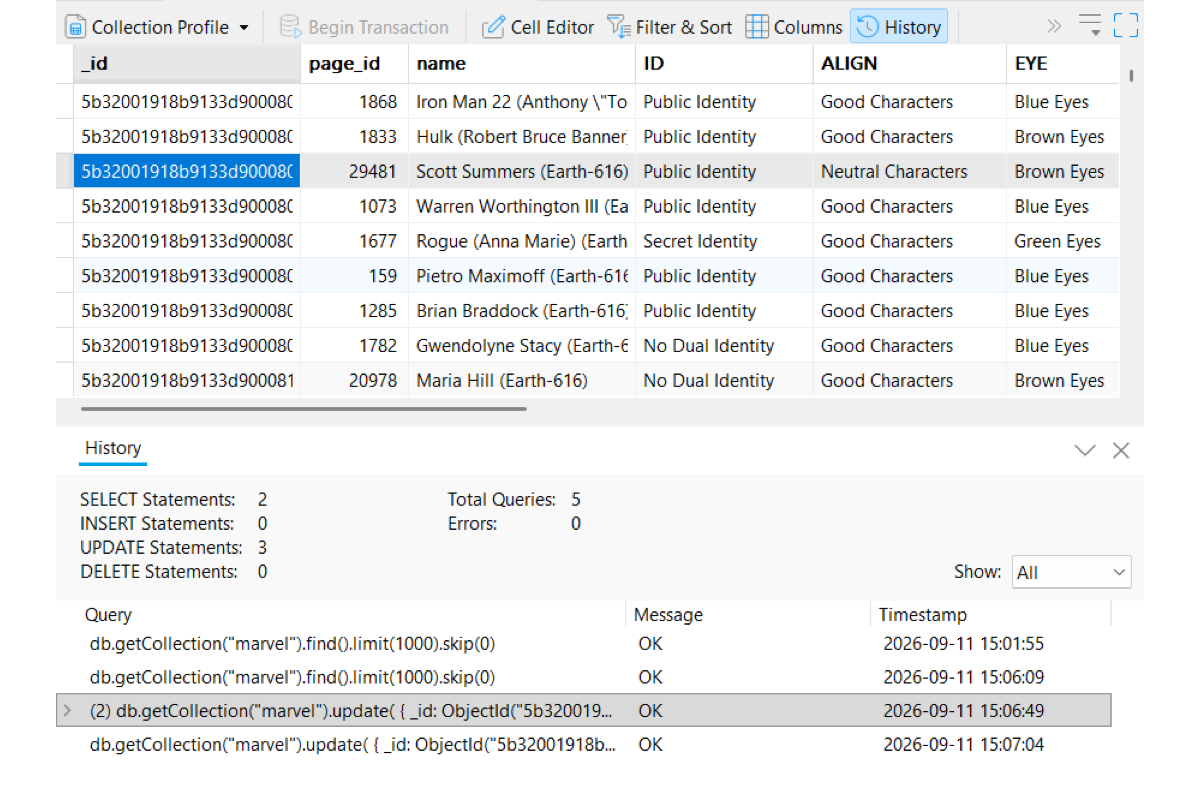
Session History
Track, audit, and reuse database operations across your entire session in real time.
Real-Time Query Stats: Monitor live activity counters for find, insert, update, and delete operations alongside total query and error counts at a glance.
Detailed Audit Logs: Inspect complete command histories with exact query operations, execution status messages, and precise timestamps.
Instant Query Reuse: Open any historical command directly in a new query window to edit, refine, or re-run.
Custom Layouts
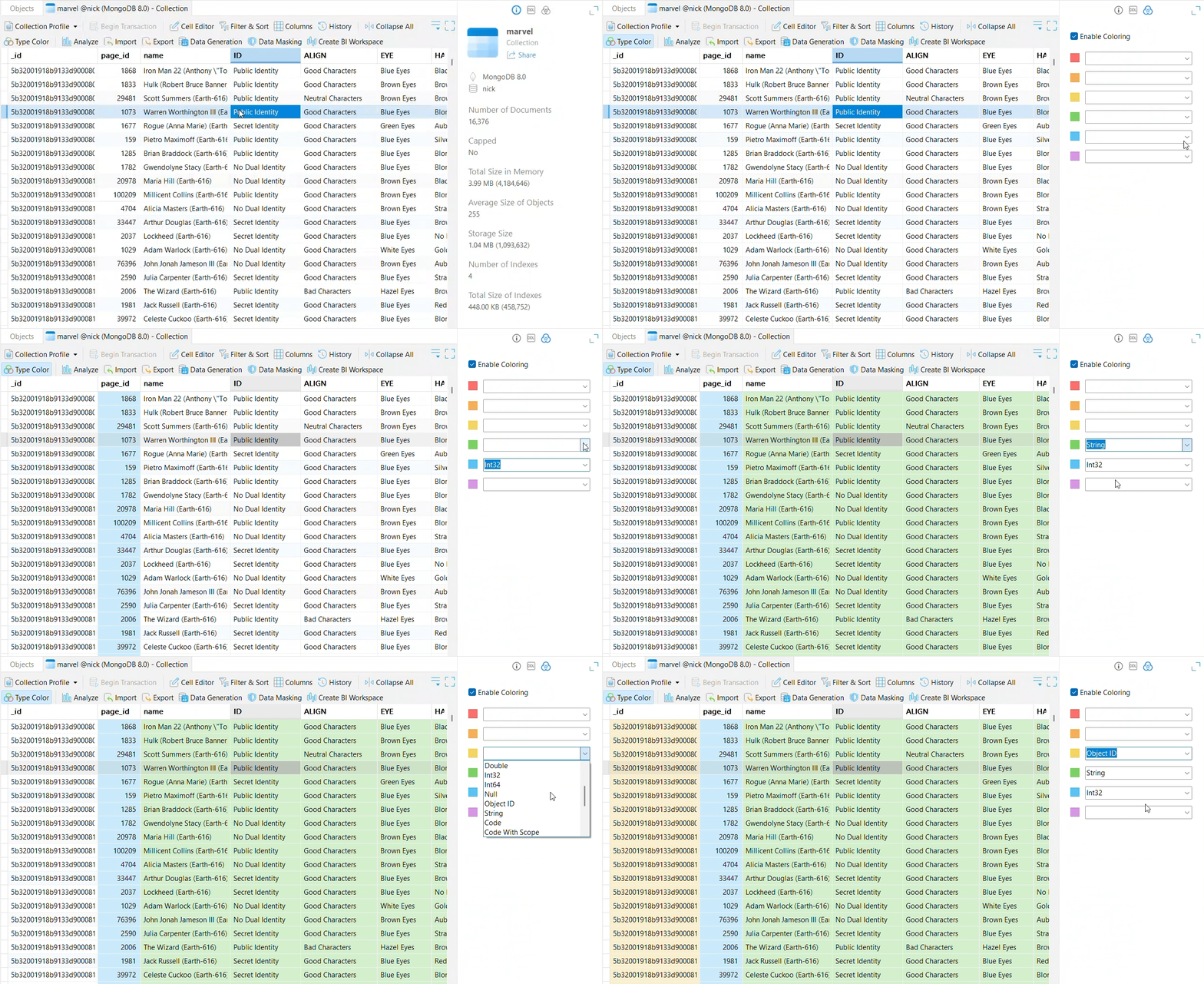
Data Type Color Coding
Apply customizable color highlights to grid cells based on underlying data types to instantly identify field structures and data variations across collections.
Inline Document Expansion
Expand embedded sub-documents directly alongside standard fields to inspect and edit multi-level document structures without leaving the main grid view.
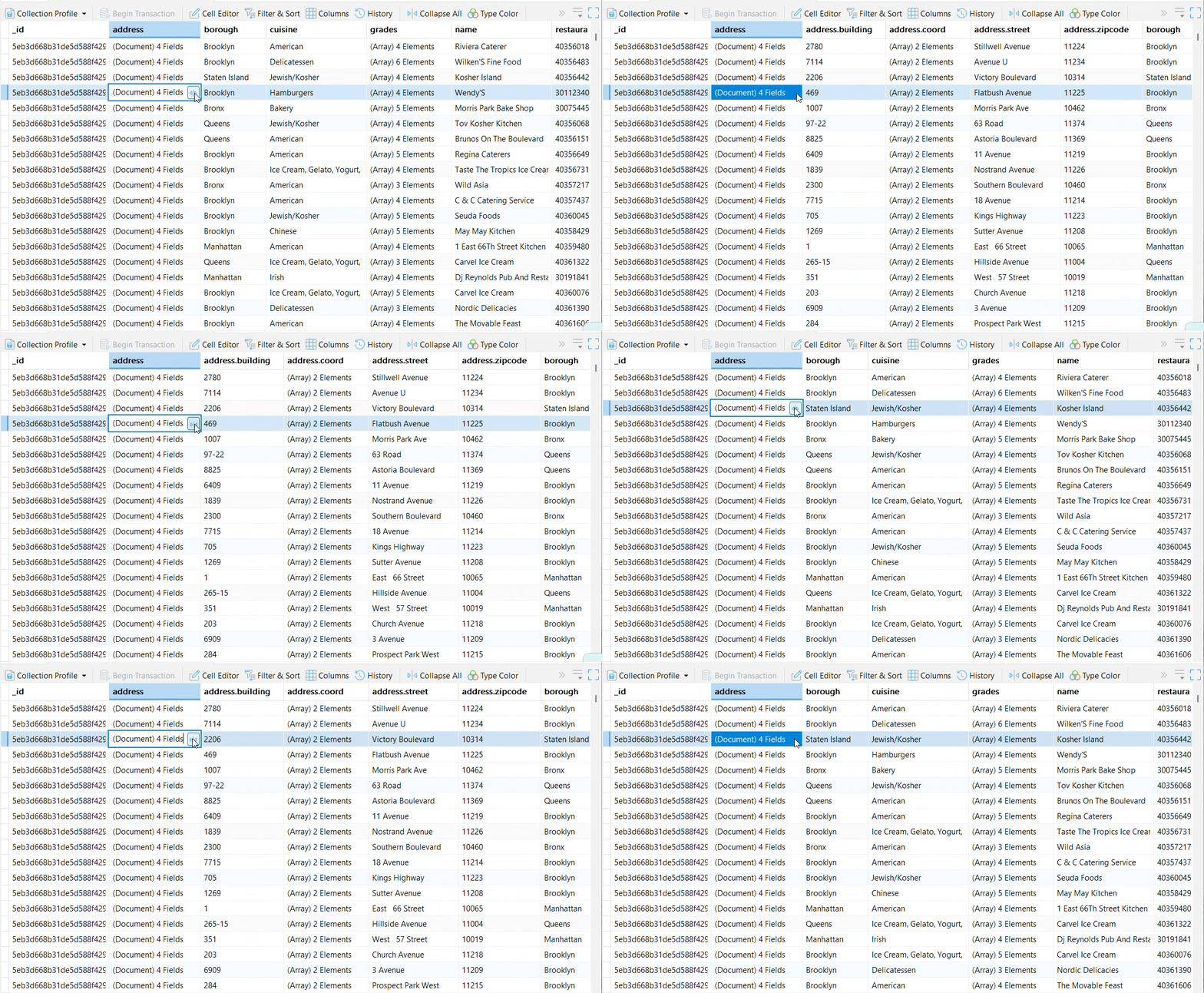
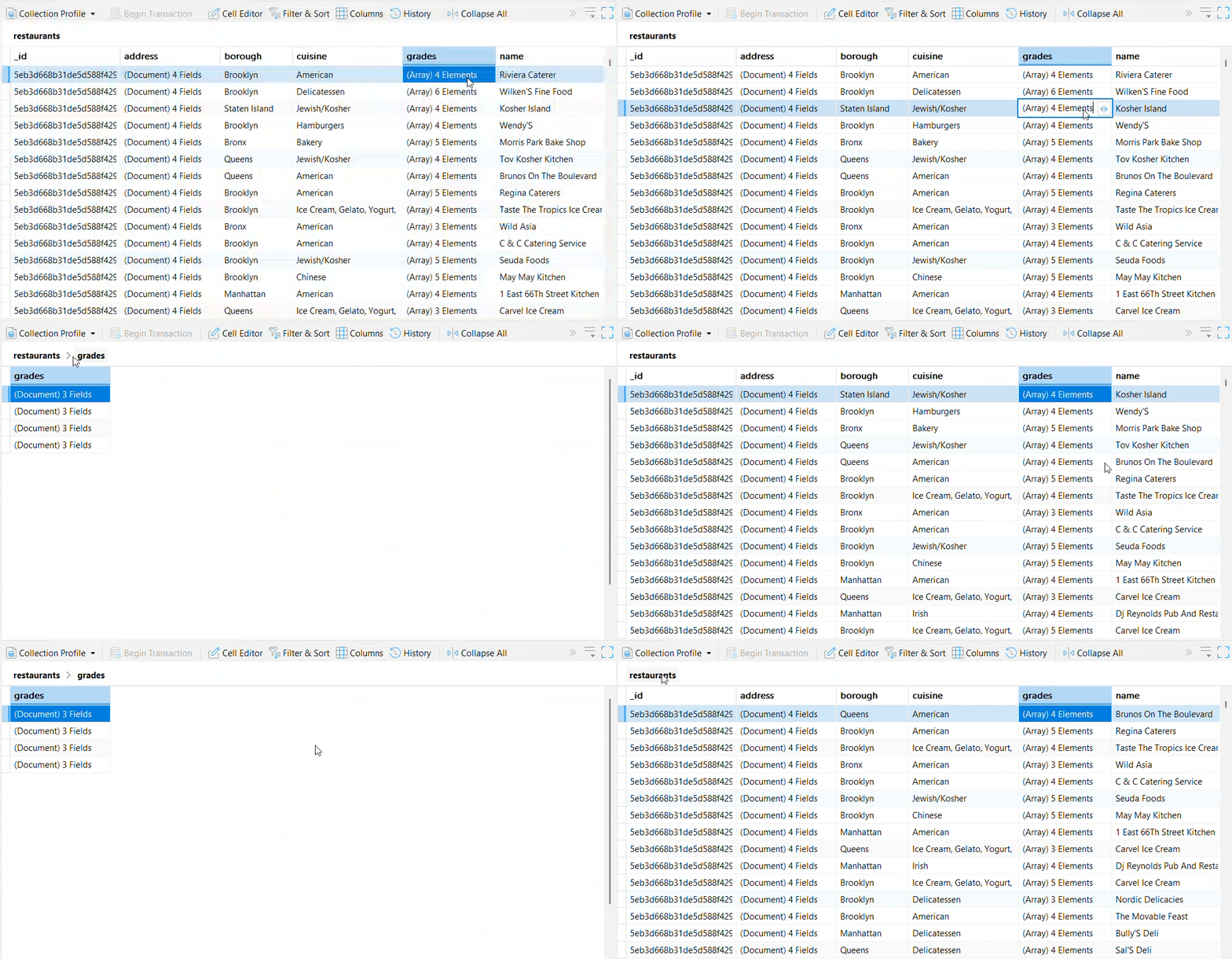
Dedicated Array Grid
Open array contents in a focused sub-grid workspace to easily review, add, or delete individual elements, with simple one-click navigation back to the main collection.
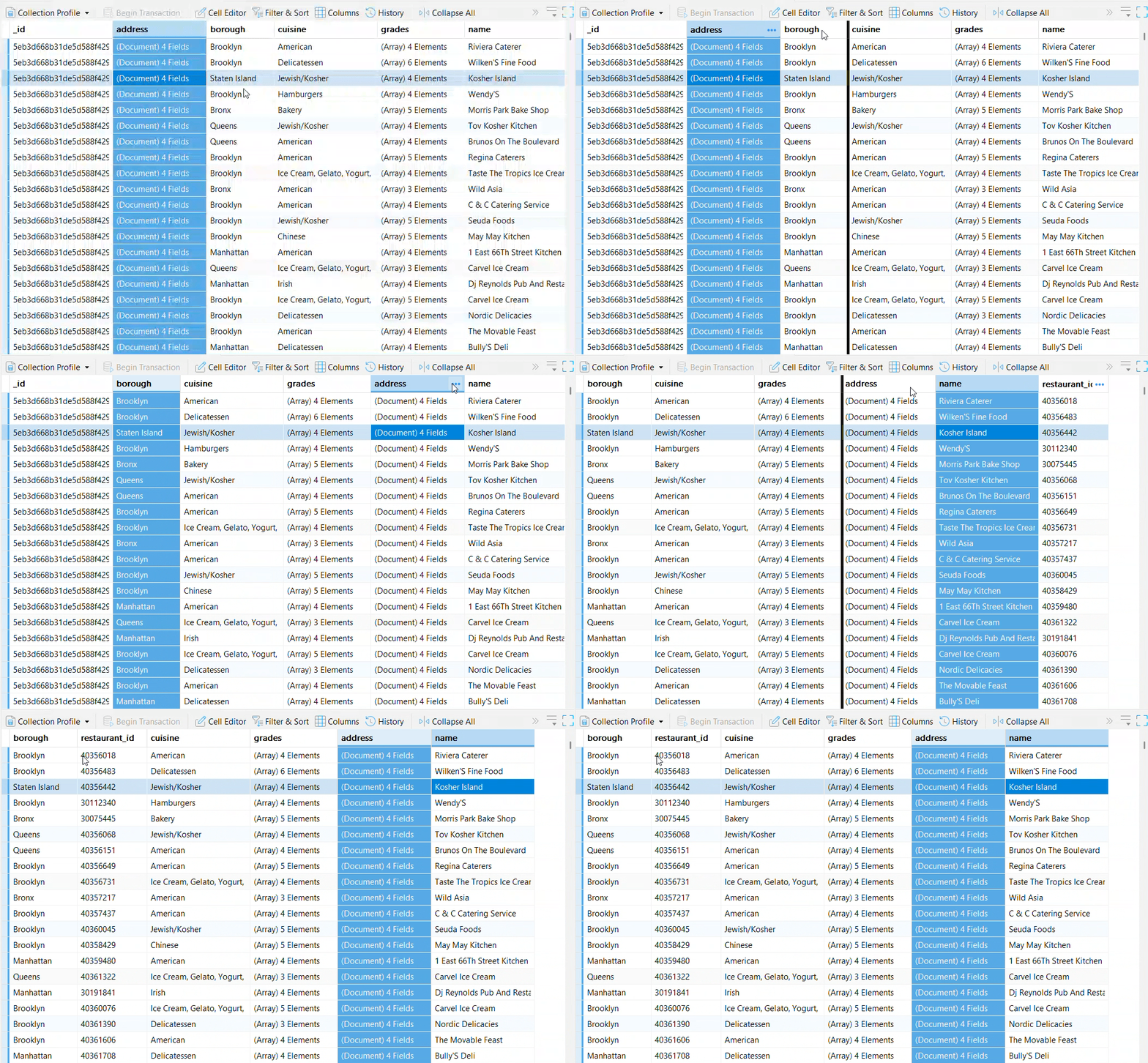
Move & Reorder Columns
Drag and drop field headers to reorder display layouts for optimal visibility and faster data entry.
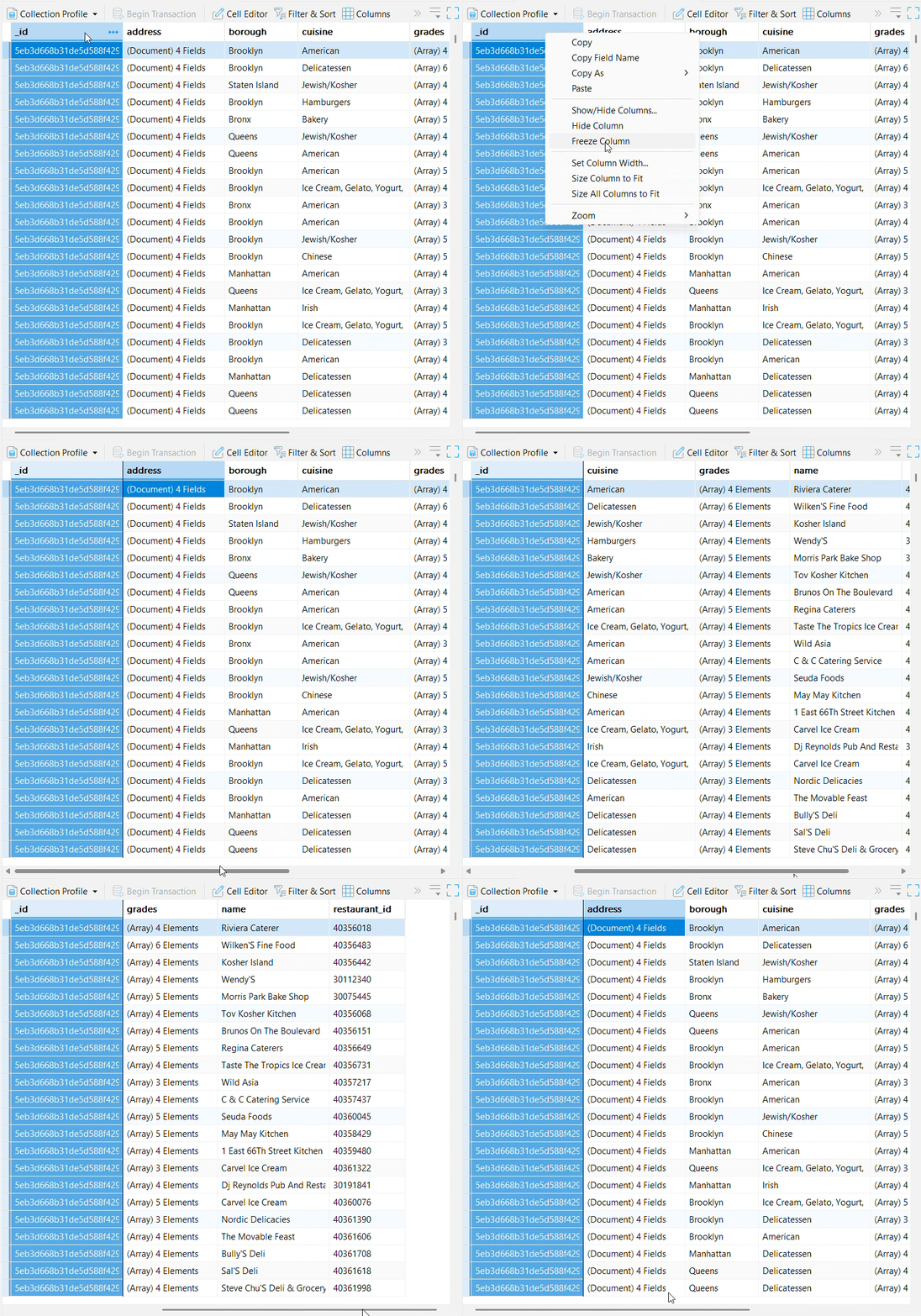
Freeze Columns
Pin key fields to the left side of your screen so they stay visible for easy reference while scrolling horizontally across wide collections.
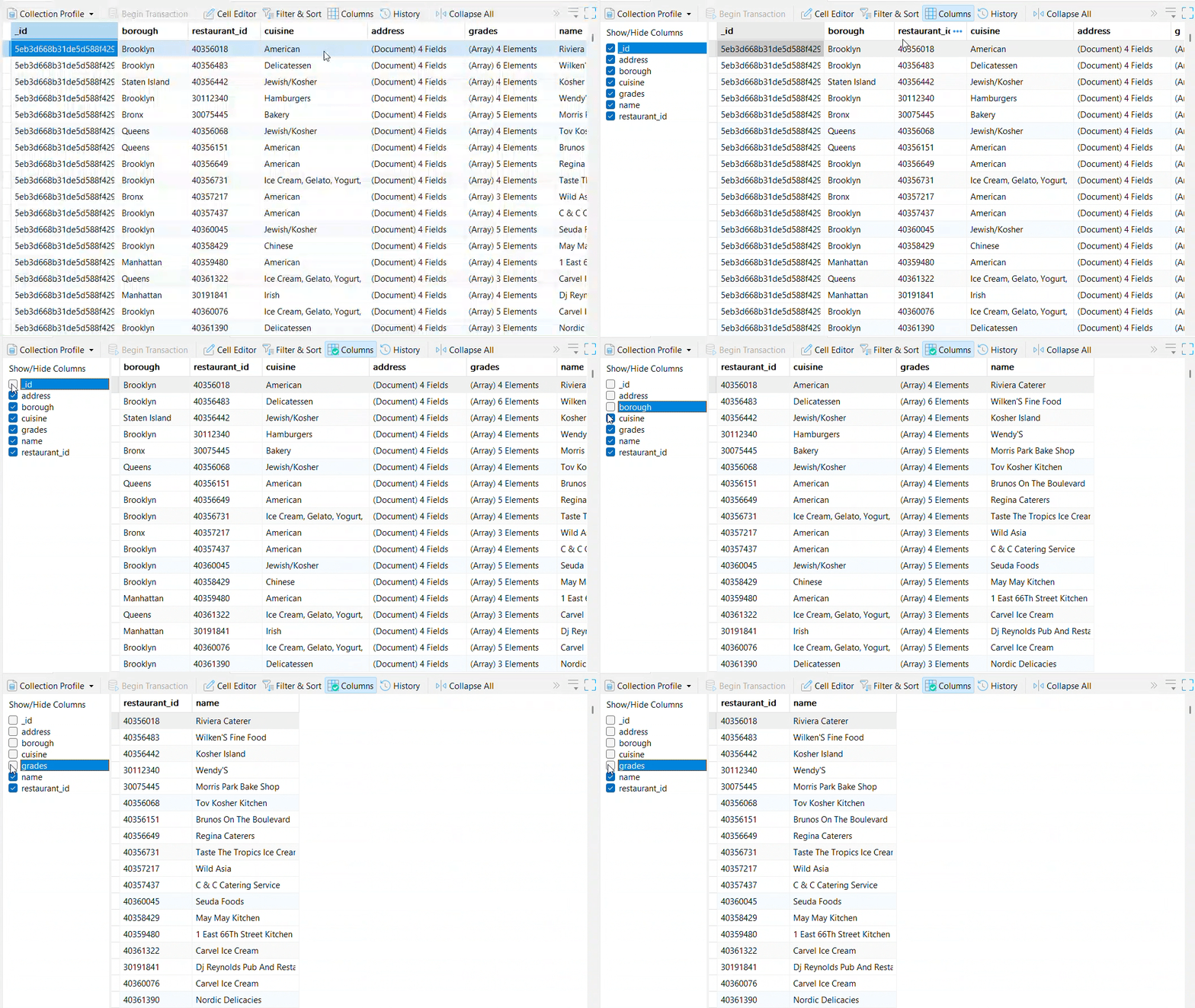
Show & Hide Columns
Toggle off non-essential fields to keep your view clean, focused, and free of unnecessary horizontal scrolling.
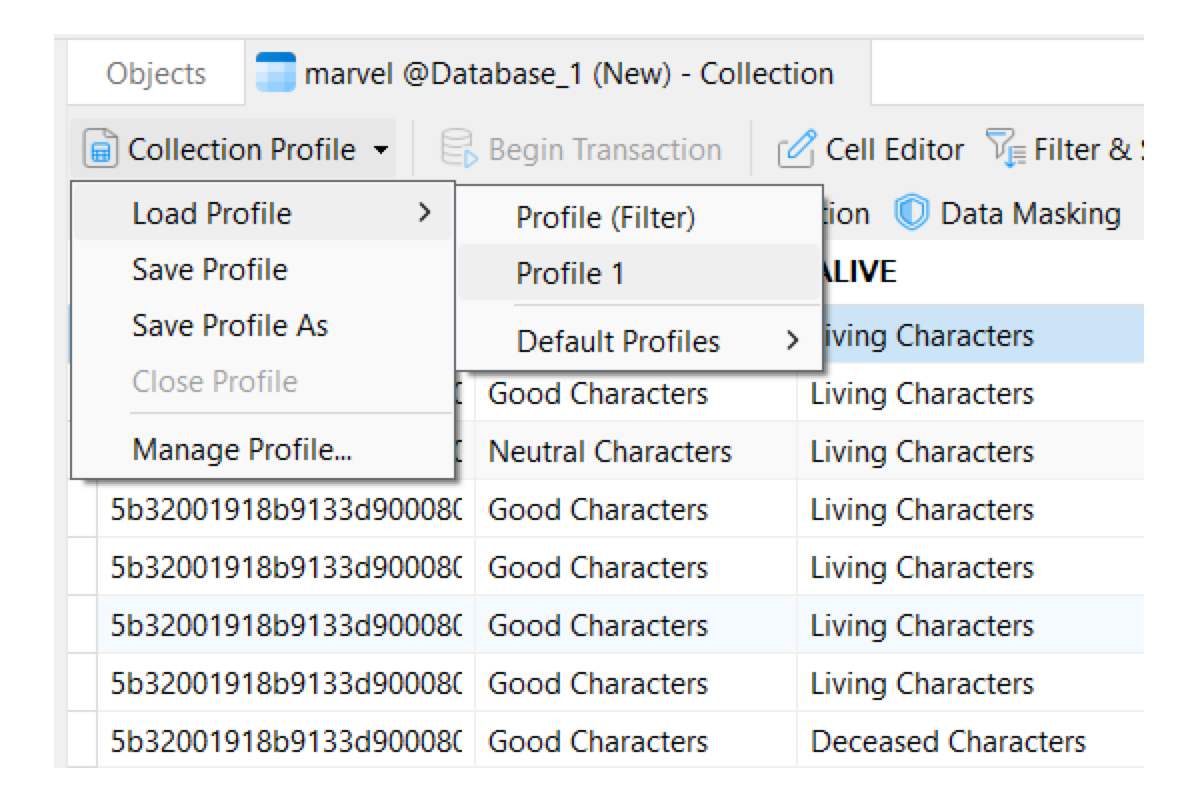
Collection Profile
Save custom filters, sorting rules, and field layouts to instantly restore your tailored workspace.
Save Custom Workspaces: Capture your exact view configuration, including active filters, sort orders, and visible fields, for fast reuse.
Instant Main Window Access: Access saved profiles directly under corresponding collection objects in the main window to launch customized views in a single click.